2026-06-28 · Updated 2026-06-30
Claude Code MCP Integration: Connect Tools to the Agent
Add MCP servers to Claude Code with claude mcp add. Compare local stdio and remote HTTP/SSE transports, set scopes, connect GitHub, and avoid risky servers.
Last updated: June 30, 2026
Out of the box, Claude Code reads and edits files and runs shell commands. It cannot read your GitHub issues, query your database, or drive a browser. The Model Context Protocol (MCP) closes that gap: it is the standard plug that lets the agent talk to external tools and data. This guide shows the exact claude mcp add commands, when to pick a local versus remote server, how scopes work, which servers are worth connecting, and the security checks to run before you trust one.
Quick answer: how do you add an MCP server to Claude Code?
You register a server with the claude mcp add command, then Claude Code can call its tools during a session.
For a local server that runs as a process on your machine:
claude mcp add playwright -- npx -y @playwright/mcp@latest
For a remote server reached over HTTPS:
claude mcp add --transport http github https://api.githubcopilot.com/mcp/
After adding a server, run /mcp inside Claude Code to see its connection status and complete any OAuth sign-in. Use claude mcp list to confirm it registered. The official command reference lives in the Claude Code MCP docs.
What is MCP, and why connect it to Claude Code?
MCP is an open protocol, first published by Anthropic, that defines how an AI client and a tool server exchange capabilities. A server advertises tools (actions the agent can take), resources (data it can read), and prompts. Any MCP-aware client can use any MCP server, so one GitHub server works in Claude Code, an IDE, or another agent without custom glue. The spec and server registry are at modelcontextprotocol.io.
The practical payoff: instead of pasting an issue body into the chat, you connect the GitHub server once and ask the agent to read, label, and respond to issues directly. For the deeper background on the protocol itself, see our MCP explainer, and for the full tool in context, the Claude Code ultimate guide.
A server can be a tiny stdio script you wrote, a Docker image, or a SaaS endpoint a vendor hosts. Claude Code treats all of them the same way once they speak MCP.
Which transport should you use: local or remote?
Transport is how Claude Code reaches the server. Local servers run on your machine over stdio; remote servers run somewhere else and answer over HTTP or SSE. The choice usually follows where the data lives.
| Transport | How it runs | Best for | Auth |
|---|---|---|---|
| stdio (local) | Claude Code spawns a process on your machine | Filesystem, local databases, custom scripts | Env vars or local credentials |
| HTTP (remote) | Calls a hosted server over HTTPS | SaaS APIs like GitHub or Sentry | OAuth or an API token |
| SSE (remote) | Streams from a hosted endpoint | Long-lived vendor-hosted servers | OAuth or an API token |
Use a local stdio server when the tool needs files or services on your laptop, such as a folder of project assets or a Postgres instance on localhost. Use a remote HTTP or SSE server when a vendor already hosts it, because you skip installation and get updates without touching your config. Remote servers almost always sign you in through OAuth, which you trigger from the /mcp menu.

Choosing a scope: local, project, or user
Scope decides who sees the server and where the config is stored. Claude Code supports three, and picking the right one keeps secrets out of your repo while still sharing safe servers with the team.
| Scope | Stored in | Visible to | Use when |
|---|---|---|---|
| local | Your project-specific user settings | Only you, only this project | Personal experiments or servers that hold secrets |
| project | .mcp.json committed to the repo |
Everyone who clones the repo | A server the whole team should share |
| user | Your global user settings | You, across every project | A server you want available everywhere |
Set scope with the --scope flag, for example claude mcp add --scope project .... Project scope writes a checked-in .mcp.json, so never put a raw token there; reference an environment variable instead. Local scope is the default and the safest place to test a new server before you commit to sharing it. If you also build Claude Code skills, keep server scope and skill scope consistent so a teammate who pulls the repo gets a working setup.
How do you add a server with claude mcp add?
The pattern is the same for every server: a name, an optional transport flag, and the command or URL. The -- separator marks the start of the local command and its arguments.
Add a local filesystem server scoped to one folder so the agent can only touch what you allow:
claude mcp add filesystem -- \
  npx -y @modelcontextprotocol/server-filesystem ~/projects/my-app
Pass secrets as environment variables instead of hardcoding them:
claude mcp add my-api --env API_KEY=your_key_here -- node ./my-mcp-server.js
Add a remote server with its transport and URL:
claude mcp add --transport sse linear https://mcp.linear.app/sse
Then manage what you have:
claude mcp listshows every registered server and its status.claude mcp get <name>prints one server's config.claude mcp remove <name>unregisters it./mcp(typed in a session) shows live connection state and runs OAuth.
Keep flag usage close to the official docs; vendors occasionally change a server's package name or URL, so copy the current value from the server's own README rather than guessing.
Common MCP servers worth connecting
Start with one server that removes a real chore, prove it out, then add more. These are the ones developers reach for first, and what each unlocks.
| Server | What it unlocks | Transport | Source |
|---|---|---|---|
| Filesystem | Scoped read/write to folders you name | stdio | Official reference servers |
| GitHub | Read issues, open and review PRs, search code | HTTP (hosted) | github/github-mcp-server |
| Playwright | Drive a real browser, screenshot pages, test flows | stdio | microsoft/playwright-mcp |
| Postgres / database | Inspect schema, run read-only queries | stdio | Community + reference servers |
| Sentry | Pull stack traces and error context into the session | HTTP | Vendor-hosted |
The Playwright MCP server is the standout for front-end work: the agent opens your page, clicks through a flow, and reports what broke with a screenshot. A database server is handy for read-only schema questions, but scope it to a read replica so a stray query can never write. When you start chaining several servers together, route the heavy work to a dedicated worker using Claude Code subagents so the main session stays responsive.

Scenario: connect a GitHub MCP server to open PRs
Say you want the agent to triage issues and open pull requests in one repo. GitHub hosts an official remote MCP server, so you do not install anything locally.
-
Register the hosted server:
claude mcp add --transport http github https://api.githubcopilot.com/mcp/ -
Type
/mcpin Claude Code, select github, and complete the OAuth sign-in in your browser. The token stays with GitHub; you never paste it into a file. -
Confirm the tools loaded with
claude mcp list. -
Now ask in plain language:
- "List open issues labeled
bugand summarize the top three." - "Open a draft PR from
fix/login-redirecttomainwith a short description." - "Read PR #214 and flag anything that touches authentication."
- "List open issues labeled
The agent reads issue threads, drafts the PR body, and links the right issue, all without you leaving the terminal. Grant the GitHub app access to a single repository first, review what the agent proposes, and widen access only once you trust the flow. The server's full tool list and self-hosting option are documented in the GitHub MCP server repo.
Is it safe to connect an MCP server?
An MCP server can run code on your machine or act on your accounts, so treat each one like installing a dependency: connect only servers you trust. The risk is real because a malicious or buggy server could exfiltrate files or take destructive actions with your credentials.
Run through this checklist before adding a server:
- Confirm the source. Prefer official vendor servers (GitHub, Sentry) or the published reference servers over an unknown package.
- Read what tools it exposes. A "read my issues" server should not be requesting write access to your whole disk.
- Scope tightly. Point filesystem servers at one project folder and database servers at a read replica.
- Keep secrets out of
.mcp.json. Use environment variables and never commit a real token. - Grant least privilege on OAuth. Give a GitHub app one repo, not your whole org, until you trust it.
- Review actions before approving. Read the PR or query the agent proposes; do not auto-approve writes from a new server.
Anthropic flags prompt-injection risk for servers that fetch untrusted web content, so be extra cautious with any server that pulls in arbitrary pages. The current security guidance is in the Claude Code MCP docs.
Troubleshooting MCP connections
Most failures are config or auth, not the protocol. Work through these in order:
-
Server not listed: rerun
claude mcp list. If it is missing, theaddcommand likely failed; check for a typo in the--separator or the package name. -
Status shows failed in
/mcp: the process could not start. For stdio servers, run the raw command (for example thenpxline) in your terminal to see the real error. -
Authentication failed: open
/mcp, pick the server, and redo the OAuth flow. For token-based servers, confirm the environment variable is set in the shell that launched Claude Code. -
Tools not appearing: restart the Claude Code session so it reloads server capabilities, then verify the scope is one the current project can see.
-
Wrong scope: a server added with
--scope localwill not show up for teammates; re-add it with--scope projectif it should be shared.
When a remote server changes its URL or a package is renamed, your saved config goes stale. Pull the current value from the server's README and re-add it rather than editing blind.
Key takeaway
MCP turns Claude Code from a file-and-shell agent into one that talks to your real tools. Add servers with claude mcp add, choose stdio for local data and HTTP/SSE for hosted services, and set scope by who should see the server. Connect one useful server first, the GitHub server is a strong start, and verify every server's source and permissions before you trust it. Keep tokens in environment variables, scope filesystem and database access narrowly, and review the agent's actions until a new server has earned it.
Use the free tools while you follow the guide.
Keep reading
2026-10-07
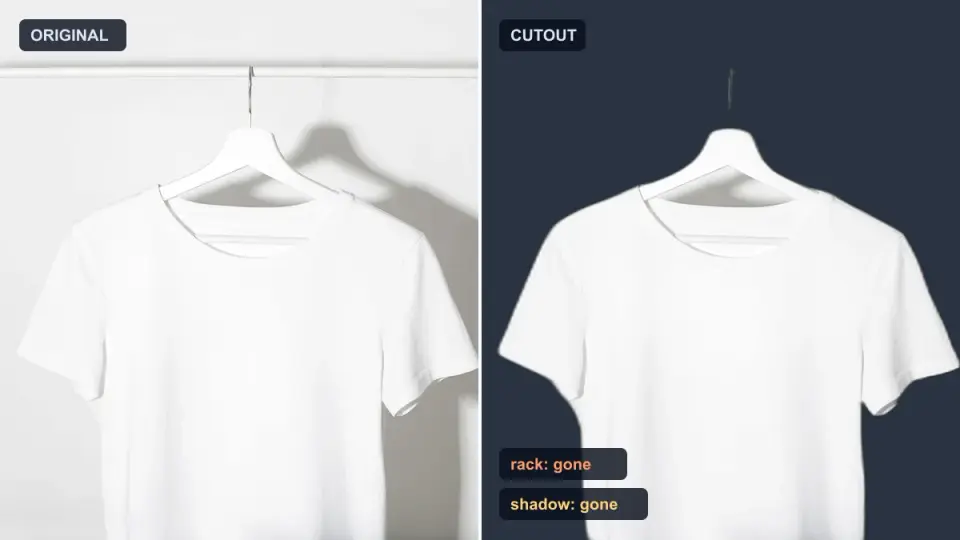
Background Remover Removes Part of Subject? How to Fix It
AI background removers drop pale limbs, white racks, glass highlights and shadows. I measured why on real photos and how to get the missing parts back.
2026-10-07
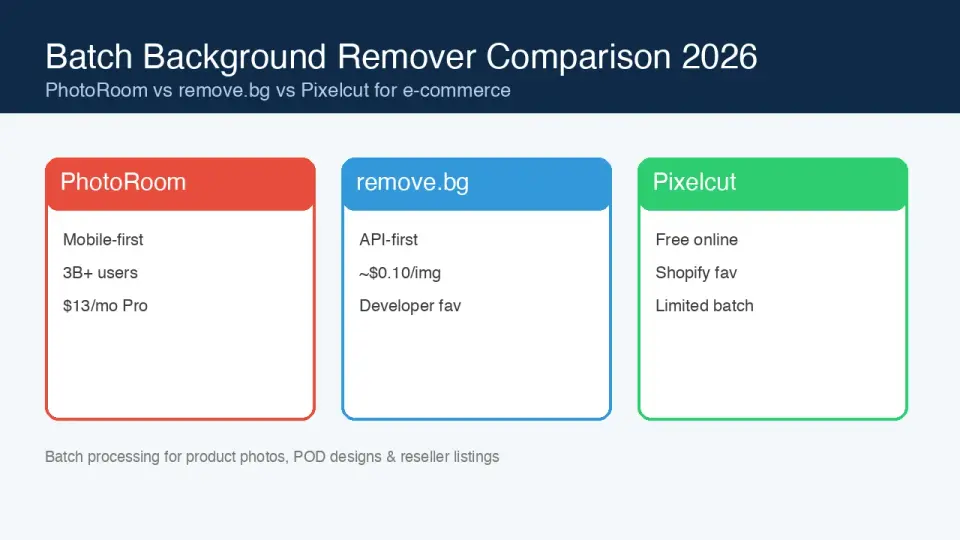
Batch Background Remover Comparison 2026: E-commerce
PhotoRoom, remove.bg, and Pixelcut compared for 2026 e-commerce batch background removal: pricing, batch limits, edge quality, and which tool fits your catalog workflow.

2026-10-07
remove.bg Is Shutting Down on December 1: What to Use Instead
remove.bg closes on 1 December 2026 and unused credits expire that day. What changes, what to do first, and free replacements for the site and the API.