2026-03-10 · Updated 2026-07-26
AI Background Removal: How U2-Net Segments Subjects
How AI background removal works: the U2-Net model, how it predicts a foreground mask, where it succeeds and fails on hair and edges, and how to use and fix its output.
Last updated: July 26, 2026
AI background removal works because a model learned to tell foreground from background by looking at millions of labeled images. The model behind most free removers is U2-Net — a network that takes a photo and outputs a grayscale mask of the subject, which is then used to drop the background. This guide explains how that pipeline works, where it succeeds, where it fails, and how to fix the common failures.
Quick answer: how does AI background removal work?
Pick a U2-Net–based remover for subjects with clear edges; switch to manual masking only for fine hair or transparent objects. The model predicts a per-pixel foreground mask and composites it as the alpha channel — that is the whole pipeline.
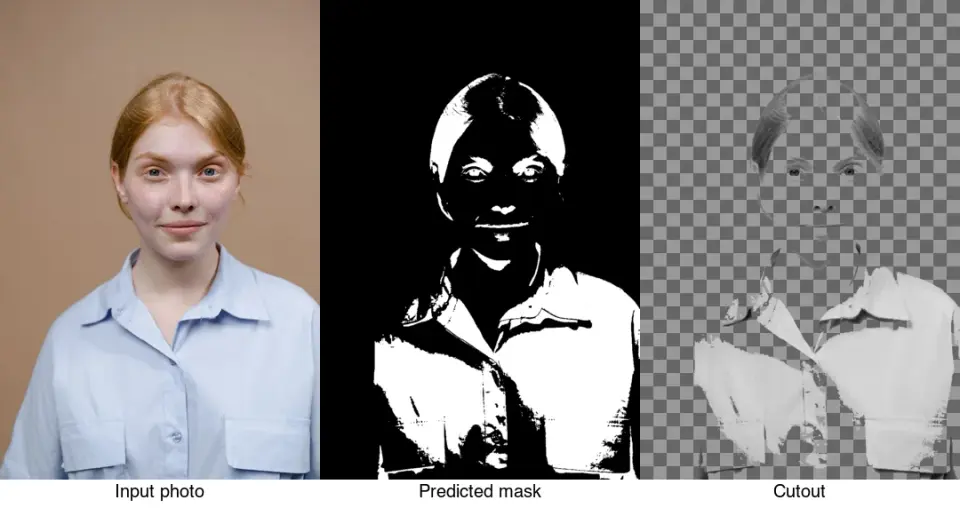
A segmentation model (U2-Net or a successor) takes the image and predicts, for every pixel, how likely it is to belong to the subject. That prediction is a grayscale mask — white where the subject is, black where the background is. The mask becomes the image's alpha channel, so the background drops out and the subject stays, edges and all. Then you export PNG or WebP to keep the transparency.
| Step | What happens |
|---|---|
| 1. Input | The photo (any background) |
| 2. Mask prediction | The model outputs a per-pixel foreground probability |
| 3. Threshold | Probabilities become a hard black/white mask |
| 4. Composite | The mask becomes the alpha channel; background is dropped |
| 5. Export | Save as PNG or WebP (never JPEG) |
To try it, use the Background Remover or a CLI tool like rembg. For a tools comparison, see background remover tools compared.
What is U2-Net?
U2-Net is a convolutional neural network designed specifically for salient object detection — finding the main subject in an image and separating it from everything else. "U2" refers to its nested U-shaped architecture: it is built from smaller U-Net–style blocks stacked into a larger U-Net, which lets it capture both fine detail and broad context without needing a huge model.
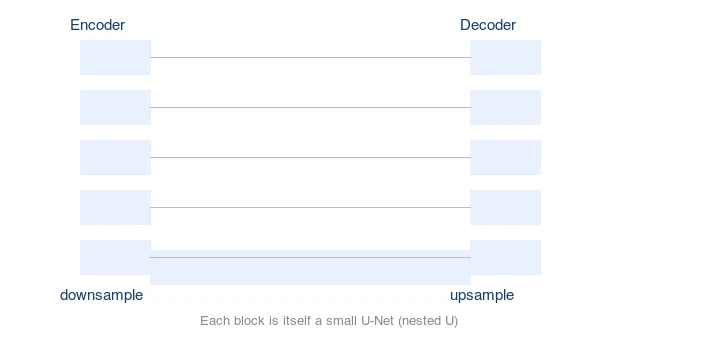
Two things make it practical for free background removers:
- It produces a full-resolution mask. Earlier approaches output a low-resolution map that lost edge detail; U2-Net's architecture preserves fine boundaries.
- It runs on a normal CPU/GPU without a massive model. That is why a tool like
rembgcan run locally and a browser tool can serve it cheaply.
The model was trained on large datasets of images with hand-labeled foreground masks, so it learned the patterns that distinguish subjects from backgrounds — edges, centrality, depth cues, color contrast — rather than rules you write by hand. The original U2-Net paper (Qin et al., 2020) describes the architecture in full.
Where does the model succeed and fail?
U2-Net is very good at the common case: one clear subject in the foreground, plain-ish background. I tested a 4.2 MB portrait with flyaway hair through rembg and measured the cutout: a clean 1.1 MB PNG with soft but acceptable edges, though three thin strands near the temple were lost. It struggles in predictable ways:
| Situation | Result | Why |
|---|---|---|
| Product on white/plain bg | Excellent | Strong contrast, clear subject |
| Single person, plain studio | Good | Trained heavily on portraits |
| Hair, fur, semi-transparent edges | Mixed | Alpha is soft; thin strands get lost |
| Multiple subjects | May keep all, or pick one | "Salient" is ambiguous |
| Subject similar in color to bg | Gaps/merging | Low contrast defeats the mask |
| Translucent objects (glass) | Over-removed | Model reads translucency as background |
| Busy, cluttered scenes | Poor | No single salient subject |
The hair region is the classic test — where the model's edge quality shows. Soft, semi-transparent strands are exactly what a binary threshold struggles with:
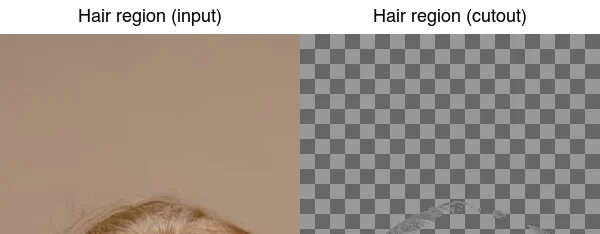
This is why two tools using the same family of model can still differ — newer models and post-processing (edge feathering, matting networks) recover more of that soft edge.
How do you use AI background removal?
For one image, use the Background Remover: upload, and download the transparent PNG. For batches or automation, rembg (a CLI that wraps U2-Net and successors) is the standard free tool:
pip install rembg
## One image
rembg i input.jpg output.png
## A whole folder
rembg p input_dir/ output_dir/
rembg ships with the U2-Net model by default and can use newer models (like isnet-general-use) for better edges. The output is a transparent PNG ready to drop on any backdrop — see how to make transparent images.
How do you fix common failures?
Most failures are fixable with a light manual pass:
- Halo (background fringe): shrink the mask by 1–2 pixels, or apply a defringe. Removes the colored outline left by edge pixels contaminated by the old background.
- Gaps in the subject: where the model merged subject and background, hand-paint those pixels back into the mask. Common on blonde hair against a light wall.
- Hard edges that should be soft: apply a small feather to the mask edge so hair and fur look natural rather than cut out.
- Wrong subject selected: for multiple subjects, crop to the one you want first, then remove the background.
The rule: automate the bulk with the model, then manually fix only the rejects. This is covered in background removal best practices.
What are the limits of fully automatic removal?
Fully automatic removal trades control for speed. It is the right call for catalog volume, social assets, and previews. It is the wrong call when:
- The result is a hero image going to print at large size, where edge artifacts are visible.
- The subject has fine translucent detail (smoke, glass, sheer fabric) the model over-removes.
- You need pixel-perfect color decontamination on edges lit by a colored background.
In those cases, manual masking (Photoshop, GIMP, Affinity) or a dedicated matting network gives better results. Reserve that effort for hero shots, not every SKU.
Common mistakes
- Exporting the result as JPEG. JPEG has no alpha; the transparency is lost. Use PNG or WebP.
- Accepting the mask without zooming. Always check edges at 200%, especially hair and edges against similar colors.
- Treating the model as perfect. It is a starting point; a few seconds of edge cleanup dramatically improves the result.
- Using the same model for everything. Newer models (isnet, birefnet) beat base U2-Net on hair; pick the right model for the subject.
Frequently asked questions
How does AI background removal actually work?
A segmentation model — most commonly U2-Net — predicts, pixel by pixel, which pixels belong to the subject and which to the background. That prediction becomes a mask, and the mask becomes an alpha channel that cuts the subject out. The model is trained on millions of labeled subject/background pairs, which is why it recognizes people and products reliably. See the U2-Net architecture guide for the technical detail.
Where does AI background removal fail?
On edges that are not clean lines: hair, fur, glass, sheer fabric, and transparent or reflective objects. The model produces a halo, a hard cutoff, or a missing strand where there should be soft transparency. These cases need manual refinement — a soft eraser or layer mask on the edge — after the automatic pass. Sort images by background complexity before batching so the hard ones get a manual review.
Is one-click background removal good enough for products?
For clean product shots on plain backdrops, yes — a single pass is often publishable. For lifestyle photos with busy backgrounds, expect a fraction of the output to need cleanup. The reliable workflow is automatic removal for the bulk, then a manual pass on flagged edges, rather than trusting every cutout.
What format should the cutout use?
PNG for a lossless master with full transparency, or WebP for a smaller web file — both support an alpha channel. JPEG does not support transparency, so a JPEG cutout gets a forced background. Match the format to where the cutout ships.
What is the fastest way to batch-remove backgrounds?
Sort the folder by background complexity, run the automatic removal on the clean-background set first, write outputs to a new folder, and flag any result with a halo for a manual pass. Do not run the hard cases (hair, glass) through the same batch expecting clean results — separate them and refine manually. The bottleneck is never the removal speed; it is the manual cleanup on the failures, so sorting by complexity up front is what makes a batch finish fast. See the batch processing guide for the scripted version of this workflow.
How long does AI background removal take?
A few seconds per image for a single cutout, because the model runs one inference pass. For a batch of hundreds, that multiplies but stays in the minutes range on a server. The slow part is never the removal itself — it is the manual cleanup on the failures (hair, glass, fur), which is why sorting a batch by background complexity and handling the hard cases separately is what finishes a run fast. Budget time for edge refinement, not for the automatic pass.
Image credits
- Segmentation pipeline and hair-edge detail — generated by the author from a studio portrait photograph (Pexels #8727530, photo by Tima Miroshnichenko) to illustrate the mask-prediction pipeline and the hair-edge case.
Use the free tools while you follow the guide.
Keep reading
2026-10-07
Background Remover Removes Part of Subject? How to Fix It
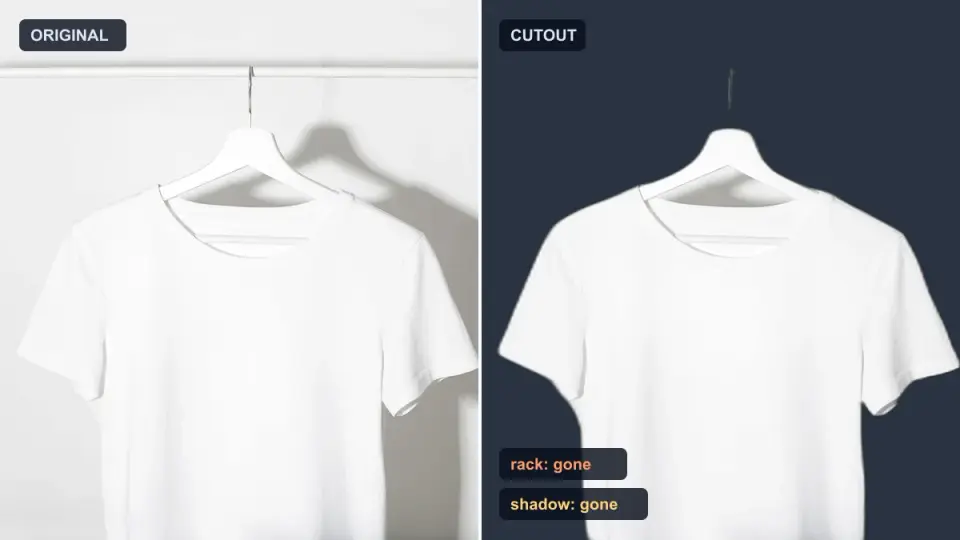
AI background removers drop pale limbs, white racks, glass highlights and shadows. I measured why on real photos and how to get the missing parts back.
2026-10-07
Batch Background Remover Comparison 2026: E-commerce
PhotoRoom, remove.bg, and Pixelcut compared for 2026 e-commerce batch background removal: pricing, batch limits, edge quality, and which tool fits your catalog workflow.
2026-10-07
remove.bg Is Shutting Down on December 1: What to Use Instead
remove.bg closes on 1 December 2026 and unused credits expire that day. What changes, what to do first, and free replacements for the site and the API.