Every image tool you need, in one place.
Compress, convert, resize, crop, upscale, and remove backgrounds — fast and free. No accounts, no watermarks, no nonsense.
Remove a background in one click
Drag to compare a real product photo with the result from Imagic AI's background remover.
See what the tools can do
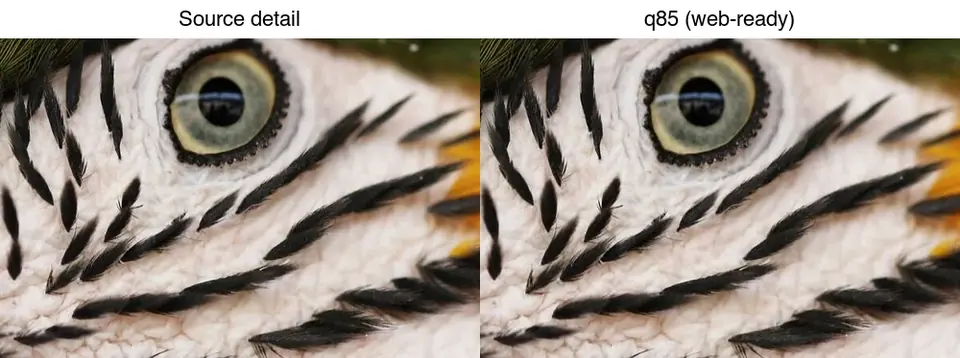
Real photos, processed with Imagic AI tools.

All tools
50 free toolsImage Compressor
Shrink JPG, PNG, WebP, and GIF files — keep the format or switch to WebP.
Open toolFormat Converter
Turn HEIC, TIFF, PSD, AVIF, and more into JPG, PNG, WebP, or GIF.
Open toolImage Resizer
Set exact pixel dimensions with optional aspect ratio lock.
Open toolWhatsApp Image Resizer
Resize a photo for a WhatsApp profile picture, Status or chat in one step.
Open toolImage Cropper
Specify crop region with pixel-precise x, y, width, and height.
Open toolImage Upscaler
Enlarge images 2–4x with AI-powered detail enhancement.
Open toolAI Photo Enhancer
Fix a mediocre photo in one pass — denoise, upscale, and auto-tone together.
Open toolAI Face Restoration
Repair blurry or damaged faces with GFPGAN and CodeFormer.
Open toolOld Photo Colorizer
Add plausible AI color to black-and-white and faded old photos.
Open toolBackground Remover
Remove backgrounds from portraits and products, then download a transparent PNG.
Open toolBatch Processor
Batch background removal, compression, conversion and resizing. No signup for 10 images a day; 20 signed in.
Open toolVintage Filter
Add a warm, faded retro look with an adjustable strength slider.
Open toolDuotone Effect
Remap tones onto a two-color gradient for a bold, modern look.
Open toolNegative Effect
Invert all colors for a classic photo-negative look.
Open toolColor Pop Effect
Keep one chosen color vivid, desaturate everything else.
Open toolCross-Process Effect
A punchy, color-shifted film look with crushed shadows.
Open toolColor Corrector
Manually adjust brightness, contrast, and saturation.
Open toolBorder Generator
Add a solid-color frame with adjustable width and color.
Open toolShadow Generator
Add a soft, adjustable drop shadow behind an image.
Open toolMirror Effect
Flip a photo horizontally or vertically.
Open toolGlitch Effect
RGB channel-shift distortion, adjustable intensity.
Open toolKaleidoscope Effect
Mirror a wedge of the photo into a symmetrical pattern.
Open toolLight Leak Effect
A soft, colorful light-leak overlay for a dreamy film look.
Open toolNeon Glow Effect
Colorful neon edge glow over a darkened base image.
Open toolTilt-Shift Effect
Blur outside a focus band for a miniature-model look.
Open toolColor Space Preview
Preview an image in grayscale or an approximate CMYK gamut.
Open toolCircle Crop
Crop a photo into a circle with a transparent background.
Open toolSVG to PNG Converter
Rasterize an SVG to PNG at your chosen pixel width.
Open toolQR Code Generator
Generate a scannable QR code from any text or URL.
Open toolFavicon Generator
Convert an image into a multi-size .ico favicon file.
Open toolDPI Changer
Rewrite a PNG/JPEG's DPI metadata for printing — pixels unchanged.
Open toolCollage Maker
Combine several photos into a grid, row, or column collage.
Open toolOil Painting Effect
Real oil-painting stylization, processed on the server for quality.
Open toolWatercolor Effect
Real edge-preserving stylization for a soft watercolor look.
Open toolAI Noise Reducer
Real denoising that removes grain without a blurry blur-filter look.
Open toolComic Book Effect
Bold outlines and flat posterized color via real edge detection.
Open toolDepth Map Generator
Estimate near/far depth from a single photo as a grayscale map.
Open toolHDR Merge
Merge multiple exposures into one balanced HDR image.
Open toolPanorama Stitch
Stitch overlapping photos into one wide panorama.
Open toolText on Photo
Add styled text captions to a photo and export instantly.
Open toolWatermark Maker
Add a text or logo watermark to protect and brand your photos.
Open toolHEIC Converter
Convert HEIC/HEIF iPhone photos to JPG or PNG.
Open toolJPG to PDF Converter
Merge one or more photos into a single PDF file.
Open toolPassport Photo Maker
Create a correctly sized passport or ID photo from any selfie.
Open toolMeme Generator
Add classic top/bottom meme captions to any image, entirely in your browser.
Open toolBlur Face
Blur, pixelate, or black out faces, plates, and anything private — without uploading the photo.
Open toolRotate Image
Rotate by quarter turns or any custom angle, and mirror horizontally or vertically.
Open toolImage Splitter
Cut an image into an even grid of numbered tiles and download them as one ZIP.
Open toolGIF Maker
Combine images into an animated GIF with your own frame order, speed, and looping — no upload.
Open toolHTML to Image
Screenshot a public webpage at desktop, tablet, or mobile size — first screen or full page.
Open toolChain tools into a workflow you can save and share
Most image sites give you one tool at a time. Build a pipeline instead — remove the background, upscale, add a watermark, export — then save it, re-run it on the next file, or publish it for others to use. Some steps run entirely on your device, so they cost nothing and add no wait.
- 1
Add steps
Pick tools in the order you want them applied and set each one’s options.
- 2
Run and inspect
See the output of every step, so you know which one changed what.
- 3
Save or publish
Reuse it on the next image, or share it to the community gallery.
Clear processing terms
Core AI tools upload files to Imagic AI servers; production may return results through a public CDN, so avoid confidential images.
Genuinely free
No sign-up, no paywalls, no watermarks on your results.
Pro-grade engines
AI background removal and Real-ESRGAN upscaling under the hood.
Quick answer: what is Imagic AI?
Imagic AI is a free online image toolkit for everyday image work: compress a heavy file, convert formats, resize to exact pixels, crop composition, upscale a small image, or remove a background.
Pick the tool by the job, not by the file name. Compress when the dimensions are right but the file is too large; resize when the pixel dimensions are wrong; convert when a platform needs JPG, PNG, or WebP; remove background when you need a transparent subject cutout.
Which free image tool should you use?
| If you need to... | Pick this tool | Why |
|---|---|---|
| make a file smaller | Image Compressor | It reduces bytes without changing the visual dimensions. |
| change JPG, PNG, or WebP | Format Converter | It solves compatibility before you tune quality. |
| hit exact pixels | Image Resizer | It changes dimensions while keeping aspect ratio optional. |
| focus the subject | Image Cropper | It removes unused edges before resizing or compression. |
| create a transparent cutout | Background Remover | It exports a subject with the background removed. |
Pick Image Compressor if the picture already looks right; pick Image Resizer or Image Cropper first if the canvas or composition is wrong.
Frequently asked questions
What is Imagic AI?
Imagic AI is a free online image toolkit for compressing, converting, resizing, cropping, upscaling, restoring, and removing backgrounds from images.
Do Imagic AI tools require signup?
No. Every tool works without an account and adds no watermark. A free account only raises a few daily limits (batch processing goes from 10 to 20 images a day) and is needed to run batch workflows or create an API key.
Which Imagic AI tool should I use first?
Use the tool that matches the image problem: compress for file size, resize for dimensions, convert for format, crop for composition, and remove background for cutouts.
When should I not use an online image tool?
Do not rely on an online image tool alone when a platform, agency, printer, or official document issuer has strict image requirements.
From the blog
All articles →2026-10-07
Background Remover Removes Part of Subject? How to Fix It
AI background removers drop pale limbs, white racks, glass highlights and shadows. I measured why on real photos and how to get the missing parts back.
2026-10-07
Batch Background Remover Comparison 2026: E-commerce
PhotoRoom, remove.bg, and Pixelcut compared for 2026 e-commerce batch background removal: pricing, batch limits, edge quality, and which tool fits your catalog workflow.
2026-10-07
remove.bg Is Shutting Down on December 1: What to Use Instead
remove.bg closes on 1 December 2026 and unused credits expire that day. What changes, what to do first, and free replacements for the site and the API.