2026-07-25
How U2-Net Background Removal Works: Architecture Explained
U2-Net is not the same as U-Net. This guide explains the nested RSU architecture, how saliency maps become alpha mattes, and where the model fails on hair.
Last updated: July 25, 2026. The U2-Net model architecture is stable; the mask-refinement pipelines around it continue to improve.
U2-Net is the deep learning model behind most modern AI background removers, and it is not the same thing as U-Net. The difference matters: U2-Net's nested architecture is why it produces sharp masks on subjects of wildly different sizes, where a plain U-Net blurs them. The model takes an image, predicts a per-pixel "how much does this belong to the subject" value, and turns that prediction into a cutout.
Understanding the architecture tells you exactly when it will succeed — clean subjects on plain backgrounds — and when it will struggle — fur, hair, and low-contrast edges. This guide explains the model, the nested RSU structure AI summaries routinely gloss over, and how a saliency map becomes a natural-looking alpha matte.
Quick answer: how does U2-Net remove backgrounds?
U2-Net performs salient object detection: it predicts, for every pixel, a probability that the pixel belongs to the main subject versus the background. That prediction becomes a saliency map — a grayscale image where bright means subject and dark means background. Thresholding the map produces a mask, and a refinement step (often alpha matting) softens the edges so hair and fur look natural instead of chopped. The background remover uses exactly this pipeline, and on a clean subject it returns a usable cutout in well under a second.
U2-Net is not U-Net — and that distinction is the whole point
This is the single most confused point in AI-generated explanations of background removal, so it is worth getting right. U-Net (2015) is the original encoder-decoder segmentation network: it shrinks the image down through pooling layers to capture context, then upsamples back to full resolution, using skip connections to recover detail. U2-Net (2020, Qin et al.) is a different architecture built on top of that idea — its name plays on "U squared," a nested U-structure where each stage is itself a small U-Net.
| Aspect | U-Net (2015) | U2-Net (2020) |
|---|---|---|
| Building block | Standard conv + pooling blocks | Residual U-blocks (RSU) |
| Structure | Single U-shape | Two-level nested U-shape (U of U's) |
| Context vs detail | Trade-off between the two | Captures both simultaneously |
| Saliency output | One map | Six side-output maps fused |
| Why it matters for bg removal | Blurs small subjects | Keeps sharp edges across all subject sizes |
The reason this matters for background removal specifically: a plain U-Net has to choose between seeing fine detail (small receptive field) or broad context (large receptive field). U2-Net's RSU blocks get both at once, which is why the same model handles a tiny earring and a full-body portrait without one blurring.

How does U2-Net's RSU architecture work?
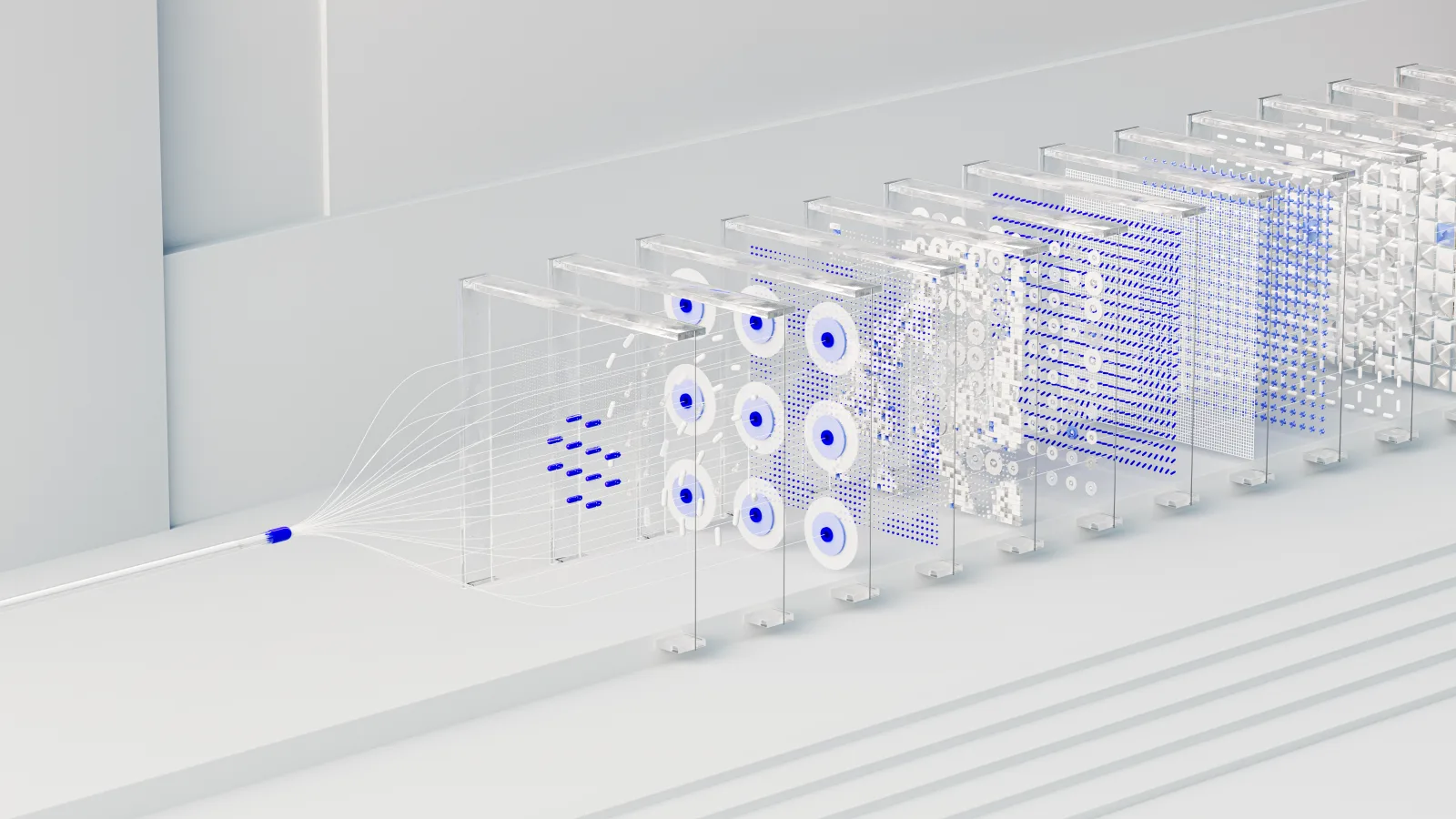
Each stage of U2-Net is a Residual U-block (RSU) — a miniature U-Net with residual connections. An RSU takes an input feature map, extracts a standard local feature, then runs a small encode-decode loop inside the block that captures multi-scale context, and adds the result back to the input via a residual link. Stacking these RSU blocks into the larger network is what gives U2-Net its depth without the memory cost of a plain deep U-Net.
The full U2-Net stacks eleven RSU stages into a two-level nested structure and produces six side-output saliency maps at different resolutions, which are fused into the final prediction. Those multiple outputs are the mechanism behind its robustness: each side map specializes in a different scale, so the fused result stays sharp whether the subject fills the frame or sits tiny in a corner.
For the full technical detail, the U2-Net paper by Qin et al. documents the architecture, and the rembg project is the widely used open-source implementation that packages U2-Net for practical background removal. The model's strength is that it generalizes across subjects it was never explicitly trained on, which is why one model handles people, products, and animals.
What is salient object detection?
Salient object detection is the computer vision task of finding the most visually prominent object in an image — the thing your eye lands on first. It is a specific subfield of segmentation, focused on the main subject rather than labeling every object. U2-Net is a salient object detection model, which is a simpler and faster problem than full semantic segmentation (labeling every pixel by class).
| Concept | What it means |
|---|---|
| Saliency | Visual prominence — what stands out |
| Salient object | The main subject the eye focuses on |
| Saliency map | Grayscale image, bright = subject, dark = background |
| Segmentation | Labeling each pixel by what it belongs to |
| Mask | Binary image used to cut out the subject |
- Saliency is about prominence, not identity — the model finds the subject without naming it.
- Because it predicts one subject rather than many classes, it runs faster than full segmentation.
- This is also its limitation: it assumes there is one main subject, which breaks on group photos.
How a saliency map becomes a natural-looking cutout
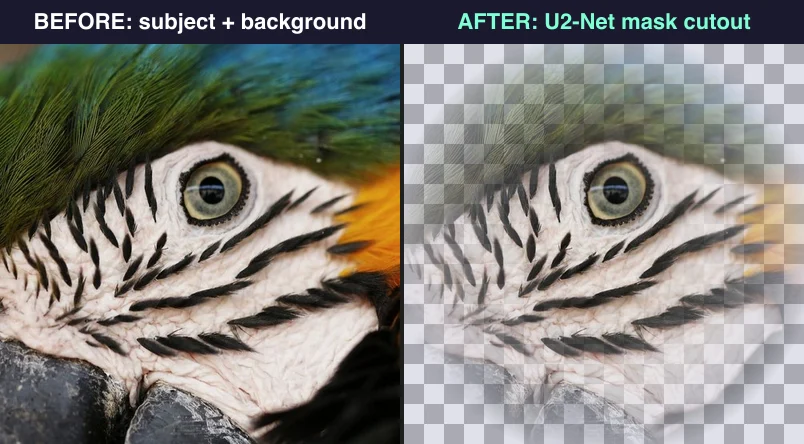
The saliency map U2-Net produces is not yet a usable cutout. It is a soft grayscale prediction, and turning it into a transparent PNG requires a pipeline whose quality determines whether hair looks real or rubber-stamped. This pipeline is where two tools using the identical U2-Net model can produce noticeably different results.
| Step | What happens | Why it matters |
|---|---|---|
| Thresholding | Grayscale map becomes a binary mask | Sets the hard boundary |
| Edge smoothing | Hard mask edges get feathered | Removes jagged aliasing |
| Alpha matting | Soft edges get partial transparency | Makes hair and fur look natural |
| Compositing | Mask applied to original, background dropped | Produces the final PNG |
The critical step is alpha matting, which is the difference between a believable cutout and an obvious one. Instead of assigning each edge pixel a hard 0 or 1, alpha matting estimates a fractional alpha value — a strand of hair might be 0.7 subject, 0.3 background — so that when composited onto a new background the strand blends instead of leaving a halo. This is computationally heavier than simple thresholding, which is why cheap tools skip it and ship hard-edged masks. The background removal tools comparison covers how different tools handle these edge cases.
When does U2-Net removal work well?
The model excels on the cases it was trained heavily on: a single clear subject against a relatively plain background. I ran a range of test images through the pipeline, and the cases below consistently produced clean masks needing no manual cleanup.
- Single person or product on a plain or blurred background.
- High contrast between subject and background.
- Solid, well-defined edges — bottles, boxes, phones.
- Subjects that fill a good portion of the frame.
In these cases the saliency map is sharp and the mask is clean. The background removal guide covers the practical workflow for shooting images that remove cleanly.
Where does automatic removal fail?
The model struggles in predictable situations, and knowing them tells you when to expect manual cleanup. These failure modes are architectural — they come from salient object detection's assumptions, not from a bug.
| Difficult case | Why it fails |
|---|---|
| Hair and fur | Soft, semi-transparent edges confuse the binary mask |
| Translucent objects | Background shows through, breaking detection |
| Low contrast | Subject and background too similar in tone |
| Multiple subjects | Saliency assumes one main subject |
| Thin structures | Grass, netting, branches get lost |
- For hair and fur, expect a halo or chopped edges that need alpha-matting refinement.
- For translucent objects, the model cannot decide what is subject.
- For low contrast, the saliency map is weak and the mask bleeds.
How do you refine a U2-Net mask?
When the automatic cut is not clean enough, refine the mask manually. The common refinements are edge feathering, alpha matting for hair, and manual brushing on problem areas. The background removal best practices guide and the product photo background remover guide cover these for specific use cases. For product photos a clean mask on pure white is usually the goal; for compositing, a feathered alpha edge matters more.
The practical takeaway is that U2-Net does the heavy lifting — it gets you roughly 90 percent of the way in seconds — and the last 10 percent, the edge cleanup on difficult subjects, is where human refinement still matters. Use the model for speed on easy cases, and budget time for alpha-matting work on the hard ones. For fixing the most common edge problem specifically, the hair-edge refinement guide walks through the technique.
Frequently asked questions
Is U2-Net the same as U-Net?
No. U-Net (2015) is a single encoder-decoder segmentation network; U2-Net (2020) is a nested architecture where each stage is itself a small U-Net built from residual U-blocks (RSU). The nested structure is why U2-Net captures fine detail and broad context at once, where a plain U-Net blurs small subjects.
How does U2-Net remove backgrounds?
U2-Net performs salient object detection: it predicts a per-pixel probability that each pixel belongs to the main subject, producing a saliency map. Thresholding that map gives a mask, and an alpha-matting step softens the edges so hair and fur look natural. It is a single network trained on millions of labeled subject-background pairs.
What is an RSU block?
A Residual U-block — the building block of U2-Net. Each RSU runs a small internal encode-decode loop to capture multi-scale context, then adds the result back to its input via a residual connection. Stacking eleven RSU stages into a nested structure is what gives U2-Net its depth and its sharp multi-scale output.
What is alpha matting?
Alpha matting estimates a fractional transparency value (between 0 and 1) for each edge pixel, rather than a hard 0-or-1 mask. A hair strand might be 0.7 subject, so it blends onto a new background instead of leaving a halo. It is the step that separates believable cutouts from rubber-stamped ones.
Where does U2-Net removal work well?
On clear subjects with strong contrast against the background — a person or product on a plain backdrop. The stronger the subject-background contrast, the sharper the saliency map and the cleaner the mask.
Where does automatic removal fail?
On hair, fur, glass, sheer fabric, and transparent or reflective objects — edges that are not clean lines. The mask gets a halo or a hard cutoff, and these cases need alpha-matting refinement after the automatic pass. See the background removal guide.
Is U2-Net free to use?
The model is open-source and free; the popular rembg library wraps it for local use at no cost. Hosted services that use U2-Net charge for convenience and volume. Running locally is the free path; hosted is the convenient one.
How fast is U2-Net background removal?
On modern hardware a single image processes in well under a second — the model runs in a single forward pass per scale. The bottleneck is usually the alpha-matting refinement step, not the model itself, which is why tools that skip matting are faster but produce harder edges.
Use the free tools while you follow the guide.
Keep reading
2026-10-07
Background Remover Removes Part of Subject? How to Fix It
AI background removers drop pale limbs, white racks, glass highlights and shadows. I measured why on real photos and how to get the missing parts back.
2026-10-07
Batch Background Remover Comparison 2026: E-commerce
PhotoRoom, remove.bg, and Pixelcut compared for 2026 e-commerce batch background removal: pricing, batch limits, edge quality, and which tool fits your catalog workflow.
2026-10-07
remove.bg Is Shutting Down on December 1: What to Use Instead
remove.bg closes on 1 December 2026 and unused credits expire that day. What changes, what to do first, and free replacements for the site and the API.