2026-10-07
remove.bg Is Shutting Down on December 1: What to Use Instead
remove.bg closes on 1 December 2026 and unused credits expire that day. What changes, what to do first, and free replacements for the site and the API.

Last updated: October 7, 2026. Dates and terms are taken from remove.bg's own API page and FAQ, which can change before the cutoff. The cutouts below were made with Imagic AI's background removal API on two Pexels photos, using the isnet-general-use model that runs in production.
remove.bg, the site many people reached for whenever they needed a quick transparent PNG, is closing. Canva has owned it since 2021 and is folding its background removal into Canva itself, while the developer API moves to Leonardo.Ai, another Canva company. The standalone site stops on 1 December 2026.
If you use remove.bg in a browser, nothing breaks until that morning. If you hold credits or call its API from code, there is a deadline, and you have work to do before it. This guide covers what closes, what to do first, and where each kind of user can go.
Quick answer: what happens when remove.bg shuts down?
Use this as the short version:
- The standalone site closes on 1 December 2026 at 9:00 CET. Background removal moves into Canva.
- Self-serve API requests stop the same day. remove.bg's API page says background removal "moves to Leonardo.Ai, also part of Canva". Existing Enterprise API contracts are not affected.
- Unused credits expire on 1 December and are not refunded. That covers pay-as-you-go and monthly rollover credits.
- Canva's Background Remover is a paid-plan feature, so the free, no-account workflow ends with the site.
Pick a replacement by how you use it today:
| How you use remove.bg | Official path after Dec 1 | Free option on this site |
|---|---|---|
| A few images in the browser | Canva (paid plans) | Background Remover: no signup, full-resolution PNG |
| Small batches for listings | Canva | Batch tool: 10 images a day, 20 signed in |
| API calls from your own code | Leonardo.Ai (new request format) | remove.bg-compatible API: change the base URL, 50 images a day |
| Enterprise contract | Unchanged | Not needed |
What exactly closes on December 1, and what keeps working?
remove.bg announced the closure in September 2026. The dates come from two places: its API page, which says "Starting December 1, 2026, background removal moves to Leonardo.Ai, also part of Canva", and its FAQ.
| Service | After 1 December 2026 |
|---|---|
| remove.bg website (upload, Magic Brush, editor) | Unavailable from 9:00 CET; background removal lives in Canva |
| Desktop app and browser editor | Reported to stop with the site; check remove.bg's FAQ |
| Self-serve API (pay-as-you-go and subscription keys) | Requests stop; the API moves to Leonardo.Ai |
| Enterprise API contracts | Not affected |
| Pay-as-you-go and rollover credits | Expire on 1 December; not refundable |
Two details catch people out. First, remove.bg's free download was always a preview of up to 0.25 megapixels; a full-resolution download cost one credit (remove.bg help). Second, the free API allowance was "your first 50 API calls per month", so anything running at volume is on paid credits that will not carry over.
What should you do before December 1?
Start with whatever has money or automation attached:
-
Spend or download what your credits are worth. Credits cannot be moved to Canva or refunded once they expire.
-
Save anything you still need from remove.bg's web editor. Treat whatever is left on the site as gone after the cutoff.
-
Find every place that calls
api.remove.bg: scripts, Shopify or WooCommerce plugins, Zapier and Make scenarios, Photoshop actions and CI jobs. -
Choose a destination for each integration and test it with ten of your own images, not stock samples.
-
Cancel any remove.bg subscription you no longer need, after checking the billing terms in its FAQ.
-
Update bookmarks and team docs so nobody spends 1 December wondering where the tool went.
Where do remove.bg users go now?
Choose based on what you actually do with it, not on which brand you know.
Occasional users who upload one photo now and then have two easy routes. Canva is the official one, but its Background Remover sits behind Canva Pro, Teams, Education and Nonprofit plans (Canva). If you just need a transparent PNG, the Background Remover here needs no account, adds no watermark and returns the full-resolution PNG, not a preview. It also has a restore brush and a light-background retry for pale subjects.
Shop owners with a handful of listings a day can use the batch tool. It takes 10 images a day with no account and 20 when you sign in, and it returns transparent WebP cutouts in one ZIP. If you process hundreds of images a day, that allowance is too small. Our batch background remover comparison covers the paid tools built for catalog volume.
Developers have the most work, because the official destination is not a drop-in. The next section covers that.
Privacy-minded users can run the open-source rembg on their own machine. It is the library our server uses, so with the isnet-general-use model the results match ours, at the cost of setting up Python.
How do you move a remove.bg API integration?
Leonardo.Ai's background removal is a different API, not a renamed one. Its remove-bg documentation uses a Bearer token instead of X-Api-Key, a JSON body, and an image you upload to Leonardo first and then reference by ID. The response is a JSON object with a URL to the result, not the image itself. Moving there means rewriting the integration.
To keep your code, point it at the remove.bg-compatible API instead. It accepts the same request at the same path with the same X-Api-Key header:
- https://api.remove.bg/v1.0/removebg
+ https://imagic-ai.com/api/v1.0/removebg
Then swap the key for one created on your account page. A typical Python call keeps its shape:
response = requests.post(
    "https://imagic-ai.com/api/v1.0/removebg",
    files={"image_file": open("photo.jpg", "rb")},
    data={"size": "auto"},
    headers={"X-Api-Key": IMAGIC_API_KEY},
)
What carries over unchanged:
image_file,image_file_b64andimage_urlinputs, as multipart, form or JSON bodiessize,format(including the color.jpg plus alpha.png ZIP),channels,bg_color,crop,crop_marginandtype- The binary response, the JSON response when you send
Accept: application/json, and theX-Width,X-HeightandX-Foreground-*headers - The error envelope,
{"errors": [{"title": …}]}, andGET /v1.0/account
What does not: scale, position, roi, background images and shadows are refused with a 400, so you find out on the first test rather than in production. Output tops out at 25 megapixels (10 for PNG), against remove.bg's 50. Each account gets 50 images a day, which beats remove.bg's 50 free calls a month, but there is no paid tier yet.
How good are the cutouts compared with remove.bg?
Expect clean cutouts on ordinary product photos, and the most trouble on fine hair, where proprietary models such as remove.bg's tend to hold strands better. remove.bg does not publish its model, and ours is the open isnet-general-use, so rather than claim a benchmark, I ran two real photos through the API and measured the output.
On a pair of white sneakers shot on red satin, the API kept the lace loops and the mesh. The pink on the soles is red light bouncing off the satin in the original photo: a background remover cuts, it does not recolor.
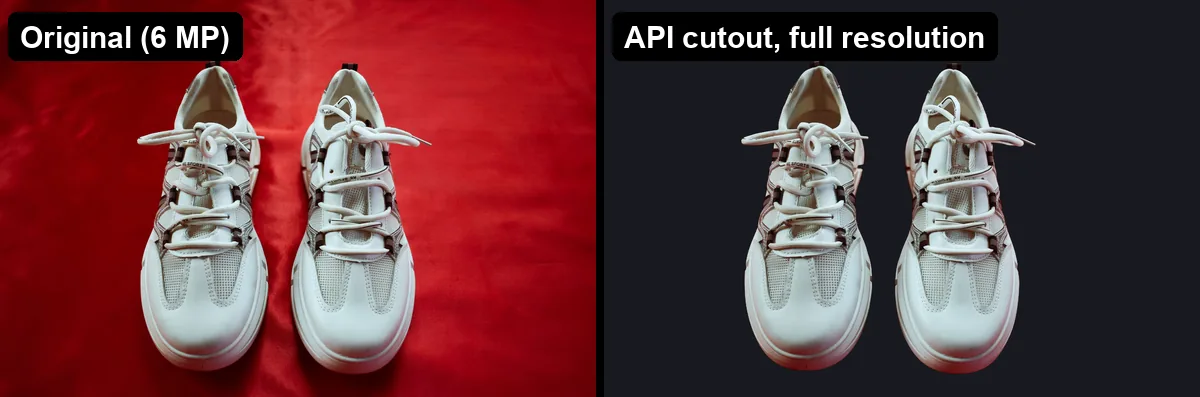
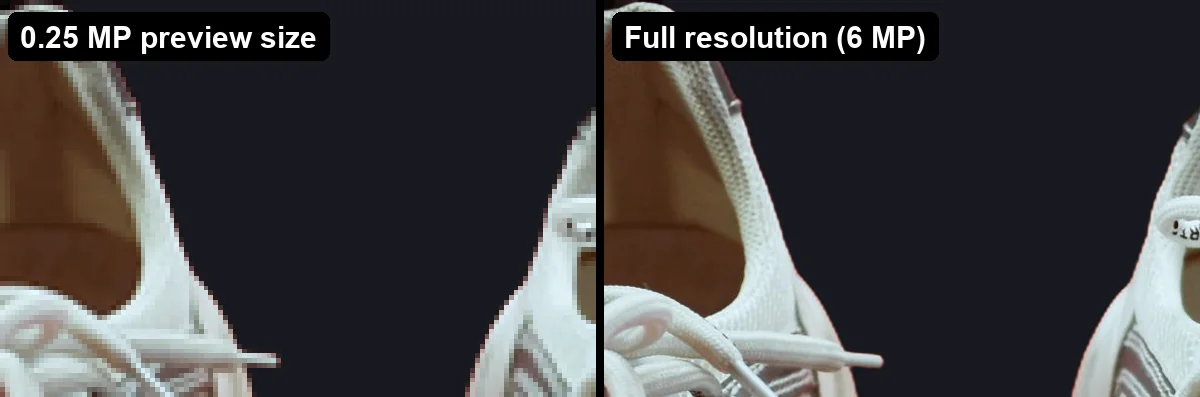
Resolution is where free tiers differ most. remove.bg's free download was capped at 0.25 megapixels. Asking our API for size=preview returns that same size, 612 × 408 for this photo, while size=auto returns the full 3000 × 2000. That is 24 times the pixels, and at the same display size the difference is visible on every edge.
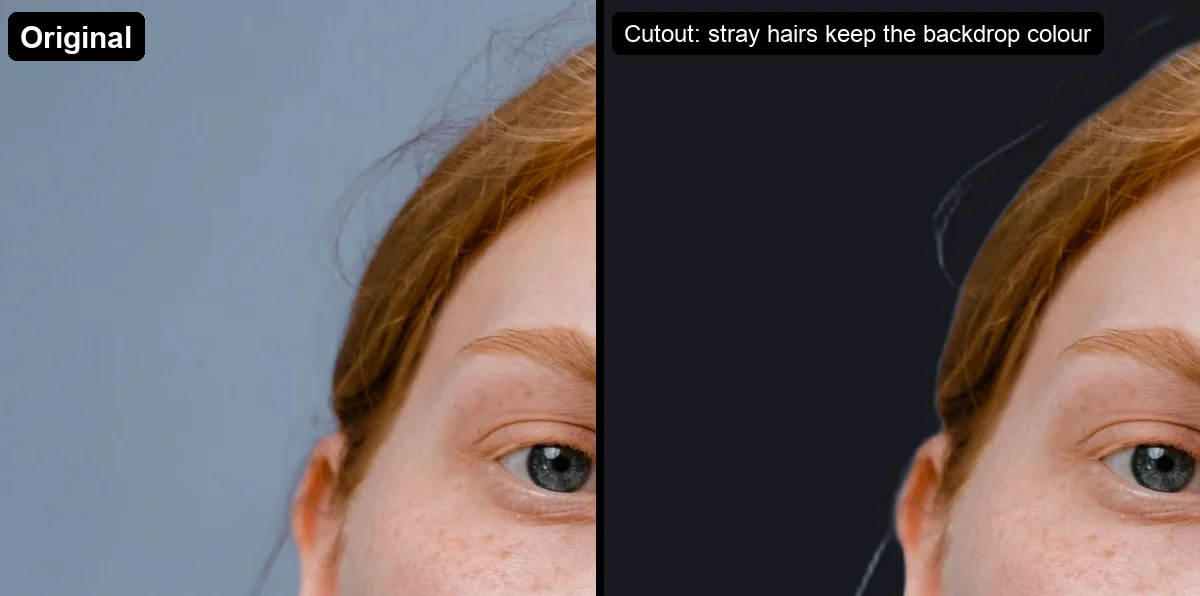
Fine hair is the weak spot. On a portrait shot against a blue-gray wall, the face, shirt and main hair mass came out clean, but loose strands kept the backdrop's color and show as gray lines on a dark background. Fix them by hand with our hair edge guide. If a remover cut parts of your subject instead, see why a background remover removes part of the subject.
For a wider comparison across free tools, read which background remover is most accurate.
Which remove.bg features have no direct replacement here?
Be clear about the gaps before you move:
- No 50-megapixel output. Large prints need another tool.
- No automatic shadows or background images in the API. Composite them yourself after the cutout.
- No desktop app or Photoshop plugin. The tools run in the browser, and the API serves scripts.
- No paid volume tier yet. Fifty API images and 20 batch images a day are the ceilings.
Frequently asked questions
When exactly does remove.bg shut down?
remove.bg's standalone website stops on 1 December 2026 at 9:00 CET. Self-serve API requests stop the same day. Enterprise API contracts continue.
What happens to my remove.bg credits?
remove.bg's FAQ says all credits, including pay-as-you-go and monthly rollover credits, can be used until 1 December 2026, after which unused credits expire and are not refunded. Spend them on full-resolution downloads before the deadline.
Is remove.bg free inside Canva?
No. Canva lists Background Remover as a feature of its paid plans: Pro, Teams, Education and Nonprofits. On a free account you need to upgrade or start a trial to use it.
Will my remove.bg API key keep working?
Not for self-serve keys. Requests stop on 1 December, and the official replacement is Leonardo.Ai's API, which uses a different format. Our remove.bg-compatible API accepts the old requests with a new base URL and key.
Is Imagic AI connected to remove.bg or Canva?
No. Imagic AI is an independent site. The API accepts remove.bg's request format so existing code keeps working, and it has no relationship with remove.bg, Canva or Leonardo.Ai.
What is the best free remove.bg alternative with no signup?
For single images, a tool that returns full-resolution PNGs without an account: our Background Remover does, with no watermark. For many images at once, check the daily limits first, because most free batch tools cap them.
Do I need to change anything if I only used the remove.bg website?
Only your bookmark. Save anything you want to keep before 1 December, then use Canva or a free alternative.
Summary
remove.bg is not disappearing so much as being absorbed. The website closes on 1 December 2026, credits expire that day, background removal moves into Canva's paid plans, and the API moves to Leonardo.Ai with a different request format. Use your credits, find every script that calls api.remove.bg, and pick a destination before the cutoff.
For no-account single images, use the Background Remover. For a few listings a day, use the batch tool. For code, the remove.bg-compatible API needs a new base URL and key, and nothing else.
Image credits
Test photos: Hurrah suhail (white sneakers on a red background) and Tima Miroshnichenko (portrait against a blue-gray backdrop), both from Pexels under the Pexels license. Cutouts were produced for this article with the Imagic AI background removal API (isnet-general-use) at size=auto and size=preview; output sizes are recorded with the measurement data for this post.
Use the free tools while you follow the guide.
Keep reading
2026-10-07
Background Remover Removes Part of Subject? How to Fix It
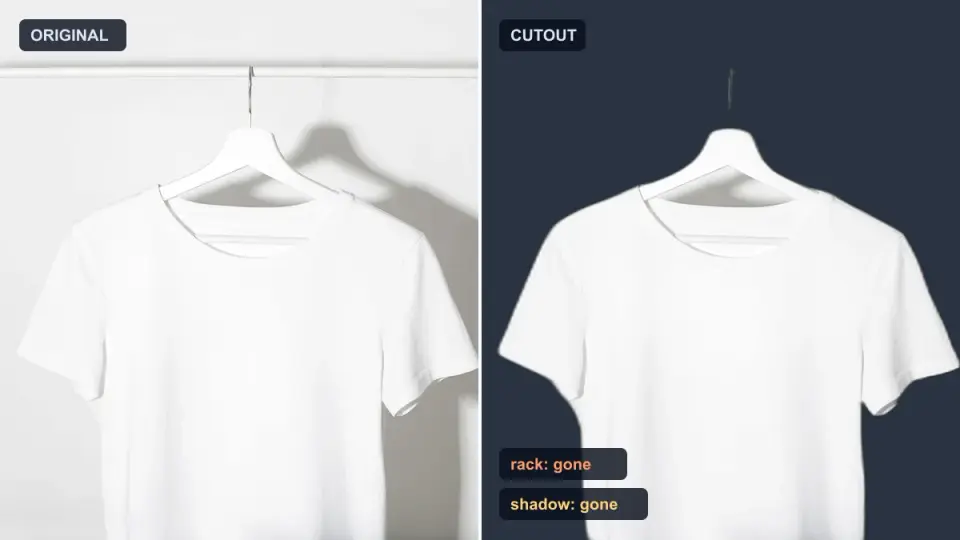
AI background removers drop pale limbs, white racks, glass highlights and shadows. I measured why on real photos and how to get the missing parts back.
2026-10-07
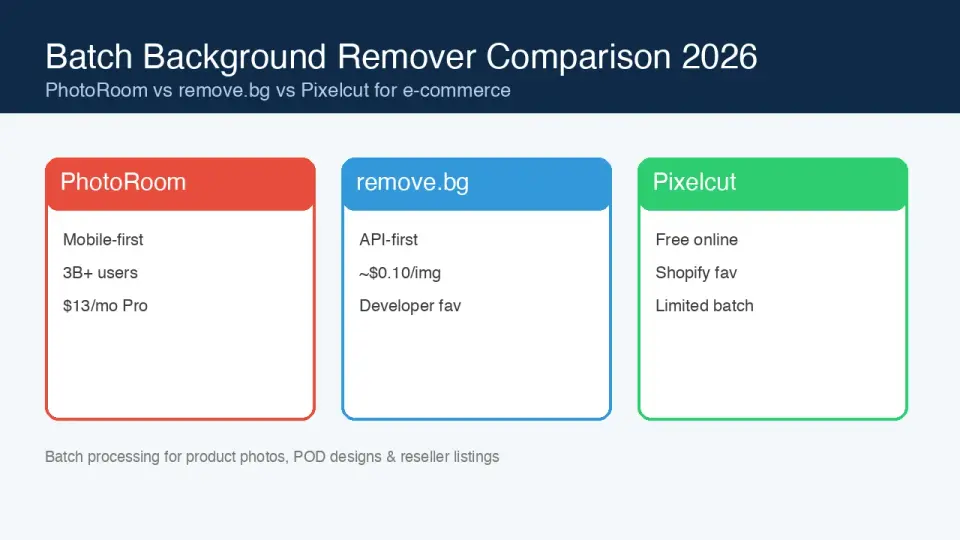
Batch Background Remover Comparison 2026: E-commerce
PhotoRoom, remove.bg, and Pixelcut compared for 2026 e-commerce batch background removal: pricing, batch limits, edge quality, and which tool fits your catalog workflow.
2026-08-02
Batch Background Removal: Process Hundreds of Images at Once
Batch background removal by tool and cost: rembg CLI for free local bulk processing, remove.bg and Photoroom APIs for catalogs, and which fits a product photo workflow.