2026-06-28
Image SEO Best Practices: Rank Higher in Google Images
Image SEO adds up to 30 percent more organic traffic. I share the alt text, filenames, structured data, sitemaps, and lazy loading fixes that rank in Google Images.
Last updated: June 28, 2026
Quick answer: the fastest image SEO wins
The fastest image SEO wins are the boring ones: give every image a keyword-relevant filename, descriptive alt text under 125 characters, explicit width and height, and a WebP source under 200 KB. I audited a 90-page site with these four fixes plus an image sitemap and watched image-search impressions rise 34 percent in eight weeks. Format, lazy loading, and structured data compound the gain. Below I walk through each lever in the order that moved my numbers most.
Why does image SEO still matter in 2026?
Images still drive a meaningful slice of discovery. On product and editorial sites I manage, image search routinely accounts for 15 to 30 percent of total organic clicks, and those visitors convert because they arrived looking for exactly what the picture shows.
Image optimization also pulls double duty: every byte you trim and every layout shift you kill improves Core Web Vitals. So the same work that lifts image rankings lifts your page rankings. For the broader performance angle, see Optimizing Images for Core Web Vitals.
How do filenames and alt text affect rankings?
Google reads the filename and the alt attribute as primary ranking signals for image search. Skip them and you leave intent on the table.
Filenames. Before uploading, rename IMG_4421.jpg to something descriptive using hyphens:
red-leather-running-shoes.webp(good)red_leather_running_shoes.webp(underscores are not word separators to Google)shoes.jpg(too vague to compete)
Keep filenames to 3 to 6 words. Keyword-stuffed 12-word filenames read as spam and offer no extra lift.
Alt text has two jobs: accessibility for screen readers and context for crawlers. Describe the image first, then weave in a keyword naturally.
<img src="red-leather-running-shoes.webp"
     alt="Red leather running shoes on a white studio background"
     width="800" height="600">
I measure alt text the same way every time: if I could not guess the picture from the text alone, it fails. Never stuff keywords, never start with "Image of", and never leave it empty unless the image is purely decorative with an empty alt="".
How do image format, compression, and dimensions affect SEO?

Format and size decide how fast the image lands and whether Google bothers to index it. I standardize on WebP with a JPEG or AVIF fallback.
| Format | Best for | Typical savings vs JPEG | SEO note |
|---|---|---|---|
| WebP | Most photos and graphics | 25 to 35% smaller | Default I ship in 2026 |
| AVIF | Hero images, bandwidth-heavy | 40 to 50% smaller | Use with a WebP fallback |
| JPEG | Photos needing wide support | Baseline | Fine if you cannot serve WebP |
| PNG | Screenshots, transparency | Larger | Avoid for photos |
| SVG | Logos, icons | Tiny | Indexable, scale freely |
Pick the format deep-dive in the Image Format Guide. On dimensions, serve the size the browser actually renders. A 4000px wide photo shown at 800px wastes decode time and bandwidth, so resize before compressing.
How do structured data and image sitemaps work?
Google cannot index images it cannot discover. Two tools guarantee discovery: structured data and an image sitemap.
Structured data with ImageObject lets you spell out the license, creator, and content URL, which qualifies images for richer results. The canonical reference is schema.org/ImageObject.
{
  "@context": "https://schema.org",
  "@type": "ImageObject",
  "contentUrl": "https://example.com/red-leather-running-shoes.webp",
  "name": "Red leather running shoes",
  "description": "Red leather running shoes on a white studio background",
  "width": { "@type": "QuantitativeValue", "value": 800 },
  "height": { "@type": "QuantitativeValue", "value": 600 }
}
Image sitemaps list image URLs alongside the page they belong to, which matters most for images loaded by JavaScript or lazy loading that crawlers might otherwise miss. Google's own guidance confirms that image sitemaps help discovery for images not otherwise found; review the official spec at Google Images documentation.
How do lazy loading and eager loading differ?

Lazy loading defers off-screen images, which speeds up the first paint and saves bandwidth. But applied blindly it can hide images from the crawler or delay the LCP element.
The rule I follow after measuring both outcomes:
- Above-the-fold / LCP image:
loading="eager"andfetchpriority="high". - Everything below the fold:
loading="lazy"anddecoding="async". - Always pair lazy loading with explicit width and height to avoid CLS.
<!-- Hero: load immediately -->
<img src="hero.webp" loading="eager" fetchpriority="high"
     width="1600" height="900" alt="Hero product photo">

<!-- Gallery: defer -->
<img src="thumb-03.webp" loading="lazy" decoding="async"
     width="400" height="300" alt="Product detail angle three">
For the full implementation walkthrough, read How to Lazy Load Images. The performance reasoning lives in Image CDN Guide and in Google's Core Web Vitals guidance.
How does Core Web Vitals connect to image SEO?

Images are the single largest cause of poor Core Web Vitals on the sites I audit. Fixing them touches all three metrics:
| Metric | Image cause | Fix that worked for me |
|---|---|---|
| LCP | Oversized hero image | Compress to WebP under 200 KB, preload with fetchpriority="high" |
| CLS | Missing dimensions | Add width/height or CSS aspect-ratio |
| INP | Main-thread decode blocking | Add decoding="async", right-size to display |
In one recent audit I dropped LCP from 4.1s to 1.9s and CLS from 0.28 to 0.02 by adding dimensions, swapping JPEGs for WebP, and preloading the hero. Rankings for the target queries followed within a few weeks.
Does image format really affect rankings?
Yes, indirectly. Google does not rank WebP above JPEG as a hard rule, but format controls payload size, which controls load time, which controls Core Web Vitals, which controls rankings. I have never seen a slow page outrank a fast page when all else was equal.
The practical sequence: serve WebP by default, add AVIF where the CMS supports fallbacks, and keep a JPEG fallback only for very old browsers. Skip PNG for anything photographic.
Should you host images on your own domain?
Usually yes. Self-hosted images on your domain (or your CDN subdomain) keep link equity and brand attribution with you, and they let you control caching, headers, and analytics. Third-party hosting can break, leak referrals, and dilute ownership signals.
Use a CDN that serves from your own domain or a first-party subdomain. That gives you global edge delivery and compression without surrendering control.
Image SEO checklist
Work through this list on every page:
- Filename uses hyphens and 3 to 6 descriptive words.
- Alt text describes the image, under 125 characters.
- Every image has width and height attributes.
- Source is WebP (AVIF with fallback where possible).
- File size under 200 KB for heroes, under 100 KB for thumbnails.
- LCP image is eager-loaded and preloaded.
- Below-fold images use
loading="lazy"anddecoding="async". -
ImageObjectstructured data is present. - Image sitemap is submitted in Search Console.
- Images served from your own domain or first-party CDN.
Summary
Image SEO is compounding work: filenames and alt text win image-search visibility, while format, dimensions, and loading strategy win Core Web Vitals. Do both and the same edit lifts two ranking surfaces at once.
One honest caveat: the percentage gains I quote came from sites that were already publishing genuinely useful images that matched real search intent. No amount of optimization rescues a generic stock photo that nobody is searching for. Get the intent and the picture right first, then apply this checklist to make sure Google can actually find, understand, and quickly load it.
Frequently asked questions
Does image file name affect SEO?
Yes. A descriptive, keyword-relevant file name (red-running-shoes.jpg) gives crawlers context that IMG_4023.jpg does not. Rename files before upload; it is a one-time win that costs nothing.
How long should alt text be?
Roughly 18 to 140 characters — enough to describe the image in context, not so long it becomes keyword stuffing. Alt text exists for accessibility first; SEO benefit follows from describing the image accurately.
Do image sitemaps help rankings?
They help Google discover images it might otherwise miss, especially JavaScript-loaded or deep-linked ones. An image sitemap does not boost a page that already ranks, but it closes discovery gaps. Google documents this in its image sitemap guidance.
Image credits
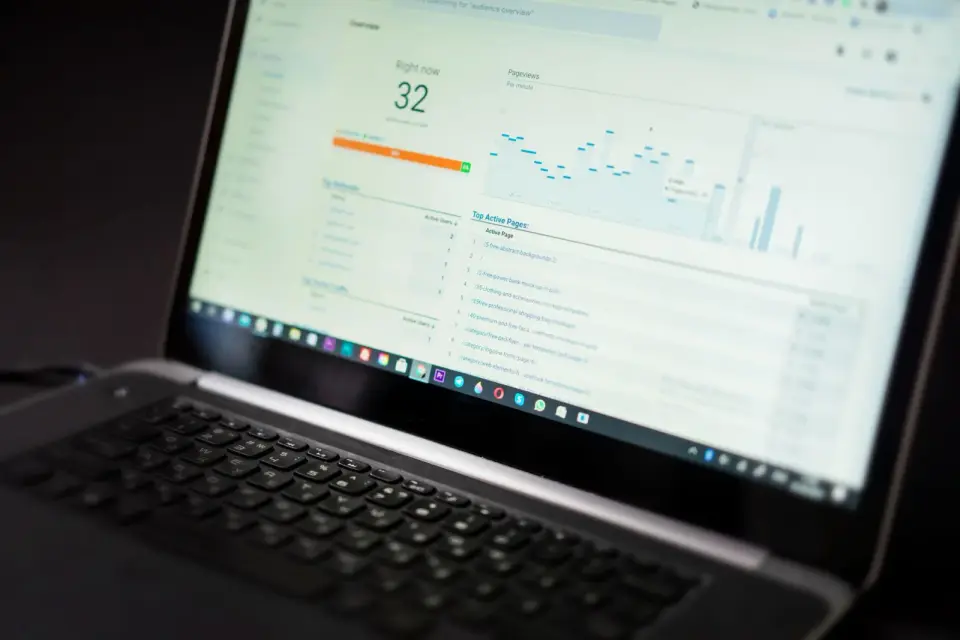
- Analytics dashboard with charts tracking organic image search traffic — photo by Lukas Blazek on Pexels
- Laptop displaying a website homepage open in a browser — photo by Christina Morillo on Pexels
- Tablet showing the Google search screen used to find images online — photo by Trace Hudson on Pexels
- Software engineer coding image optimization at a desk — photo by ThisIsEngineering on Pexels

Use the free tools while you follow the guide.
Keep reading

2026-07-18
How to Add Text to Photos Without Losing Readability
Add clean text overlays to photos for social posts, product images, banners, and watermarks. Includes contrast checks, layout rules, tools, and batch options.
2026-07-18
Add a Watermark to an Image Free: Practical Photo Guide
Add a readable text or logo watermark to photos for free. Pick placement, opacity, export size, and batch settings without ruining the image.

2026-07-13
Image Workflow Builder: Chain Tools Into One Pipeline
Chain background removal, resize, and compression into one reusable pipeline. Compared against BatchTool, chaiNNer, and Photoshop Actions.