2026-03-13
Image SEO Guide 2026: Crawl, Rank, and Get Cited
A practical 2026 image SEO workflow for crawlable files, alt text, filenames, schema, CDN delivery, Core Web Vitals, and GEO visibility.
Last updated: June 28, 2026
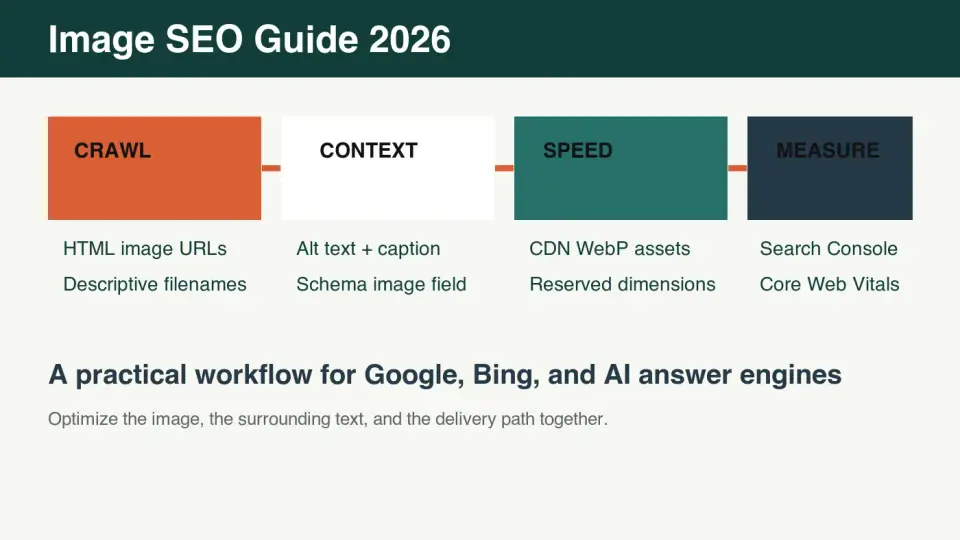
Image SEO in 2026 is a publishing workflow, not a rename-and-compress chore. Google, Bing, screen readers, social previews, and AI answer engines all need the same basic signals: a crawlable image URL, a useful surrounding page, accurate alt text, stable metadata, and fast delivery.
This guide focuses on the parts that actually change outcomes: crawlability, filenames, alt text, structured context, CDN setup, image size, and measurement.
Quick answer: what should you do for image SEO in 2026?
Use one workflow for every important page image: name the file before upload, serve a compressed WebP or AVIF from a crawlable URL, write alt text that describes the visible image, place the image near relevant text, include it in page metadata or schema when the page type supports it, and measure discovery in Search Console plus performance in Core Web Vitals.
Do not optimize every image equally. Start with images that users inspect: product photos, screenshots, charts, comparison graphics, diagrams, recipe photos, local project photos, and the hero image that may become the Largest Contentful Paint element.
For GEO, which means generative engine optimization, make the text around each image self-contained. An answer engine should be able to quote the paragraph, understand what the image proves, and identify a source link without guessing.
What does Google or Bing need before an image can rank?
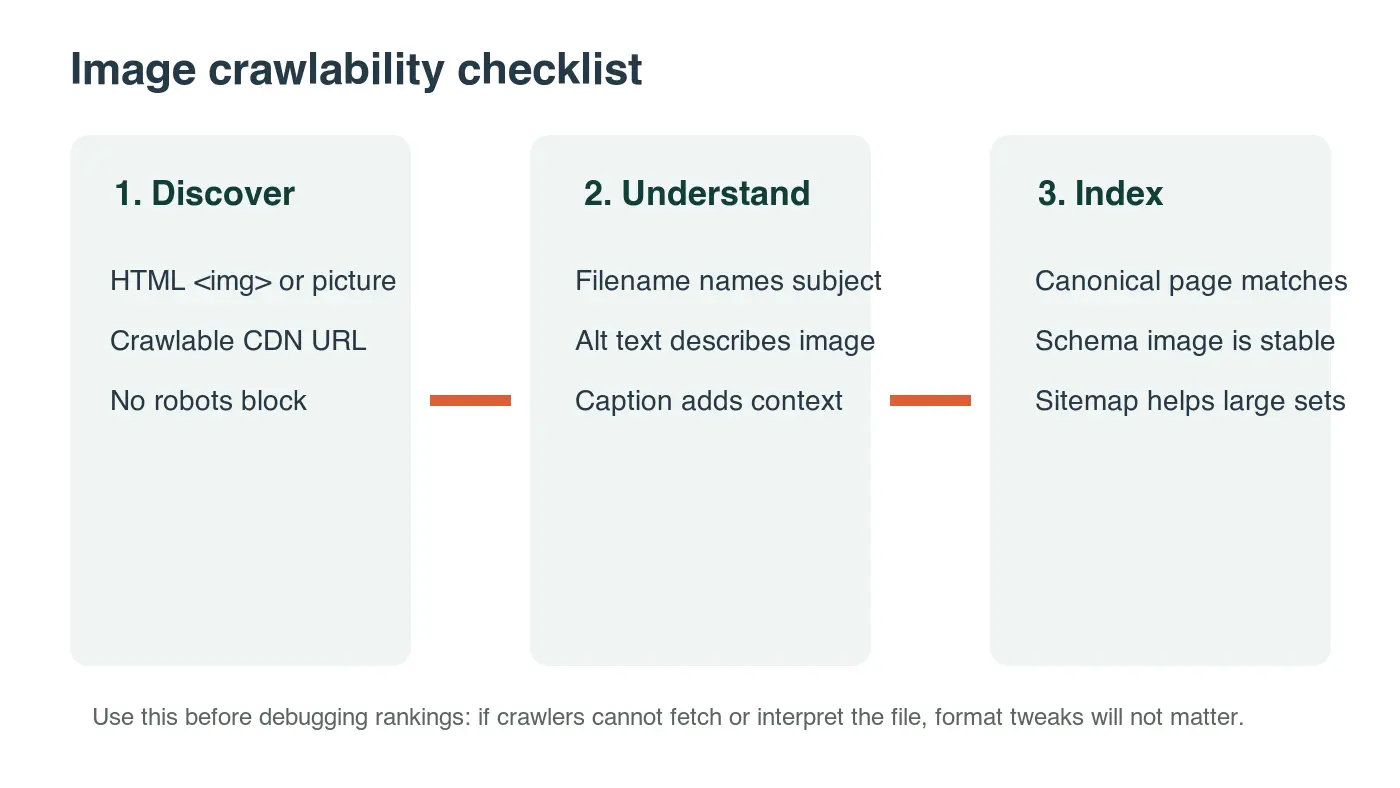
Search systems need to discover, fetch, understand, and associate the image with the right page. If one step fails, better alt text will not rescue the asset.
| SEO layer | What to check | Practical fix |
|---|---|---|
| Discovery | The image appears in normal HTML or a rendered page crawler can access | Use <img> or <picture> for important images, not only CSS background images |
| Fetching | The image URL returns 200, is not blocked, and does not require cookies | Test the CDN URL directly with curl -I |
| Context | Text near the image explains why it is on the page | Add a short paragraph or caption that names the subject and takeaway |
| Canonical | The image belongs to the canonical page, not a duplicate URL | Keep canonical tags, sitemap URLs, and internal links aligned |
| Metadata | Article, Product, Recipe, or Open Graph data uses a representative image | Use the same stable CDN image URL in structured data when appropriate |
Google's own image guidance emphasizes descriptive filenames, alt text, page context, and crawlable image URLs in Google Images best practices. Bing's webmaster guidance points in the same direction: make pages crawlable, avoid cloaking, and use descriptive markup rather than hidden tricks in Bing Webmaster Guidelines.
How should image filenames be written?
Write filenames before upload, while you still know what the image shows. A filename is a weak signal compared with page content, but it is cheap context for crawlers, asset libraries, and future editors.
Use this pattern:
- Name the visible subject.
- Add the page-specific detail.
- Use lowercase words.
- Separate words with hyphens.
- Keep the extension honest.
- Avoid dates, camera names, and export suffixes unless they help the reader.
| Weak filename | Better filename | Why it is better |
|---|---|---|
IMG_2847.webp |
black-trail-running-shoe-side-view.webp |
Names the object and visible angle |
screenshot-final.webp |
image-cdn-cache-header-test.webp |
Tells a developer what the screenshot proves |
chart-v2.webp |
webp-avif-jpeg-file-size-chart.webp |
Makes the chart topic clear outside the article |
hero.webp |
image-seo-crawl-context-speed-workflow.webp |
Identifies the page-specific concept |
Keep names stable after publishing. If a file already has impressions or backlinks from image search, replacing the file at the same URL is usually cleaner than renaming it and losing the historical asset URL.
What is good alt text for SEO and accessibility?
Good alt text describes the image for someone who cannot see it. That also helps search systems understand the image without forcing keywords into the markup. The strongest alt text is specific, visible, and relevant to the page.
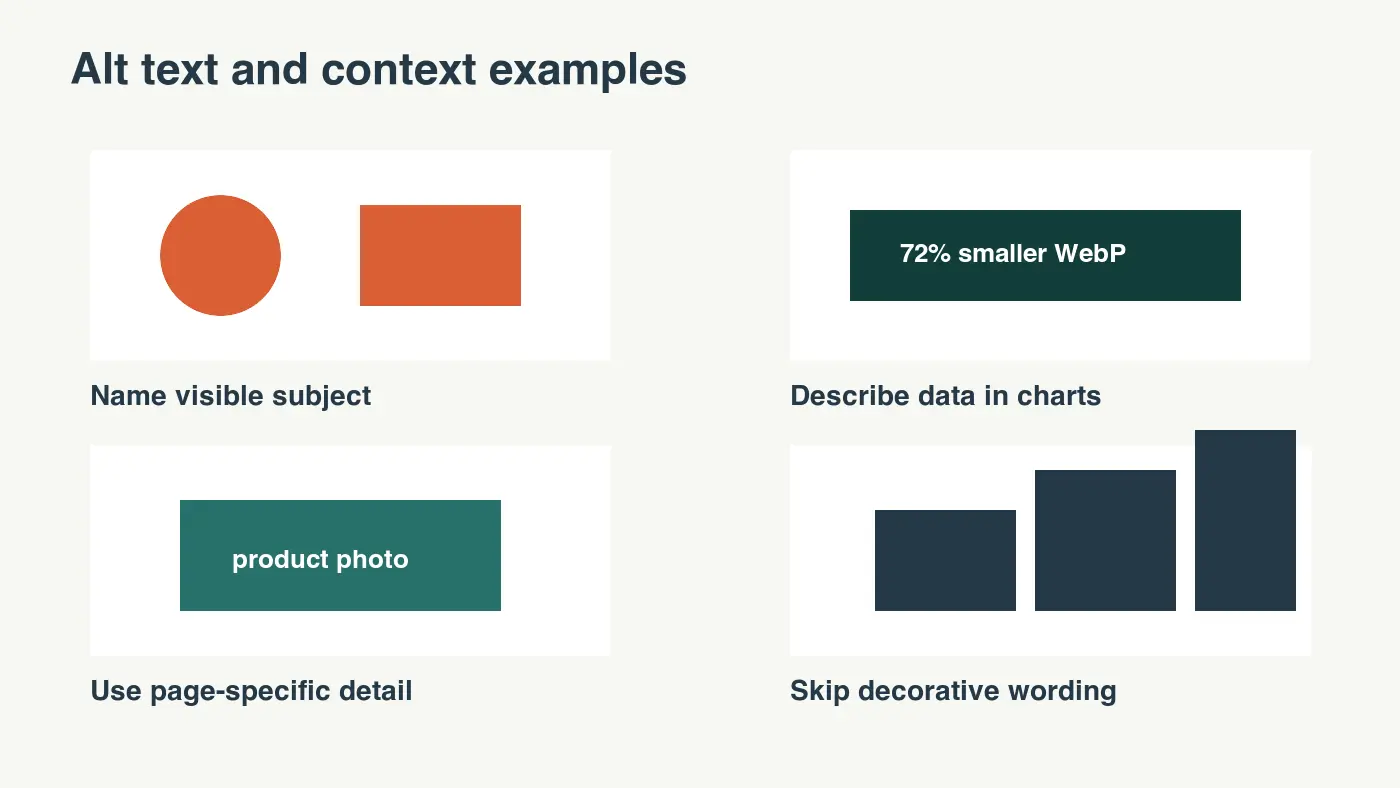
Use this quick test: if the image disappeared, would the alt text help the reader keep following the page? If yes, it is probably useful. If it sounds like a keyword list, rewrite it.
| Image type | Weak alt text | Better alt text |
|---|---|---|
| Product photo | shoe image SEO |
Black trail running shoe with lugged sole shown from the side |
| Chart | performance chart |
Bar chart comparing original, resized, and CDN WebP image file sizes |
| Screenshot | dashboard |
Search Console page showing image impressions and clicks for one blog URL |
| Decorative divider | blue wave graphic |
Empty alt text, because the image does not add content |
The W3C alt decision tree is the simplest reference for deciding whether an image needs descriptive alt text or empty alt text. Use it when editors disagree about logos, icons, and decorative art.
Where should structured context appear?
Put image context in places crawlers and answer engines can extract without guessing:
- The paragraph directly before or after the image.
- A useful caption when the template supports captions.
- The image
altattribute. - The page title and H1 when the image is the primary subject.
- Article, Product, Recipe, or HowTo structured data when that schema matches the page.
- Open Graph and Twitter card metadata for social previews.
- Internal links that lead readers to the next useful workflow.
For articles, the image in frontmatter, Open Graph metadata, and BlogPosting JSON-LD should be a representative image, not a reused default cover. For product pages, Product schema should include the actual product images users can inspect. Schema.org documents the image property for many content types in Schema.org image markup.
The text around the image matters more for GEO than a hidden metadata field. A diagram followed by a direct sentence such as "The CDN WebP file is the final crawlable asset; the original camera file should never be the indexed URL" is easier for an answer engine to quote than a vague caption.
How do CDN, size, and Core Web Vitals affect image SEO?
Images can help rankings only if the page remains fast enough to use. The biggest risk is usually the first large image on the page: it can become the LCP element and slow the visible load.
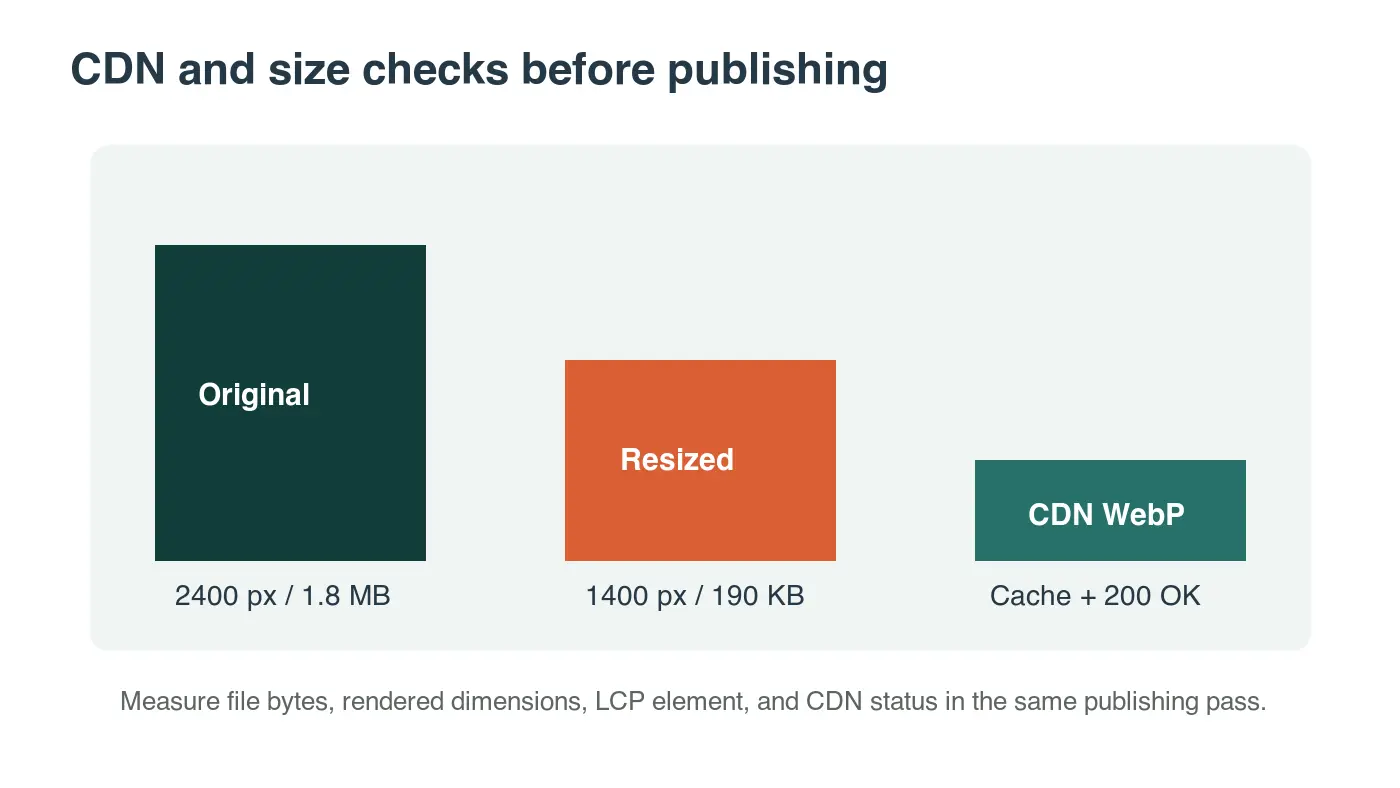
For this article, I encoded four local 1400 by 788 WebP graphics at publication size. The files landed between 19 KB and 34 KB, which is small enough for article use and still readable on mobile.
| Image position | Recommended delivery | Measurement to watch |
|---|---|---|
| Article cover or hero | Compressed WebP or AVIF, not lazy loaded, dimensions reserved | LCP, rendered size, CDN response time |
| Product gallery lead image | Responsive srcset, stable aspect ratio, high enough detail for zoom |
LCP on product pages, conversion page speed |
| Below-fold tutorial screenshot | Lazy loaded, compressed, width and height set | Total transfer size and CLS |
| Chart or diagram | WebP or SVG depending on detail, readable on mobile | File size and mobile legibility |
| Thumbnail grid | Small generated variants, aggressive CDN caching | Number of requests and cache hit ratio |
Google's Core Web Vitals documentation defines LCP and CLS thresholds, and MDN's guide to responsive images explains how srcset and sizes help browsers choose an appropriate file.
Use these size rules as starting points, then test the rendered page:
- Export the source image at the largest display size you actually need.
- Use WebP for most photos and mixed graphics; compare AVIF when quality holds.
- Keep article images under 200 KB when possible.
- Keep thumbnails much smaller than article images.
- Reserve width and height or an aspect-ratio box before images load.
- Do not lazy load the likely LCP image.
- Lazy load images that start below the first viewport.
- Cache immutable CDN image URLs for a long time.
- Replace oversized originals in CMS uploads before they reach production.
- Test mobile, not only desktop.
For deeper format decisions, read WebP vs AVIF Comparison. For responsive sizing, use Mobile Image Optimization Guide and Lazy Load Images as follow-up checks.
Should you create an image sitemap?
Use an image sitemap when discovery is not obvious. Google can find many images from normal page crawling, so a sitemap is not a substitute for visible HTML images and useful context.
An image sitemap is most useful for:
- Large galleries with many images per page.
- Pages where JavaScript controls image rendering.
- News, recipe, product, or marketplace pages where images change often.
- Sites migrating from one media CDN path to another.
- International sites where the same image appears on localized pages.
If you create one, keep it clean. Point each sitemap entry at the canonical page URL, use the final crawlable image URL, and avoid adding every tiny icon or decorative asset. The sitemap should help search engines discover content images, not mirror your whole asset folder.
How can image SEO help GEO answer engines?
Answer engines prefer pages that make evidence easy to extract. For image-heavy topics, that means the page must connect each visual to a clear claim.
Use this pattern around useful images:
- State what the image shows.
- Explain the decision it supports.
- Cite the official or primary source when the claim depends on a platform rule.
- Link to the next internal guide when the reader needs a workflow.
Example: "The crawlability diagram separates discovery from context because a 200 OK CDN image is still weak if the surrounding page never explains it. Check both before rewriting alt text."
That passage is short, direct, and quotable. It also gives an AI answer system enough context to summarize the image without inventing details.
How do you measure whether image SEO is working?
Measure image SEO in three places: search discovery, page performance, and asset quality. One dashboard will not show the whole picture.
| Tool or report | What to inspect | Action when it looks wrong |
|---|---|---|
| Google Search Console performance | Image search impressions, clicks, and pages gaining visibility | Improve context on pages with impressions but weak clicks |
| URL Inspection | Whether Google can fetch and render the page | Fix blocked scripts, blocked images, or canonical mismatches |
| PageSpeed Insights or field data | LCP element, CLS, total image transfer | Resize or prioritize the image affecting the metric |
| CDN logs or headers | 200 status, cache control, content type, byte size | Fix wrong MIME type, missing cache headers, or oversized variants |
| Manual mobile review | Whether the image is readable and relevant | Replace generic or cramped graphics |
Run the measurement pass after major template changes, CMS migrations, CDN migrations, and high-volume image uploads. For monthly maintenance, check the top pages by organic traffic and the pages where image impressions are rising.
If you need a broader publishing checklist, use Complete Image Optimization Checklist. For CDN-specific setup, use Image CDN Guide.
2026 image SEO checklist
Before publishing an important page:
-
The cover or primary image is unique to the page.
-
The image file has a descriptive, stable filename.
-
The final image URL is crawlable and returns HTTP 200.
-
The image is compressed and resized to the rendered use case.
-
The likely LCP image is not lazy loaded.
-
Below-fold images use lazy loading where appropriate.
-
Width and height or aspect ratio are reserved.
-
Alt text describes the visible image in page context.
-
Decorative images use empty alt text.
-
Structured data uses a representative image URL when the schema supports it.
-
Open Graph metadata uses the same canonical representative image.
-
Text near each useful image explains the takeaway.
-
Internal links point readers to format, mobile, CDN, or compression workflows.
-
Search Console and Core Web Vitals are checked after publishing.
The practical rule is simple: optimize the image as content, not decoration. A fast, crawlable, well-described image can support Google and Bing discovery, accessibility, social sharing, and GEO citations at the same time.
Frequently asked questions
What is the single most important image SEO fix in 2026?
Make sure the image is crawlable and returns HTTP 200 from a stable CDN URL, because no amount of alt text can rescue an image search engines cannot fetch.
How long should alt text be for SEO?
Good alt text is a specific, visible description in page context, and in practice that lands around 18 to 125 characters rather than a keyword list.
Should image filenames use hyphens or underscores?
Use lowercase words separated by hyphens, such as black-trail-running-shoe-side-view.webp, because that pattern is the readable convention crawlers and editors expect.
Does image compression actually help SEO?
Yes, compressed WebP or AVIF files load faster and are less likely to become an oversized LCP element, and the local WebP graphics in this guide landed between 19 KB and 34 KB at publication size.
Should the largest image on a page be lazy loaded?
No, the likely LCP image should load immediately with reserved width and height, while lazy loading belongs on images that start below the first viewport.
Do all images need structured data?
No, only the representative image tied to Article, Product, Recipe, or HowTo schema needs to appear in structured data, matching the canonical Open Graph image.
Is an image sitemap required for image SEO?
No, an image sitemap mainly helps large galleries, JavaScript-rendered pages, or fast-changing product and recipe images, not typical blog pages.
Where should I check whether image SEO is working?
Check Google Search Console for image search impressions and clicks, then confirm the LCP and CLS in PageSpeed Insights or field data.
Use the free tools while you follow the guide.
Keep reading

2026-07-18
How to Add Text to Photos Without Losing Readability
Add clean text overlays to photos for social posts, product images, banners, and watermarks. Includes contrast checks, layout rules, tools, and batch options.
2026-07-18
Add a Watermark to an Image Free: Practical Photo Guide
Add a readable text or logo watermark to photos for free. Pick placement, opacity, export size, and batch settings without ruining the image.

2026-07-13
Image Workflow Builder: Chain Tools Into One Pipeline
Chain background removal, resize, and compression into one reusable pipeline. Compared against BatchTool, chaiNNer, and Photoshop Actions.