2026-06-28 · Updated 2026-07-28
AI Audio Transcription: Accurate Workflow for Creators
Turn interviews, podcasts, meetings, and videos into usable transcripts with AI. Learn capture settings, review steps, timestamps, and export formats.
Last updated: July 28, 2026
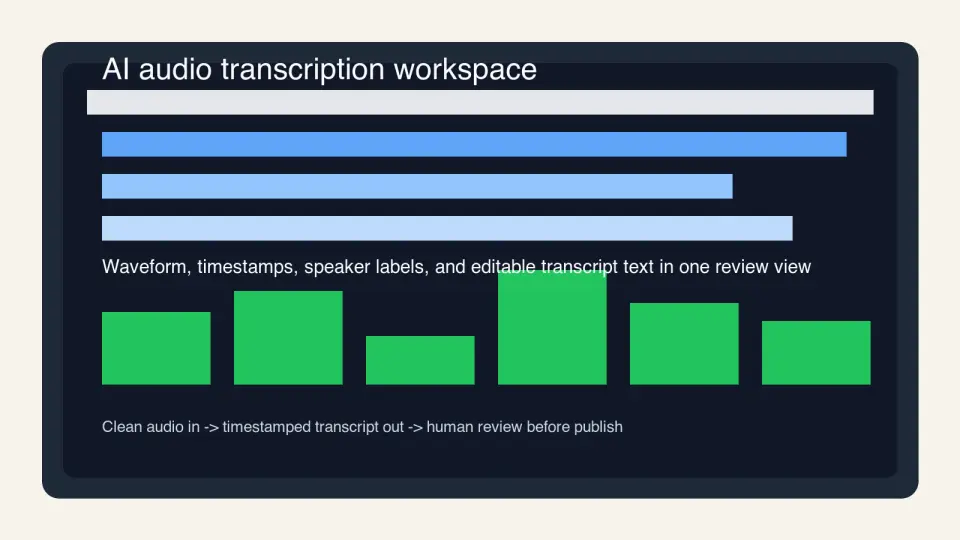
AI transcription is good enough to turn a rough interview into a searchable draft in minutes. It is not good enough to publish unchecked names, numbers, quotes, or captions. The useful workflow is simple: record clean audio, transcribe with timestamps, review the risky words by ear, then export the right format for the job.
Quick answer: how do you get an accurate AI transcript?
Start with the cleanest audio you can get. Put the microphone close to the speaker, record each person on a separate track when possible, and avoid music under speech. AI transcription quality drops fast when the model has to separate a voice from room echo, keyboard noise, or a soundtrack.
Then use AI for the first pass, not the final word. Ask for timestamps, speaker labels, and a plain-text transcript. Review names, acronyms, prices, dates, medical or legal terms, and any line that will be quoted publicly.
For publishing, choose the export by destination: .txt or Markdown for notes, .docx for editing, .srt for simple captions, and WebVTT (.vtt) for web video. The W3C calls transcripts, captions, and audio descriptions separate accessibility layers, so do not treat one export as a substitute for all of them (W3C media accessibility).
What does AI audio transcription actually do?
AI audio transcription turns spoken language into text. Modern systems usually combine speech recognition, punctuation, language detection, and speaker diarization. Diarization is the step that tries to decide who spoke each line.
The practical output is not just words. A useful transcript includes:
- Text: the spoken words, cleaned enough to read.
- Timestamps: time ranges that point back to the audio.
- Speaker labels: Speaker 1, Speaker 2, or named speakers after review.
- Confidence clues: low-confidence words, blanks, or tool highlights.
- Export files: text, captions, subtitles, or editor project data.
The model behind the tool may be OpenAI Whisper, a cloud speech API, or a custom transcription model. OpenAI's Whisper paper describes a model trained on a large, weakly supervised multilingual audio set, which is why these systems handle accents and noisy real-world clips better than older dictation tools (Whisper paper).
AI still hears patterns, not intent. If a guest says "ShipStation" in a noisy room, the model may write "ship station" or "six station." That is why the review pass matters more than the brand name on the tool.
Which transcript format should you export?
Pick the format after you know where the transcript will go. A readable interview transcript and a caption file are not the same artifact.
| Export | Use it for | What to check |
|---|---|---|
.txt |
Searchable notes, archives, internal reference | Speaker labels and paragraph breaks |
| Markdown | Blog drafts, show notes, knowledge bases | Headings, links, and quoted lines |
.docx |
Client review, legal review, editorial comments | Track changes and page formatting |
.srt |
Basic video subtitles in most editors | Number order, timing, line length |
.vtt |
HTML5 video captions and web players | Cue timing, speaker labels, metadata |
.csv |
Research coding, call analysis, QA sampling | One row per segment with timestamps |
If the transcript will become captions, read the file before upload. Captions need short cues that fit on screen. A paragraph transcript copied into an .srt file is technically text, but it is painful to watch.
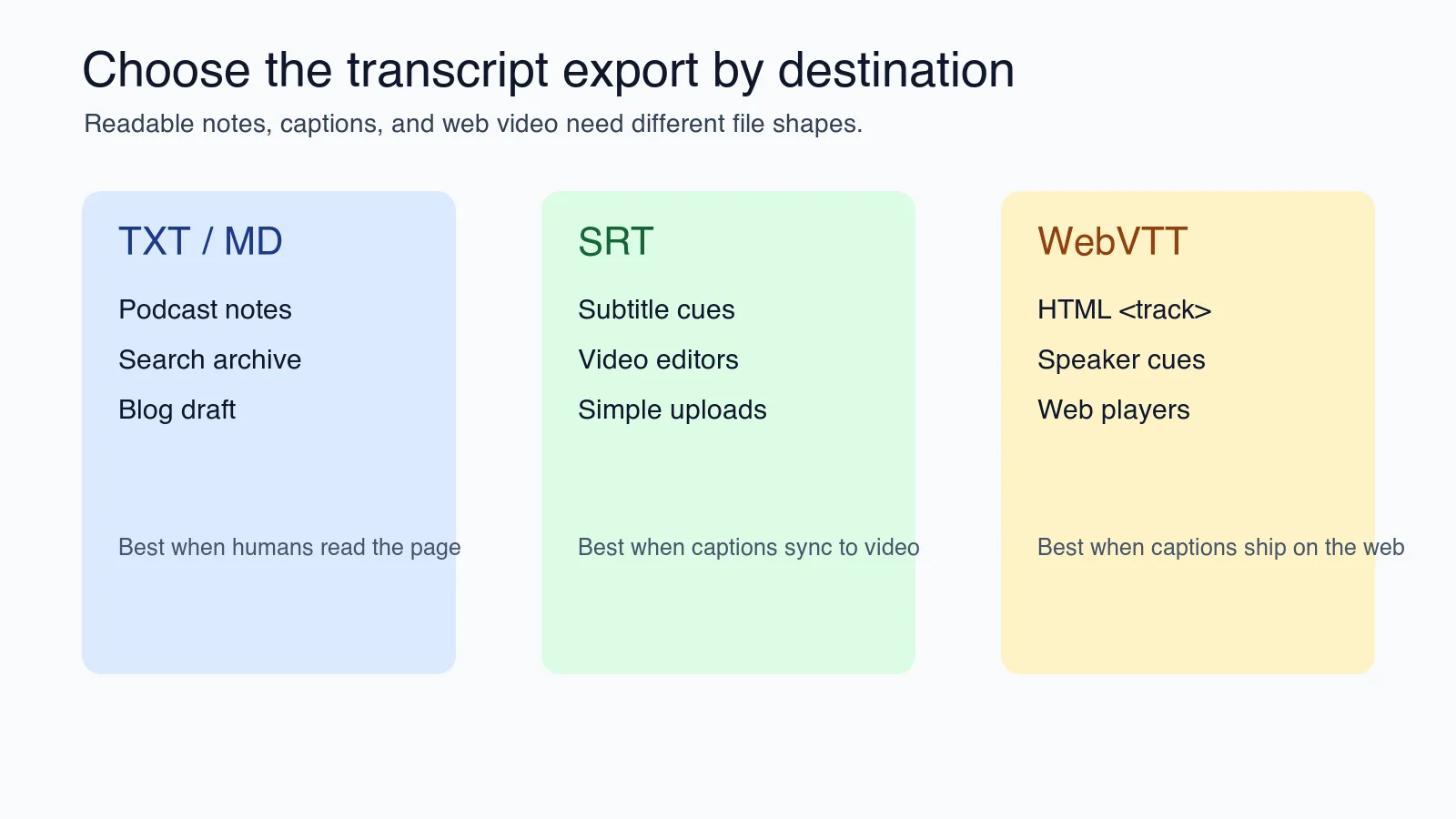
For web video, WebVTT is the native caption format used with the HTML <track> element. MDN's WebVTT reference is worth keeping open when you need cue syntax, timestamps, or speaker labels (MDN WebVTT API).
How should you record audio before transcription?
Most transcript errors are recording errors. Fix the room before you fix the transcript.
Use this capture checklist when the transcript will be published, quoted, or used for captions:
| Capture choice | Better option | Why it helps the transcript |
|---|---|---|
| Built-in laptop mic | External USB or lavalier mic | Cleaner voice and less room echo |
| One mixed track for a panel | Separate track per speaker | Easier speaker labels and faster review |
| Music bed under the talk | Music only before or after speech | Fewer missing words |
| Speaker far from mic | 6 to 12 inches from mic | Stronger voice signal |
| No agenda or glossary | Provide names and terms before review | Fewer brand and acronym mistakes |
| Compressed call recording only | Local recording plus call backup | More detail for hard words |
A podcast host can recover from a small editing mistake. They cannot recover a clear quote if the guest was three feet from the microphone while a coffee grinder ran in the background.
If the source is already noisy, clean it before transcription. A light AI audio enhancement pass can reduce steady hum and room noise. Do not over-process; heavy noise removal can smear consonants and make "fifty" sound like "sixty."
What review steps catch the mistakes AI leaves behind?
Reviewing a transcript by reading only is the fastest way to miss the dangerous errors. Listen to the audio at every risky line.
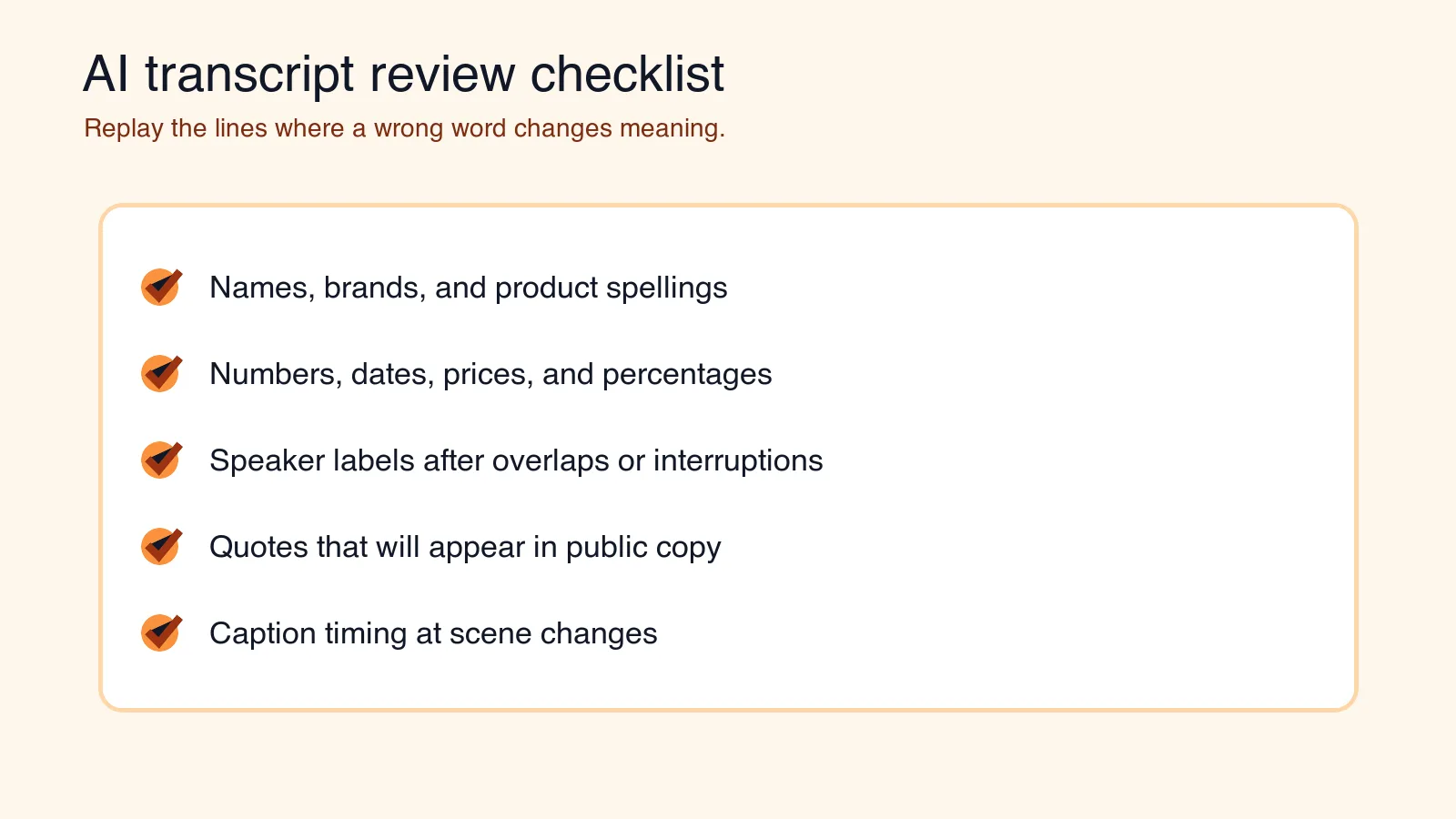
I tested this review order while preparing the sample transcript panels for this article: a read-only pass caught formatting and speaker-label problems, but the replay pass is what exposed number and name mistakes. Use the checklist as an editing order, not as a promise that one pass catches everything.
Use this order:
- Scan the speaker labels. Rename speakers once, then apply consistently.
- Search for bracketed blanks. Tools often mark unclear words with blanks or low-confidence tags.
- Verify names and brands. Check spelling against the guest's site, LinkedIn, or project page.
- Replay numbers. Prices, dates, percentages, measurements, and episode numbers are high-risk.
- Check quotes before publishing. A cleaned quote should preserve meaning, not just grammar.
- Tighten punctuation. AI tends to overuse commas and split sentences oddly around pauses.
- Trim filler only when appropriate. Meeting notes can be cleaned; legal or research transcripts may need verbatim speech.
- Spot-check timing. Captions should appear when the words are spoken, not two seconds late.
For a 30-minute interview, expect 10 to 25 minutes of human review if the recording is clean. Expect much longer when speakers overlap, accents are unfamiliar to the model, or the topic contains uncommon terms.
How do you turn a transcript into captions?
Captions are a timed reading experience. The goal is not to preserve every breath; it is to let someone follow the video without audio.
Use short cues:
- Keep each caption to one or two lines.
- Break at natural phrase boundaries.
- Avoid covering important on-screen text.
- Include meaningful sound cues when they affect understanding, such as
[applause]or[door closes]. - Keep speaker changes clear when several people talk.
- Watch the full video after upload, not just the editor preview.
If you publish on YouTube, review its caption guidance and upload behavior before assuming auto-captions are enough (YouTube caption help). Auto-captions are useful as a starting point, but a creator publishing tutorials, medical advice, legal commentary, or sponsored claims should upload a checked caption file.
Transcription also feeds localization. A timestamped source transcript is the first asset in an AI dubbing workflow, and it is the script base for translated versions. Bad source timing creates bad translations downstream.
When should you use AI transcription, and when should a human transcriber handle it?
AI is best when speed and searchability matter. Human transcription is still worth paying for when the transcript is evidence, compliance material, or a quote-heavy publication.
| Job | AI first pass | Human transcriber | Reason |
|---|---|---|---|
| Podcast show notes | Yes | Usually no | Fast draft plus light review is enough |
| Internal meeting recap | Yes | No | Search and action items matter more than perfect wording |
| YouTube tutorial captions | Yes | Review required | Mistakes are visible and affect accessibility |
| Research interview coding | Yes | Sometimes | Verbatim nuance may affect analysis |
| Legal deposition | No | Yes | Accuracy, certification, and chain of custody matter |
| Medical dictation | Depends | Often yes | Domain language and liability are high |
| Multilingual subtitles | Yes | Native review | Translation and timing need judgment |
A good split is AI for capture and indexing, human review for anything an audience, client, court, or regulator may rely on.
What privacy and consent checks matter?
Audio contains more than words. A recording can reveal a voiceprint, background details, customer names, and private business plans. Treat uploaded audio as sensitive until you know the tool's retention policy.
Before uploading interviews, sales calls, classes, or support recordings:
- Confirm everyone knows the session is recorded.
- Check whether your state, country, or client contract requires explicit consent.
- Remove private side chatter before sending audio to a transcription service.
- Read the provider's data retention and training policy.
- Avoid uploading regulated data unless the vendor contract covers it.
- Store transcripts with the same access controls as the source recording.
If the transcript will be used to generate synthetic narration, keep consent even tighter. Voice reuse crosses into cloning territory, where permission and disclosure become the first requirements.
A repeatable workflow for podcast, meeting, and video teams
Use the same folder structure every time so review does not become detective work.
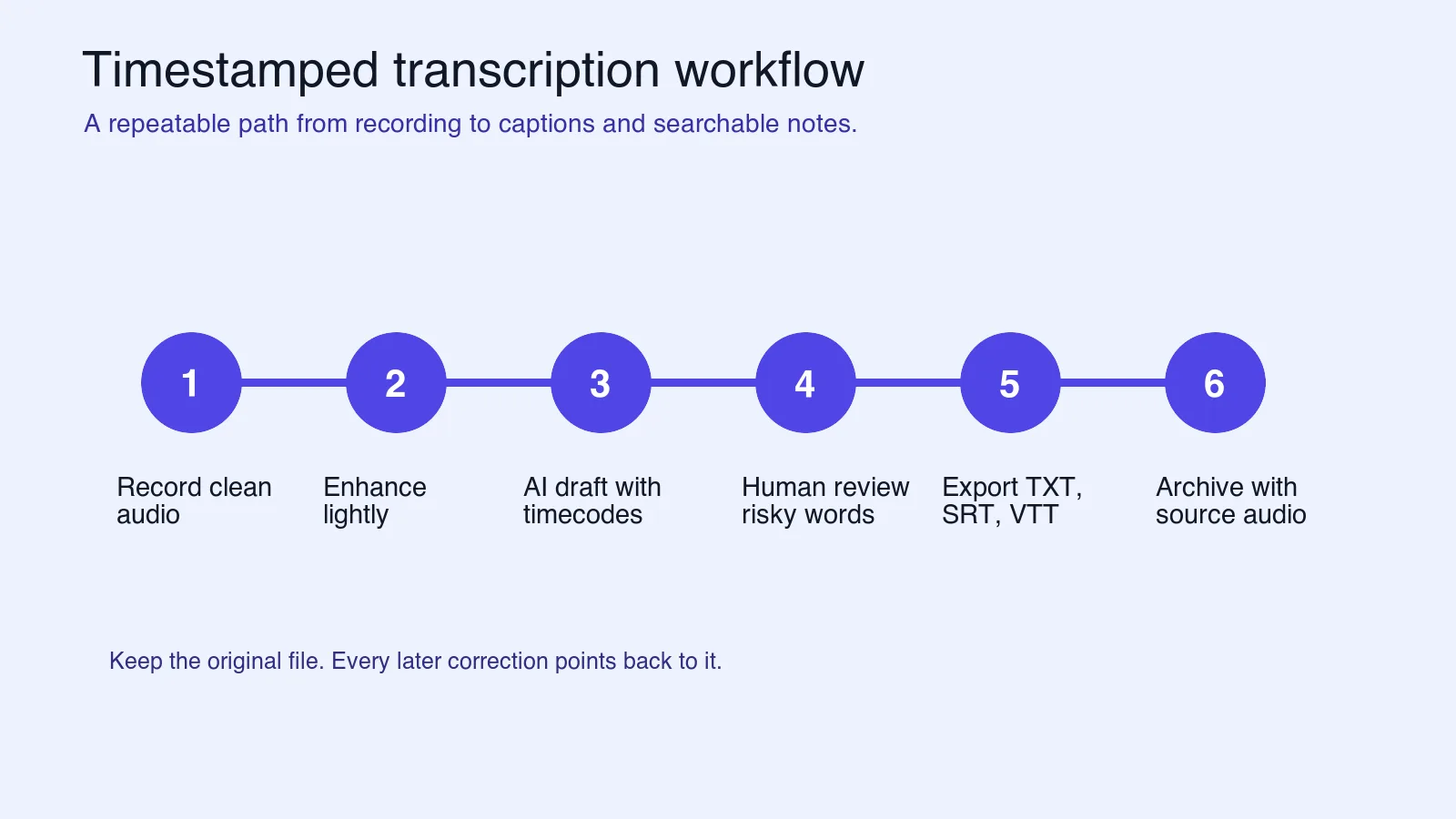
- Create a project folder with
audio,transcript-draft,transcript-final, andcaptions. - Save the original recording before any cleanup.
- Export a clean WAV or high-bitrate MP3 for transcription.
- Add a short glossary file with names, products, acronyms, and unusual spellings.
- Run the AI transcript with timestamps and speaker labels enabled.
- Review risky lines against the audio.
- Export both a readable transcript and a caption file when video is involved.
- Archive the final transcript beside the source audio, not in a random downloads folder.
Podcast editors can use the final transcript for show notes, pull quotes, and episode search. Product marketers can cut a webinar into a blog draft and captioned clips. Support leads can search call recordings for recurring complaints, then pass the exact segment to the product team.
If the transcript becomes narration instead of captions, the pacing marks matter more than the timestamps. If the video needs mouth movement to match new audio, that is a lip-sync problem, not another transcription pass.
Key takeaway
AI audio transcription saves time when you treat it like a draft generator with timestamps. It fails when you treat it like a court reporter, caption editor, and privacy reviewer in one click.
Record clean audio, request timestamps, review risky words by ear, export the right format, and keep consent records with the project. That sequence is boring in the best way: it produces transcripts people can search, quote, caption, and trust.
When a transcript turns into published content, the visual side follows the same discipline: put the pull-quote on an image with the add text to photo tool, then compress it so the page stays fast.
Image credits
Article images are generated editorial figures created for this guide and stored as WebP files under the article slug for stable CDN delivery.
Use the free tools while you follow the guide.
Keep reading
2026-09-13
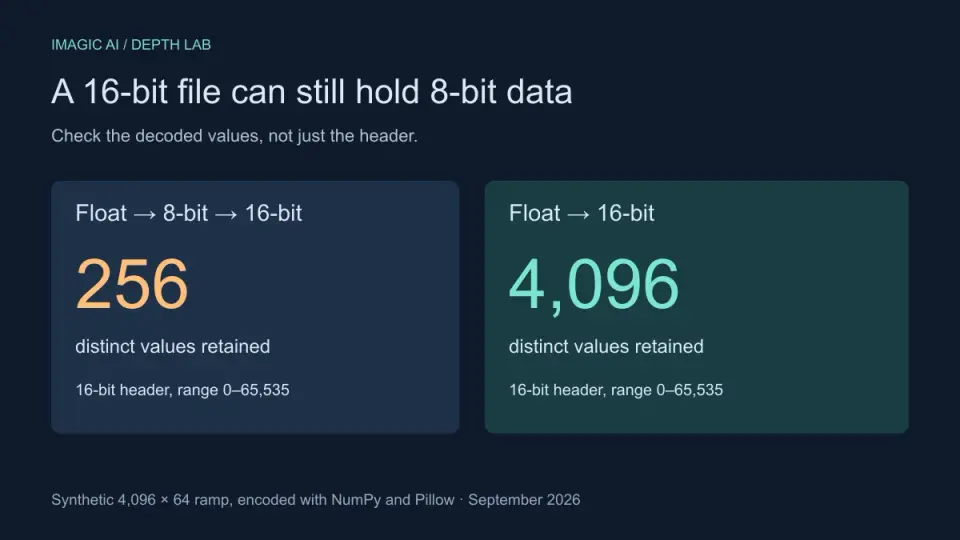
16-Bit Depth Maps: Fix Banding and Verify Your PNG
Fix stair-stepped or inverted depth maps with a reproducible 8-bit vs 16-bit PNG test, a file inspection script, and a practical Blender import checklist.
2026-09-13
GIF Maker From Images: Build Animated GIFs That Load Fast
Turn a set of images into an animated GIF for web and social media. Real frame timing, size limits for each platform, and when to choose GIF over video.

2026-09-13
How to Blur Faces and License Plates Before You Post
Blur or pixelate faces and license plates so they stay unreadable. Which method actually anonymizes, what fails, and how to avoid leaking EXIF location data.