2026-03-29
Image SEO Guide: Alt Text, Speed, and Indexing
Use this image SEO workflow to write useful alt text, choose WebP delivery, avoid slow pages, and help Google discover image assets.
Last updated: June 28, 2026
Image SEO is not a trick for stuffing keywords into filenames. It is the practical work of making important images discoverable, understandable, fast, and useful on the page where they appear.
This guide covers the workflow I would use for a product gallery, editorial article, local service page, or image-heavy landing page before asking whether the images can rank in Google Images.
Quick answer: what matters most for image SEO?
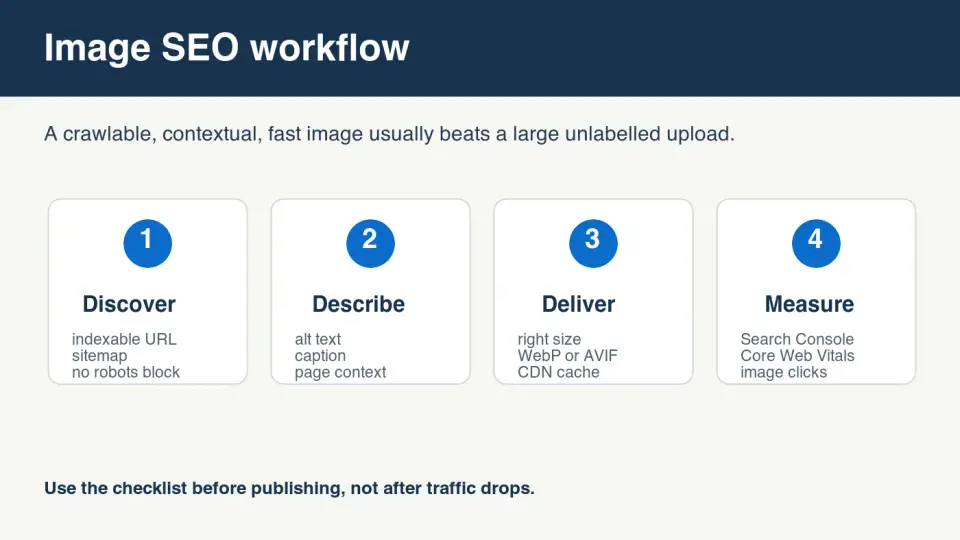
Image SEO works when the image can be crawled, the page explains what the image shows, and the file loads fast enough that users do not abandon the page. Start with a stable HTTPS image URL, a descriptive filename, specific alt text, useful surrounding copy, and a compressed WebP or AVIF version sized to the layout.
Google's own image best practices emphasize high-quality images, descriptive text near the image, good page titles, and crawlable URLs. The page context matters as much as the file itself.
Use this order: discoverability first, description second, delivery third, measurement last. If the file returns 404, is blocked by robots.txt, or appears only inside client-side code that search engines cannot reliably parse, better alt text will not fix it.
For a broader publishing pass after the image SEO work, use the Complete Image Optimization Checklist. If the immediate problem is file weight, the Image Compression Ratio Guide explains how to measure savings without hiding visible damage.
How does Google understand an image?
Google can use the image file, the page title, headings, visible text, captions, structured data, and links to understand what an image represents. A photo of a blue running shoe on a blank page is weaker than the same photo inside a product page with a clear title, model name, color, size options, and descriptive alt text.
Discovery is the first gate. The image URL should return HTTP 200, use a crawlable format, and stay stable after publishing. Avoid temporary signed URLs for public article images unless the final rendered URL is public and indexable.

Use this quick crawlability checklist:
- The final image URL returns HTTP 200 without authentication.
- The page URL is indexable and not blocked by
noindex. - The image is not blocked by
robots.txt. - The image appears in normal HTML or predictable rendered markup.
- The page has text that explains why the image matters.
- The image file is stable enough to be cached and re-crawled.
An image sitemap can help discovery for large galleries, but it does not replace page quality. Google documents image sitemap support in its sitemap image extension guidance. Use it when images are important content, not only decorative page furniture.
What should alt text include?
Alt text should describe the visible subject and function of the image for the page. Write it for a person who cannot see the image, then check whether the description also gives search engines clear context.
Good alt text is specific, short enough to scan, and free of keyword stuffing. It should not repeat the article title on every image. It should not describe decorative shapes that carry no information. If the image is a chart, summarize the chart's point instead of writing "chart".
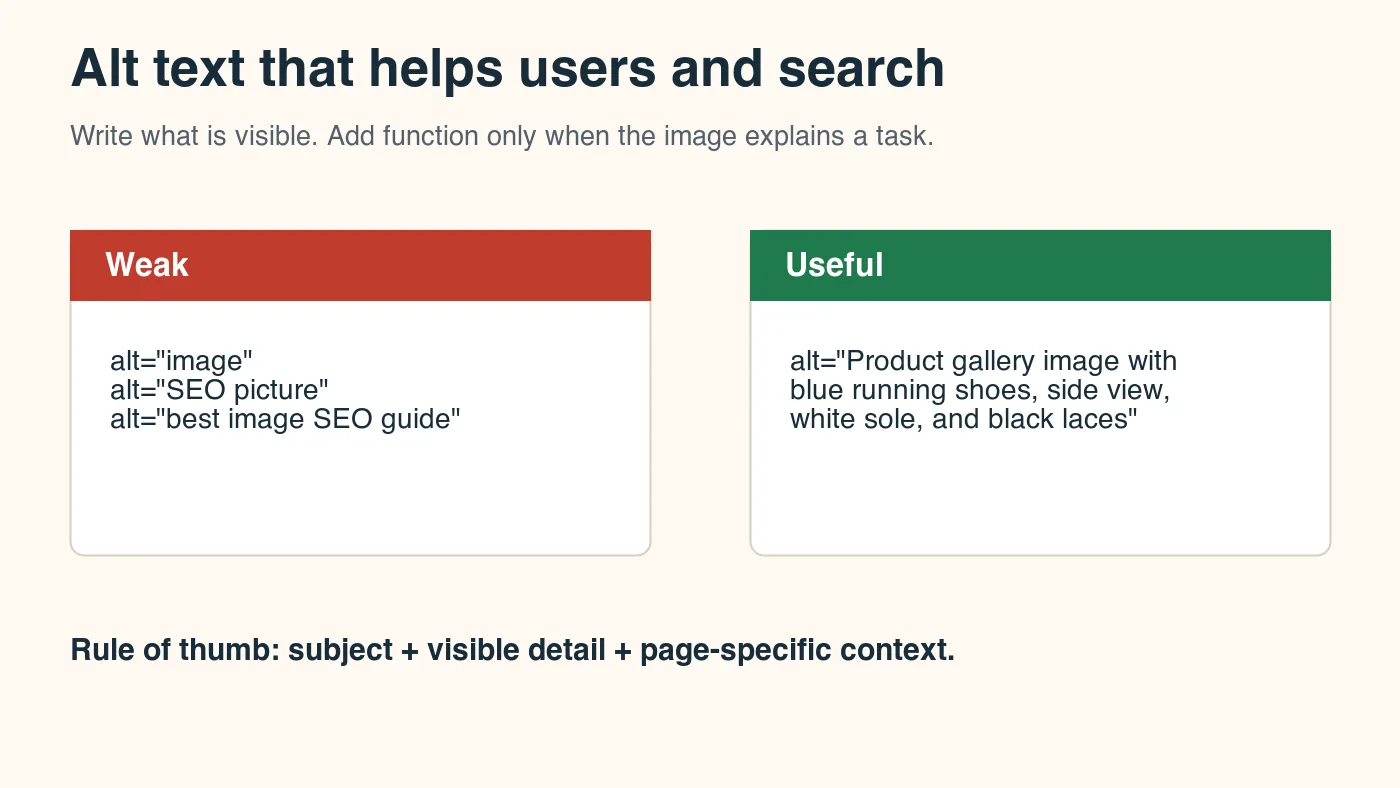
| Image type | Weak alt text | Useful alt text |
|---|---|---|
| Product photo | "shoe image" | "Blue trail running shoe with black laces and thick white sole, side view" |
| Blog figure | "SEO diagram" | "Four-step image SEO workflow showing discovery, description, delivery, and measurement" |
| Data chart | "chart" | "Bar chart showing WebP file size increasing as image width grows from 800 to 2400 pixels" |
| Screenshot | "dashboard" | "Search Console performance report filtered to image search clicks" |
Use this alt-text pass before publishing:
- Name the visible subject first.
- Add the detail that matters on this page.
- Keep branding only when it is visible or useful.
- Skip phrases such as "image of" unless needed for clarity.
- Do not stuff multiple keyword variants into one attribute.
- Use empty alt text only for truly decorative images.
For accessibility context, MDN's img element reference explains how alt is used when images cannot be loaded or seen. Treat that as the baseline, then add page-specific context when the image is meaningful content.
Which file format and size should you use?
For most public web images, export a modern delivery copy after resizing the master to the actual display need. WebP is a safe default for broad support. AVIF can be smaller for many photographic images, but encoding is slower and artifact behavior differs. Keep a source master separately, especially for product photos and editorial photography.
The mistake I see most often is compressing a 4000 px upload and then displaying it at 900 px. Resize first, then compress. A smaller quality setting cannot fully undo oversized dimensions.
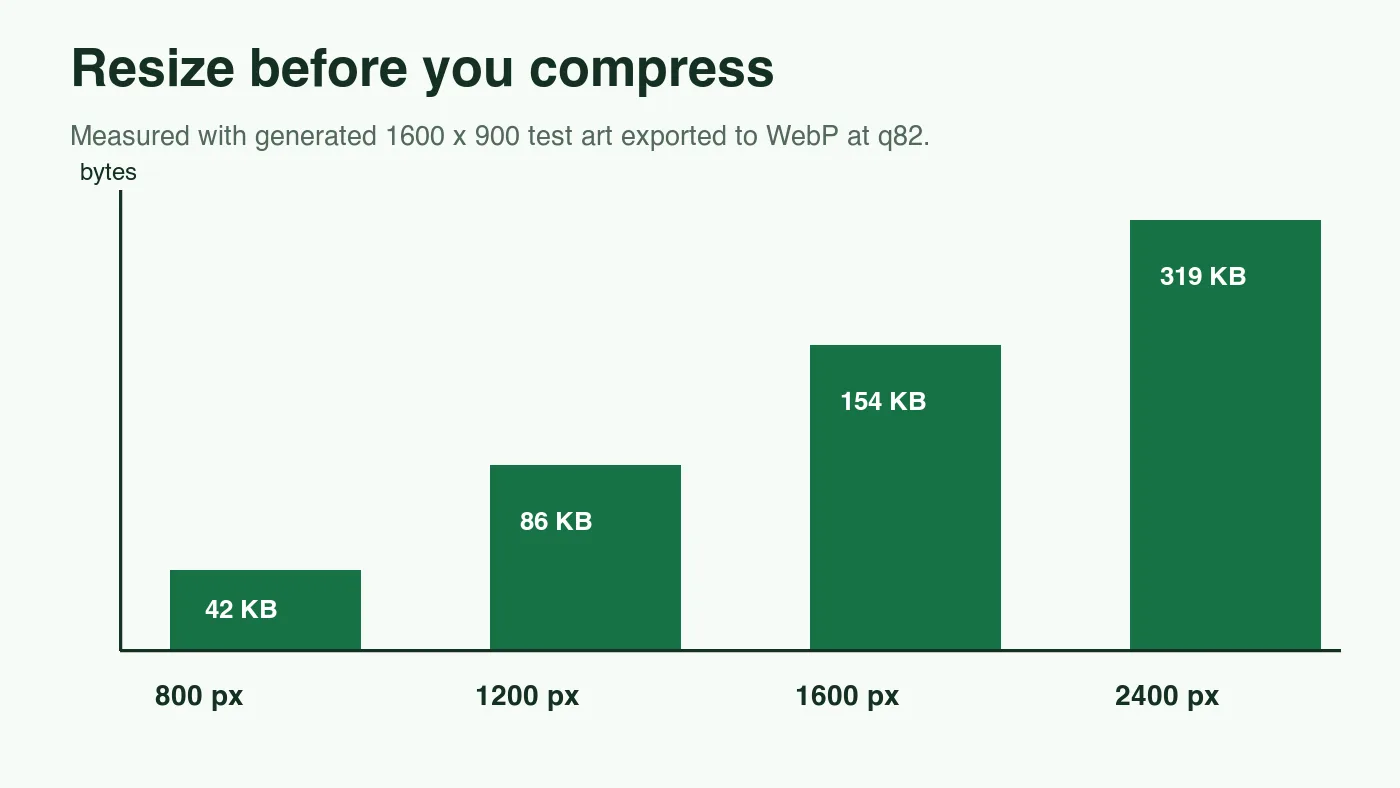
I generated the chart image in this article at 1400 by 788 and exported it as WebP quality 82. The local output was 22 KB for the resize chart and 42 KB for the cover. Those are small because the graphics use flat colors and text. A real photo at the same dimensions can be much larger, so measure your own assets instead of copying a fixed byte target.
| Use case | Starting point | SEO risk to avoid |
|---|---|---|
| Article hero | 1200-1600 px wide WebP or AVIF | Uploading a 5000 px camera original to a narrow layout |
| Product gallery | Consistent crop, WebP q82-q90 | Compressing labels until text becomes unreadable |
| Screenshot | PNG master, WebP or PNG delivery after testing | Blurry UI text from aggressive lossy compression |
| Decorative background | Lower quality WebP or AVIF | Letting a non-critical image compete with page content |
| Social preview | Exact platform ratio plus compressed copy | Reusing a tall article image that crops the subject |
For format trade-offs, compare AVIF vs WebP. If you need to confirm dimensions before export, use Check Image Size and Dimensions.
How do responsive images affect SEO?
Responsive images help users and crawlers reach the right file for the device. A mobile visitor should not download the same huge hero that a desktop monitor receives. Use srcset and sizes when the same image needs multiple widths, and keep one meaningful alt value on the img element.
The page should reserve space before images load. Set width and height attributes or use CSS aspect ratio rules so content does not jump around while the browser fetches the file. Google documents Cumulative Layout Shift as part of its Core Web Vitals guidance, and images without dimensions are a common preventable cause.
Use this markup pattern when you have responsive derivatives:
<img
  src="/images/product-shoe-1200.webp"
  srcset="/images/product-shoe-600.webp 600w, /images/product-shoe-1200.webp 1200w"
  sizes="(max-width: 700px) 92vw, 680px"
  width="1200"
  height="800"
  alt="Blue trail running shoe with black laces and thick white sole"
  loading="lazy"
>
Do not lazy-load the most important above-the-fold image by habit. Hero images, primary product photos, and lead editorial images often need normal priority. Below-the-fold gallery images are better candidates for lazy loading.
For bulk derivative generation, the Batch Resize Guide gives a command-line workflow. For mobile-specific image decisions, pair this guide with Mobile Image Optimization.
Should you use image sitemaps and structured data?
Use image sitemaps when images are important content and not just decorative support. They are especially useful for product catalogs, recipes, galleries, and editorial archives where many image URLs need reliable discovery.
Structured data can also help when the page type supports it. Product, recipe, article, and video pages often include image properties in schema markup. The schema should match visible page content; do not mark up an image that users cannot see.
| Page type | Helpful image SEO support | Notes |
|---|---|---|
| Ecommerce product | Product schema, consistent gallery URLs, descriptive alt text | Prioritize accurate color, material, and label visibility |
| Recipe | Recipe schema with finished-dish image | Use the actual finished dish, not a generic kitchen photo |
| News or blog article | Article image, stable cover, contextual body images | Pick a representative image that matches the article topic |
| Local business | Photos of premises, services, team, or completed work | Avoid stock photos that do not prove local relevance |
| Portfolio gallery | Sitemap entries and captions | Give each work sample enough surrounding context |
If images are generated or heavily edited, make the page context honest. Do not let a polished image imply proof of a product, property, or result that the page cannot support.
How do you measure image SEO after publishing?
Measurement should separate image discovery from page speed. Search Console can show image search performance by filtering the Search results report to the Image search type. Core Web Vitals and Lighthouse can show whether images are hurting load experience.
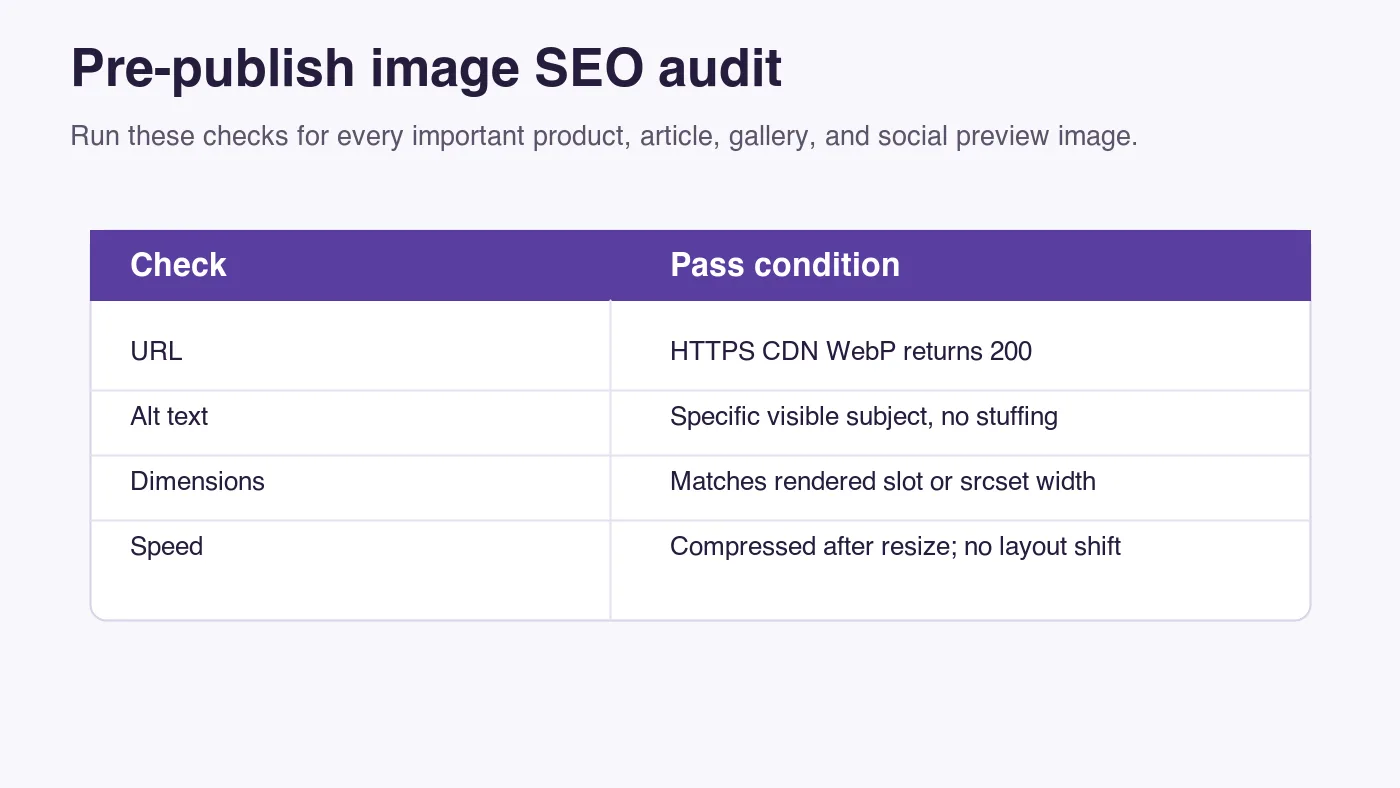
Check these after publishing:
- Important CDN image URLs return HTTP 200.
- The rendered page contains the final image markup.
- Search Console is collecting impressions for relevant queries.
- Largest Contentful Paint is not dominated by an oversized image.
- Layout shift does not occur when images load.
- Alt text still matches the visible image after edits or replacements.
- Internal links point to useful next-step pages, not unrelated posts.
- The image appears correctly in Open Graph and social previews.
Do not expect image SEO to fix a thin page. If the article, product page, or gallery lacks useful copy, the image has less context to rank with. Image SEO is strongest when the image genuinely helps the page answer the query.
Image SEO checklist
Use this final pass for every image that matters to search traffic, social sharing, or conversion:
| Check | Pass condition | Fix if it fails |
|---|---|---|
| Discoverability | Image and page return HTTP 200 and are not blocked | Move to a crawlable CDN URL or update robots rules |
| Context | Nearby title, heading, caption, or copy explains the image | Add specific surrounding text or replace the image |
| Alt text | Describes the visible subject and page function | Rewrite without keyword stuffing |
| Dimensions | File dimensions match the rendered slot or responsive set | Resize from the master and regenerate derivatives |
| Format | WebP or AVIF is used where suitable | Export a modern delivery copy and keep a fallback if needed |
| Stability | Image URL will not change after every deploy | Publish versioned assets or stable CDN paths |
| Measurement | Search Console and speed checks are reviewed | Track image clicks, impressions, LCP, and CLS after launch |
The simplest reliable workflow is still the best one: use a crawlable image, describe it honestly, resize it before compression, deliver it from a stable CDN, and measure the page after it goes live.
Frequently asked questions
What order should you tackle image SEO tasks in?
Work through discoverability, then description, then delivery, then measurement, because alt text cannot rescue an image that 404s or sits behind robots.txt.
Why resize an image before compressing it, instead of just lowering the quality setting?
A smaller quality setting cannot undo oversized dimensions, so resizing the master to the actual display size first keeps the file small without visible damage; the resize chart in this guide measured 22 KB and the cover measured 42 KB after that step.
Does Google only look at the alt attribute to understand an image?
No, Google can also use the page title, headings, visible text, captions, structured data, and links, so the same photo ranks stronger inside a page with a clear title and specific surrounding copy than it does alone.
Should alt text describe a chart the same way it describes a product photo?
No, alt text should match the image's job on the page: name the visible subject and detail for a product photo, but summarize the point for a chart instead of writing a generic label like "chart."
How do you stop images from causing layout shift while they load?
Set width and height attributes or use a CSS aspect-ratio rule so the browser reserves the image's space before the file finishes loading.
When should an image use srcset instead of one fixed file?
Use srcset and sizes whenever the same image needs multiple widths, such as a hero shown small on mobile and large on desktop, so each device downloads only the file it needs.
Which pages benefit most from an image sitemap?
Product catalogs, recipes, galleries, and editorial archives with many image URLs benefit most, since they need reliable discovery beyond what a single page crawl provides.
What should you recheck on an image page after making edits?
Confirm the CDN image URL still returns HTTP 200, the alt text still matches the visible image, and internal links still point to a useful next-step page.
Use the free tools while you follow the guide.
Keep reading

2026-07-18
How to Add Text to Photos Without Losing Readability
Add clean text overlays to photos for social posts, product images, banners, and watermarks. Includes contrast checks, layout rules, tools, and batch options.
2026-07-18
Add a Watermark to an Image Free: Practical Photo Guide
Add a readable text or logo watermark to photos for free. Pick placement, opacity, export size, and batch settings without ruining the image.

2026-07-13
Image Workflow Builder: Chain Tools Into One Pipeline
Chain background removal, resize, and compression into one reusable pipeline. Compared against BatchTool, chaiNNer, and Photoshop Actions.