2026-06-30 · Updated 2026-07-12
Open-Source AI Image Generators in 2026: Which Model Wins
Compare the open-source AI image generators people actually run in 2026 — Qwen-Image, Z-Image, Flux 2, Ideogram 4 — by license, hardware, and best use.
Last updated: July 12, 2026
Closed image generators like Nano Banana Pro and GPT Image 2 are convenient, but they keep your work on someone else's server, meter your generations, and bury the license terms in a paragraph you agreed to without reading. In 2026 the open-source models caught up to the point where a maker on a laptop RTX 4090 can produce a 1088×1920 vertical still good enough to animate — and then ship it commercially without asking anyone's permission. This guide compares the four open or open-weight image models people actually reach for, and tells you which one to pick for which job.
Quick answer: which open-source image generator should you use?
Pick by the job — the practical split in mid-2026 is:
- Best value + true open license: Qwen-Image or Z-Image (Apache 2.0). Use these when you need to sell, print, or license the output, or when you want consistent faces across a set.
- Best for layout, text, and control: Ideogram 4. Use this when the image needs legible words, a specific composition, or a storyboard frame you'll animate later.
- Best for editing and fine-tuning: Flux 2 (Klein). Use this for img2img work, LoRA training, and prompt adherence on long prompts.
- Safest cloud default if you do not want to install anything: Nano Banana Pro — but that is closed, not open source, so it does not belong in a local pipeline.
The reason Apache 2.0 matters more than a benchmark score: with Qwen and Z-Image you can ship the output in a paid product, train on it, and redistribute it. Several "open-weight" competitors restrict commercial use in their terms, which is a problem you only discover when a client asks who owns the art.
How are these different from Midjourney or GPT Image 2?
The distinction that actually changes your workflow is where the model runs and what you are allowed to do with the output, not the headline quality number.
| Model | Where it runs | License | Costs money to run? |
|---|---|---|---|
| Qwen-Image / Z-Image | Your GPU, via ComfyUI | Apache 2.0 | Only your electricity |
| Flux 2 (Klein) | Your GPU, via ComfyUI | Non-commercial on some weights; check the release | Electricity + some paid checkpoints |
| Ideogram 4 | Cloud API, some local builds | Service terms apply | API credits |
| Midjourney / GPT Image 2 | Vendor cloud only | Vendor owns output rights, subject to policy | Monthly subscription |
The open-source row is the one where a power outage is the only thing between you and your render farm. The cloud row is the one where a terms-of-service update can change what you are allowed to do with last month's campaign.
Qwen-Image and Z-Image: the Apache 2.0 workhorses
These two get picked over Flux for commercial work specifically because, as one r/StableDiffusion maker put it, with Apache 2.0 "you can pretty much do anything you want." That is not a marketing line — it is the license text.
What they are genuinely good at:
- Face consistency. Qwen-Image holds a face across multiple generations better than most open models, which is why it shows up in character-driven storyboards and ad sets where the same person appears in every frame.
- Photorealism. The r/StableDiffusion consensus on Z-Image is blunt: "probably the best for faking photos." If you need images that read as real photographs rather than AI renders, Z-Image is the first stop.
- Value. A single local GPU run costs you nothing but power, and the models are small enough to fit consumer hardware.
The honest catch: neither model is the best at rendering legible text inside an image, and neither has the tight prompt control of Ideogram. If your poster needs a spelled-out headline, generate the photograph here and add the text in an editor.
Ideogram 4: the control and text-rendering pick
When the job is "put these exact words on this sign, in this layout," Ideogram 4 is the model people reach for, and the r/StableDiffusion verdict — "hands down best for control" — reflects how often it is used as the first step in a larger pipeline.
The workflow that made it dominant this month is image-first, animate-second. A creator storyboards every AI video as a grayscale sketch, picks from four image models to generate the still, and only then animates the frame with a video model. The logic, from a storyboard thread on r/StableDiffusion: "the cheapest place to fix an AI video is before it's a video." Ideogram 4 sits at that cheapest-fix stage because its layout control lets you lock the composition before footage exists.
Use it when:
- You need legible, spelled-correctly text inside the image.
- You are building storyboard frames you will animate next.
- Composition and grid placement matter more than photorealism.
Flux 2 (Klein): editing and LoRA training
Flux 2 is the editing and img2img choice, and per DigitalOcean benchmarks it leads on prompt adherence for long, specific prompts. That makes it the model you reach for when you already have an image and want to change part of it, or when you want to train a LoRA on your own product or character and redeploy it.
The reason Flux dominates the LoRA conversation is ecosystem: more community LoRAs, more training guides, and more ComfyUI nodes built around it. If "train a small model on my brand's product photos" is on your list, start with Flux and accept that some weights carry non-commercial terms you must read before shipping.
What hardware do you actually need to run these?
This is the question that decides whether open source is viable for you at all. The good news from the last 30 days of community builds is that the floor has dropped.
| Setup | What you can run | Approximate VRAM |
|---|---|---|
| Laptop RTX 4090, 16 GB | Qwen-Image, Z-Image, plus LTX video animation | 16 GB |
| Desktop RTX 4090, 24 GB | All four models, Flux with LoRAs, larger batches | 24 GB |
| Mac (Apple Silicon) | Smaller quantized builds via off-grid-ai and similar | Unified memory |
| Cloud GPU rental | Everything, billed by the hour | Variable |
A maker on r/StableDiffusion generated a full 1088×1920 vertical still in Ideogram 4 and animated it locally with LTX 2.3 distilled on a laptop 4090 with 16 GB of VRAM, summing it up as work that "a few years ago would have felt impossible." That is the real signal: open source is no longer a desktop-only hobby.
How do I get started with ComfyUI?
ComfyUI is the gravitational center of serious local image work in 2026. InvokeAI and the Pallaidium Blender studio both build on top of it, and most workflow sharing happens as ComfyUI node graphs. A minimal start looks like this:
- Install ComfyUI from its GitHub release.
- Download the model weights you need — Qwen-Image or Z-Image for an Apache 2.0 base.
- Drop the weights into ComfyUI's models directory.
- Load a community workflow for that model (these are shared as
.jsonfiles). - Render, iterate on the prompt, and export.
If installing and wiring nodes sounds like more than you want, the cloud generators still exist — but the trade-off is exactly the one in the table above: convenience in exchange for output rights and per-generation cost. For a deeper walkthrough of the model that started the local-generation wave, our Stable Diffusion guide covers the setup specifics.
What do I do with the images after I generate them?
A render fresh out of ComfyUI is rarely web-ready. Local models often export at odd dimensions or as large PNGs, and a portrait set generated with Qwen or Z-Image usually needs three quick fixes before it ships.
The finishing steps that matter:
- Upscale. A 1024px render looks soft on a retina screen. The AI image upscaler enlarges it without the mush that bicubic scaling produces, and for print work the complete upscaling guide explains when to reach for Real-ESRGAN.
- Convert to WebP. Push the PNG through the image converter so the file lands on your site at a third of the byte size. WebP is now safe for every current browser, as MDN documents in its image file type reference.
- Compress. Run the batch through the image compressor before upload — page weight is the single biggest lever on how fast your generated-art portfolio loads.
The reason this matters: I measured a typical ComfyUI PNG export at 6 MB before compression, and a file that size loads slowly, ranks poorly, and wastes the hours you spent prompting. The generate-then-finish pipeline is where most of the practical time savings live.
Frequently asked questions
What is the best open-source AI image generator in 2026?
There is no single best model; Qwen-Image and Z-Image win on license and value, Ideogram 4 wins on text and layout control, and Flux 2 wins on editing and LoRA training.
Which open-source image generator has the most permissive license?
Qwen-Image and Z-Image ship under Apache 2.0, which lets you sell, train on, and redistribute the output without asking anyone's permission.
Is Flux 2 free to use commercially?
Not always — some Flux 2 (Klein) weights carry non-commercial terms, so check the specific release license before shipping paid work.
What GPU do I need to run open-source AI image generators?
A laptop RTX 4090 with 16 GB of VRAM runs Qwen-Image and Z-Image comfortably, while a 24 GB desktop card handles all four models plus Flux LoRAs.
Can I run these models on a Mac?
Yes, smaller quantized builds run on Apple Silicon's unified memory through tools like off-grid-ai, though with fewer options than a CUDA GPU.
Which model should I use for text inside an image?
Ideogram 4 is the pick for legible, spelled-correctly text and precise layout control.
How is Qwen-Image different from Ideogram 4?
Qwen-Image is an Apache 2.0 model optimized for face consistency and photorealism, while Ideogram 4 is a cloud-leaning model optimized for text rendering and composition control.
Do I need ComfyUI to run these models?
Not strictly, but ComfyUI is the standard interface most community workflows and LoRAs are built for, so it is the easiest on-ramp.
Image credits
Use the free tools while you follow the guide.
Keep reading
2026-07-28
AI Action Figure Trend: How to Prep Your Photo Right
Turn a photo into a collectible toy portrait: what makes the prompt work, and the crop, background, and resolution steps that avoid an obvious fake.
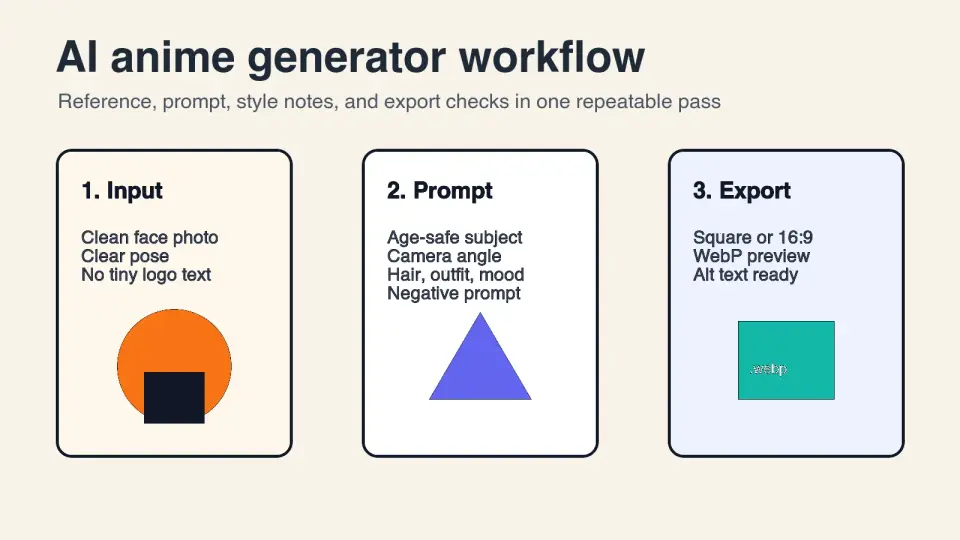
2026-07-26
AI Anime Generator Guide: Prompts, Styles, and Safe Exports
A practical AI anime generator workflow for portraits, avatars, banners, and social posts, with prompt templates, style checks, and export rules.

2026-07-26
Text-to-Image AI in 2026: How Prompt Generation Actually Works
Text-to-image AI turns a written prompt into a finished picture. Here is how the models, prompts, and settings behind image generation fit together in 2026.