2026-06-28 · Updated 2026-07-12
Shopify Image Optimization for Faster Stores
Optimize Shopify product images with practical size targets, WebP delivery, CDN checks, and theme fixes that protect speed and product detail.
Last updated: July 12, 2026
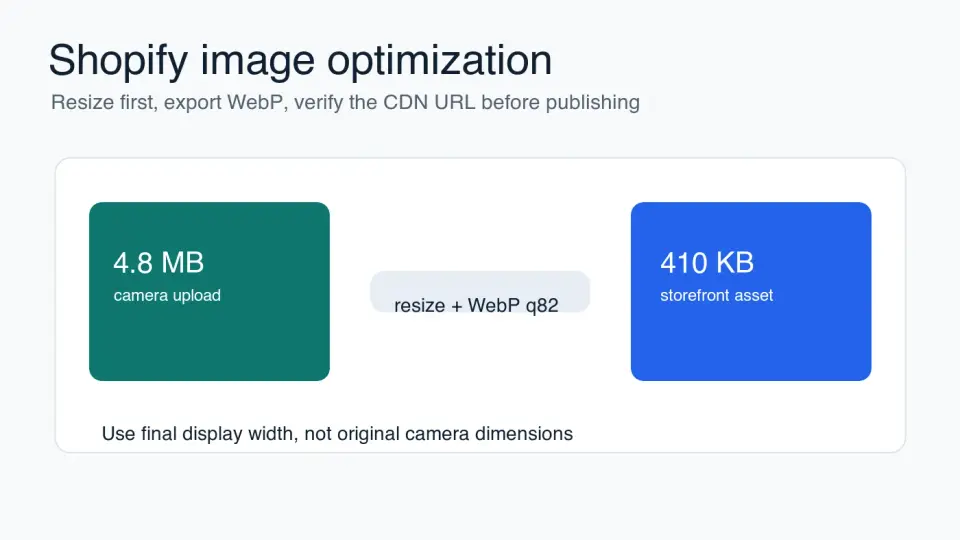
Shopify image optimization is mostly a workflow problem. Store owners upload large product photos, themes request more pixels than the layout needs, and the storefront pays for it on mobile. Fix the source file, the theme request, and the published CDN URL in that order.
This guide focuses on product pages, collection grids, hero images, and editorial images inside a Shopify store. It avoids made-up conversion claims and gives you checks you can run before replacing live media.
Quick answer: how should you optimize Shopify images?
Use the smallest image that still looks sharp at the largest size Shopify will render it. For most product photos, start with a clean master, crop for the store layout, resize to the largest real display width, then export a WebP candidate around quality 80 to 85. Inspect the result on a phone before replacing the image.
Shopify can serve image URLs through its CDN and Liquid image filters. The important part is asking for the right width in the theme, not uploading a huge file and hoping the browser shrinks it cheaply. Shopify's image_url filter supports width and height parameters in Liquid, which is the hook developers should use for responsive image markup in themes.
For a quick store audit, check these four places first:
- Product page main image.
- Collection grid thumbnails.
- Homepage hero or banner image.
- Blog and guide images inside the Shopify storefront.
- Any app-injected gallery, review, or upsell image.
If one of those images is the Largest Contentful Paint element, treat it separately. Do not lazy-load the first visible hero or product image; make it discoverable early and serve the correct dimensions.
What image sizes should Shopify stores use?
There is no single Shopify image size that fits every theme. A product image displayed at 720 CSS pixels on a two-column desktop layout needs a different file than a full-width hero on a retina phone. Start from the rendered slot, then provide enough pixels for high-density screens.
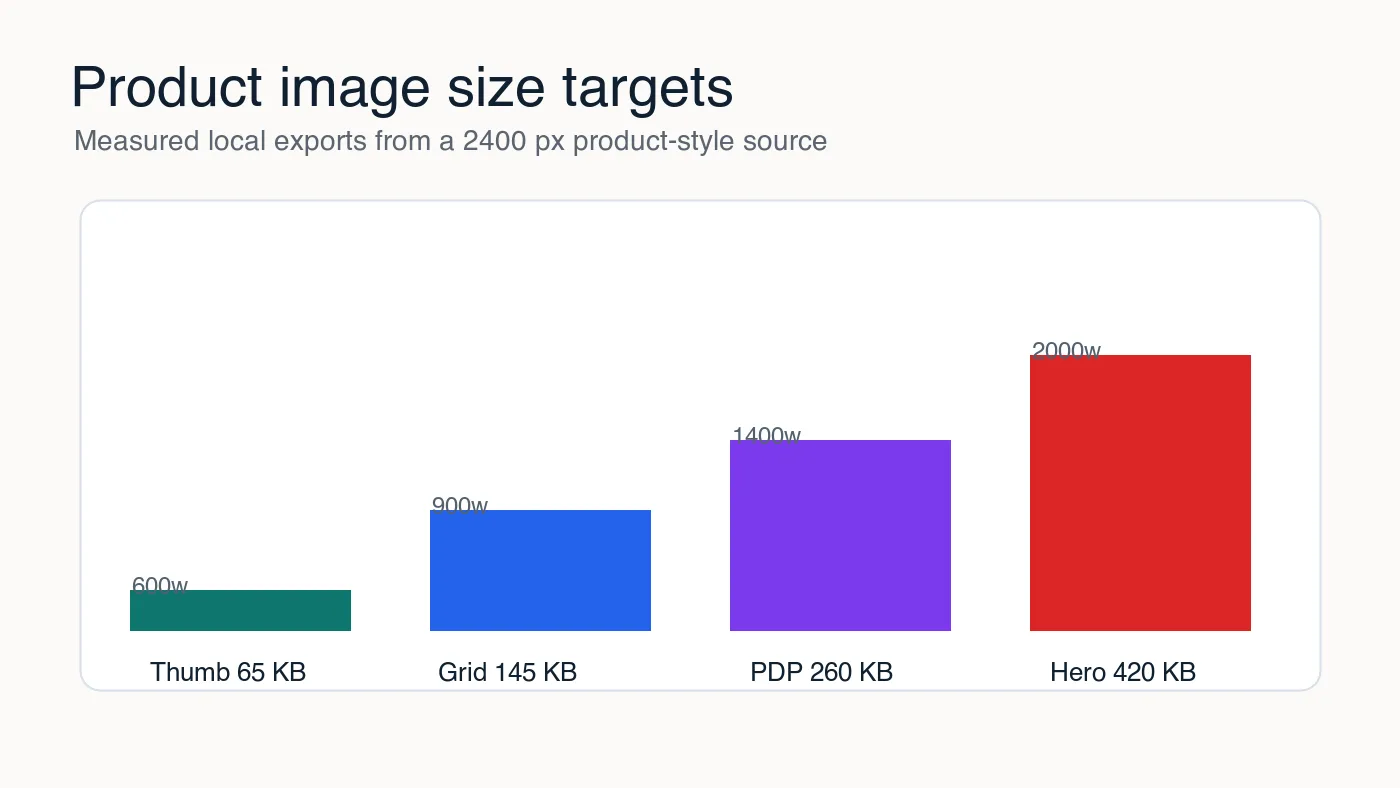
I measured local WebP exports from a 2400 px product-style source to set practical targets for this article. The exact bytes will change with jewelry, apparel, cosmetics, electronics, and food photography, but the pattern holds: resizing saves more than small quality-slider changes.
| Store image type | Practical rendered width | Starting file target | Good first export |
|---|---|---|---|
| Collection thumbnail | 300-600 px | 40-90 KB | WebP q78-82 |
| Product grid image | 600-900 px | 90-180 KB | WebP q80-85 |
| Product detail image | 1200-1600 px | 180-350 KB | WebP q82-86 |
| Homepage hero | 1600-2400 px | 250-500 KB | WebP q78-84 |
| Logo or icon | Exact display size | Under 50 KB | SVG, PNG, or lossless WebP |
Treat those as starting points, not rules. A white-background T-shirt image may look clean at 130 KB. A close-up watch photo with brushed metal, tiny markings, and shadows may need 300 KB at the same width.
If your product images are inconsistent before compression, fix the crop first. The ecommerce image guide covers product framing, background consistency, and visual trust signals. After the crop is right, use the image compression ratio guide to record original bytes, final bytes, and the visible quality result.
How does Shopify's CDN change image optimization?
Shopify's CDN helps delivery, but it does not remove the need for sane source files and theme markup. A 5000 px upload can still create slow pages if the theme requests oversized variants or omits responsive srcset choices.
Shopify's official Liquid documentation for the image_url filter shows that themes can request transformed image widths and heights. That is the lever to use when a collection card only needs a 600 px image but receives a much larger asset.
Shopify's help docs also document supported product media types, including images, video, 3D models, and hosted video in product media types. Check the current Shopify docs before building a bulk import process, because media limits and accepted formats can change.
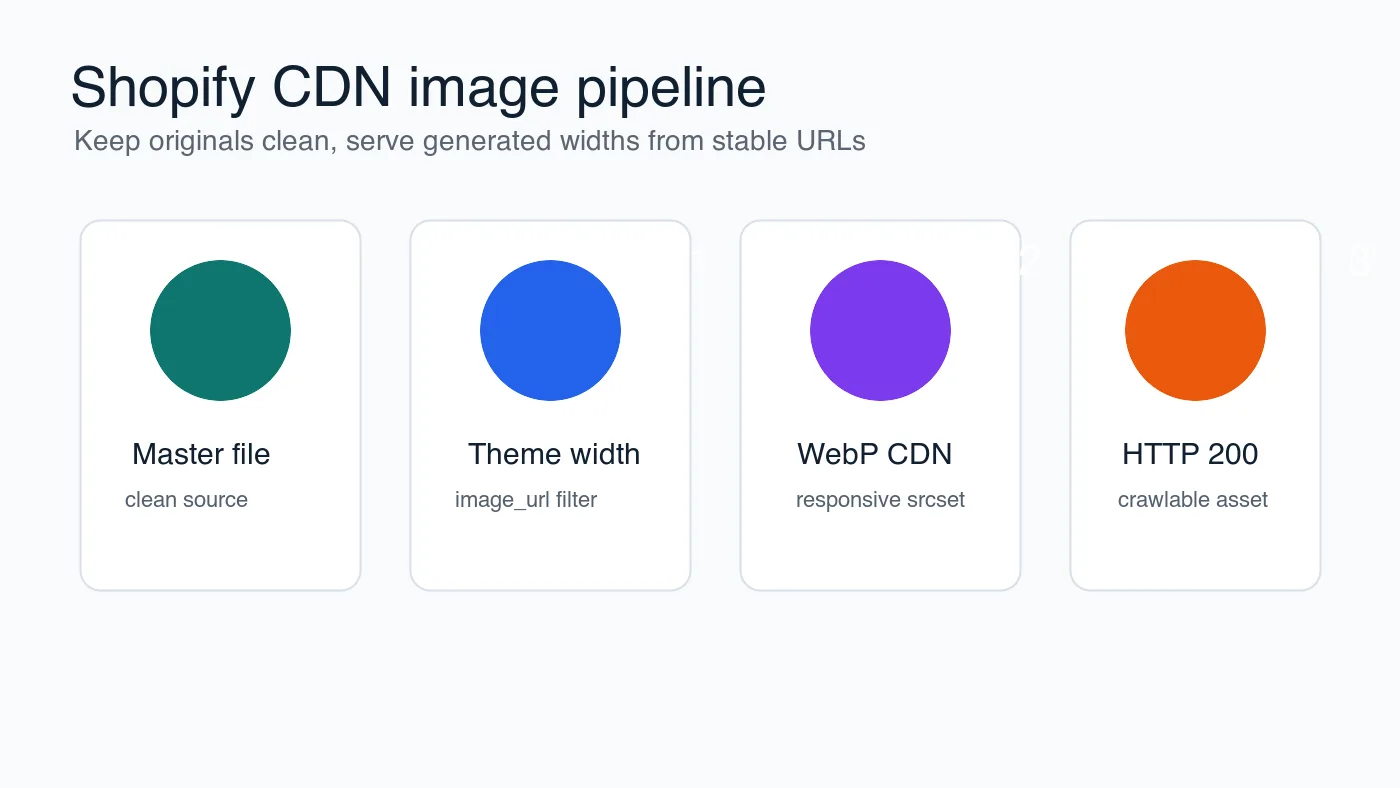
Use this theme-side order:
- Keep the original product photo clean and uncompressed in your working folder.
- Upload a reasonable master to Shopify, not a repeated export from another tool.
- In the theme, request the width each layout actually needs.
- Add width and height attributes so layout does not shift.
- Build a
srcsetwith useful width steps for mobile and desktop. - Let below-fold product grid images lazy-load.
- Keep the first visible product or hero image eager if it is likely to drive LCP.
- Verify the final CDN URL returns HTTP 200.
The CDN is part of the answer, not the whole answer. If a buyer opens a product page and the first image arrives late, the store still feels slow even when the file comes from a fast edge location.
Should you upload WebP to Shopify or let the theme handle it?
If your workflow already creates clean WebP files, upload WebP when Shopify accepts it for your use case and your theme handles it correctly. If your team depends on Shopify's image transformations, the more important job is to request the right generated width and keep the theme markup crawlable.
For most stores, the practical decision is by image role:
| Situation | Better choice | Why |
|---|---|---|
| Product photos from a camera | Resize and export a WebP copy before upload or use Shopify-generated widths | Large originals waste review time and can confuse theme audits |
| Theme-controlled product cards | Use Liquid image filters and responsive markup | The theme knows the rendered slot better than a manual export folder |
| Blog images in Shopify content | Publish final WebP assets and verify URLs | Editorial images often bypass product-media workflows |
| Logos and simple icons | Use SVG when possible | Vector assets stay sharp and are usually smaller |
| Screenshots with small text | Test lossless WebP or PNG | Lossy compression can blur labels and UI text |
Google's image SEO documentation recommends using supported image formats, descriptive alt text, and crawlable image elements in Google Images best practices. That matters for Shopify stores because product images are both speed assets and search assets.
If you are deciding between modern formats, compare visual quality rather than slider numbers. A WebP quality of 82 and an AVIF quality of 55 are not equivalent controls. The AVIF vs WebP comparison explains where each format wins and where compatibility or encode time changes the decision.
What should you check before replacing live product images?
Do not optimize a full catalog blind. Pick 20 representative images first: bright product shots, dark product shots, close-up details, model photos, transparent-background assets, and images with labels. Compress those, review them in the actual theme, then apply the settings to the rest of the batch.
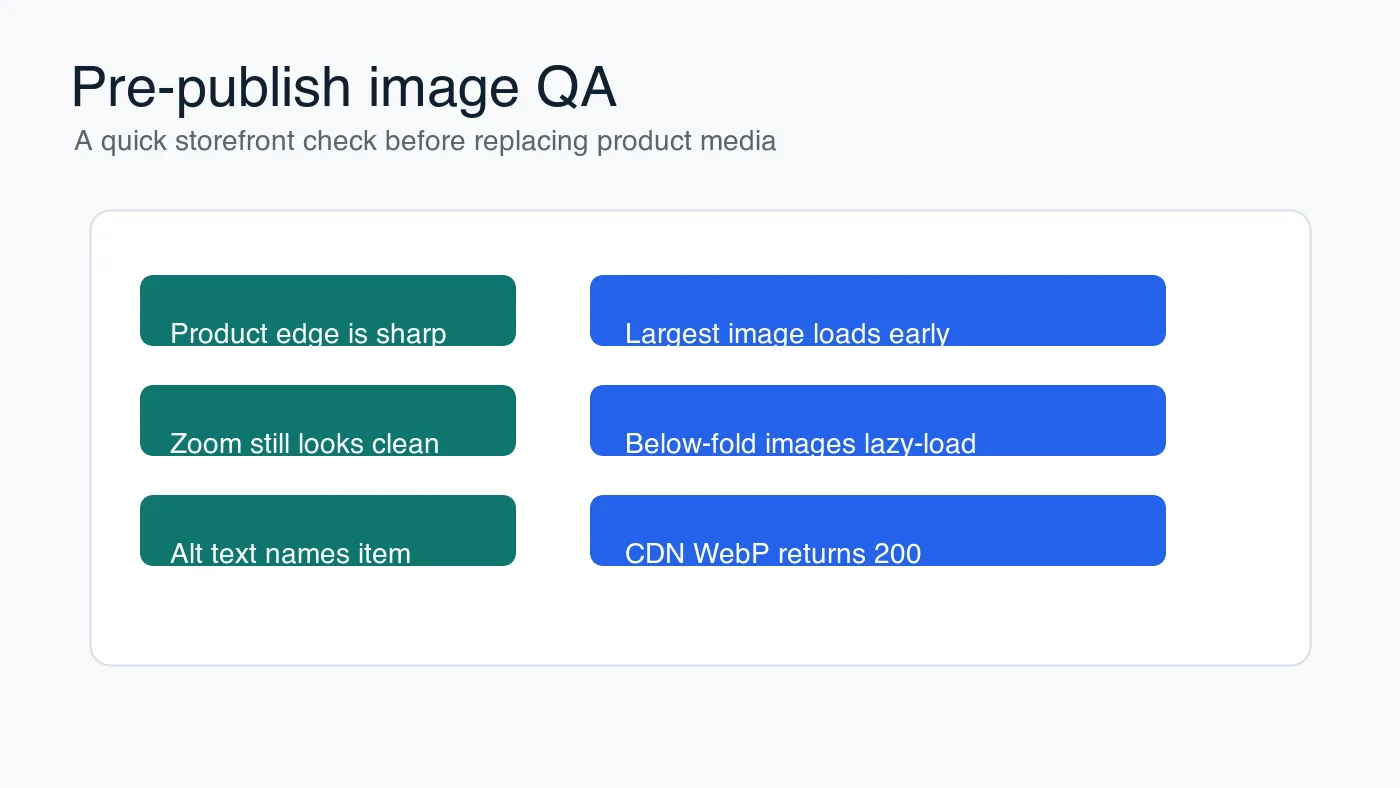
Run this visual check before you overwrite anything:
- Open the original and optimized image at the size shoppers see.
- Check product edges, fabric texture, skin tones, shadows, and labels.
- Zoom the product image if your theme supports zoom.
- Confirm transparent edges do not pick up a fringe.
- Check mobile first, especially on the product detail page.
- Read the alt text as if the image failed to load.
- Confirm the image URL is stable and returns HTTP 200.
- Keep the original master file outside Shopify in case you need to re-export.
For batch processing, resize before compression. The batch resize guide gives a safer order for folders of product images, and the complete image optimization checklist is useful as a final pre-publish pass.
How do Shopify images affect Core Web Vitals?
Images often affect Largest Contentful Paint because the first visible product photo or homepage hero is usually the biggest visual element above the fold. Compressing that image helps, but discovery and priority matter too.
The web.dev guide to optimizing Largest Contentful Paint recommends making the likely LCP resource discoverable early and using priority hints where appropriate. In Shopify terms, that means the first product image should not be hidden behind client-side JavaScript, loaded only after an app initializes, or treated like a below-fold thumbnail.
Use this Core Web Vitals table when reviewing a theme:
| Symptom | Likely image cause | Fix |
|---|---|---|
| Slow LCP on product pages | Main product photo is too large or discovered late | Request a smaller width and load the first image eagerly |
| Layout shift near gallery | Missing width, height, or aspect ratio | Add dimensions or reserve the gallery space |
| Slow collection pages | Too many grid images load immediately | Lazy-load below-fold grid images and reduce thumbnail width |
| Blurry product zoom | Export is too small for the zoomed state | Create a separate larger PDP image |
| Crawled image looks generic | Reused or weak metadata image | Use a representative product or collection image |
Apps can complicate this. Review widgets, recommendation sliders, and page builders sometimes inject images outside the theme's normal image component. Inspect the network panel after the page loads, not just the Liquid template.
A practical Shopify image workflow
Use the same sequence every time you add products or refresh a collection. Consistency matters more than chasing one perfect quality number.
- Save untouched masters in a folder outside Shopify.
- Crop each product to the store's agreed framing.
- Export a test set at the largest real storefront width.
- Try WebP q85, q82, and q78 for product photos.
- Compare at the real PDP and grid sizes.
- Choose the smallest version that still protects product detail.
- Upload or connect the optimized image workflow.
- Update theme
image_urlwidths if the page still requests oversized files. - Check LCP, layout shift, and collection-page loading.
- Record the settings for the next product batch.
If you only have time for one fix, start with the product page image that appears above the fold on mobile. That image influences first impression, speed, and visual confidence. After that, work through collection grids and editorial images in descending traffic order.
For stores with strict file-size goals, use compress images without losing quality as a companion workflow. The key is to make compression a repeatable publishing step, not a one-off cleanup after the store is already slow.
Frequently asked questions
What is the best image format for Shopify product images?
WebP is the best default for Shopify product photos because it holds visible detail at quality 80 to 85 while keeping files far smaller than JPEG at the same quality.
What size should Shopify product images be?
Match the file to the rendered slot: roughly 300-600 px for collection thumbnails, 600-900 px for grid images, and 1200-1600 px for full product detail views.
Should I upload WebP directly to Shopify or rely on its CDN transforms?
Upload clean WebP files when your workflow already produces them, and otherwise use Shopify's image_url Liquid filter to request the exact width each theme layout needs.
Does Shopify's CDN make manual image optimization unnecessary?
No, the CDN speeds up delivery but still serves a slow, oversized image whenever the source file or theme markup requests more pixels than the layout needs.
How much do product images affect Largest Contentful Paint on Shopify?
Images are usually the LCP element on product pages and homepage heroes, so an oversized or late-discovered first image is the most common cause of a slow LCP score.
Should the first product or hero image lazy-load?
No, the first visible product or hero image should load eagerly, because lazy-loading it delays the page's Largest Contentful Paint.
What should I check before replacing a store's live product images?
Test a representative batch of about 20 images across lighting and product types, review them at real storefront sizes, and confirm each CDN URL returns HTTP 200 before rolling out the rest.
How often should Shopify image settings be reviewed?
Re-check image settings whenever a theme changes or a new product category launches, since rendered widths and compression needs shift with the layout.
Use the free tools while you follow the guide.
Keep reading
2026-10-07
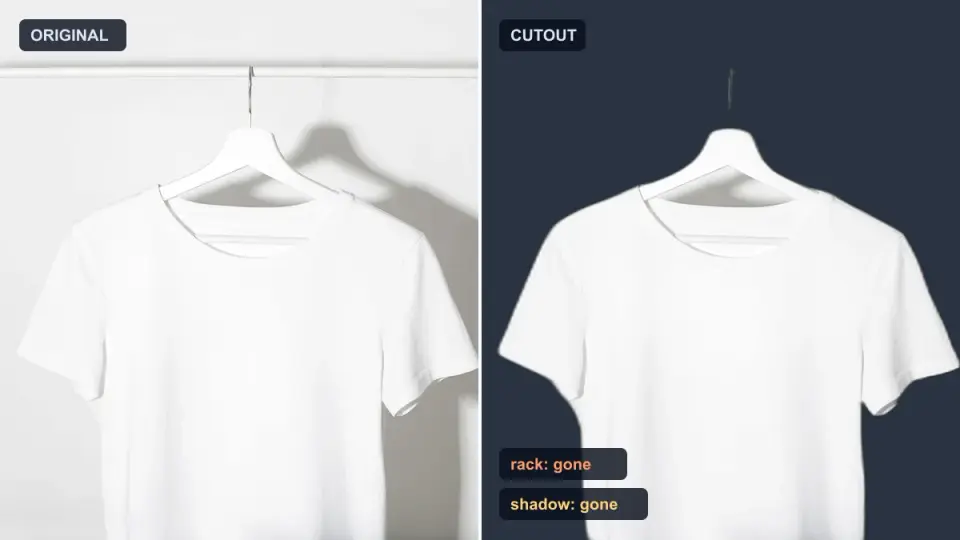
Background Remover Removes Part of Subject? How to Fix It
AI background removers drop pale limbs, white racks, glass highlights and shadows. I measured why on real photos and how to get the missing parts back.
2026-10-07
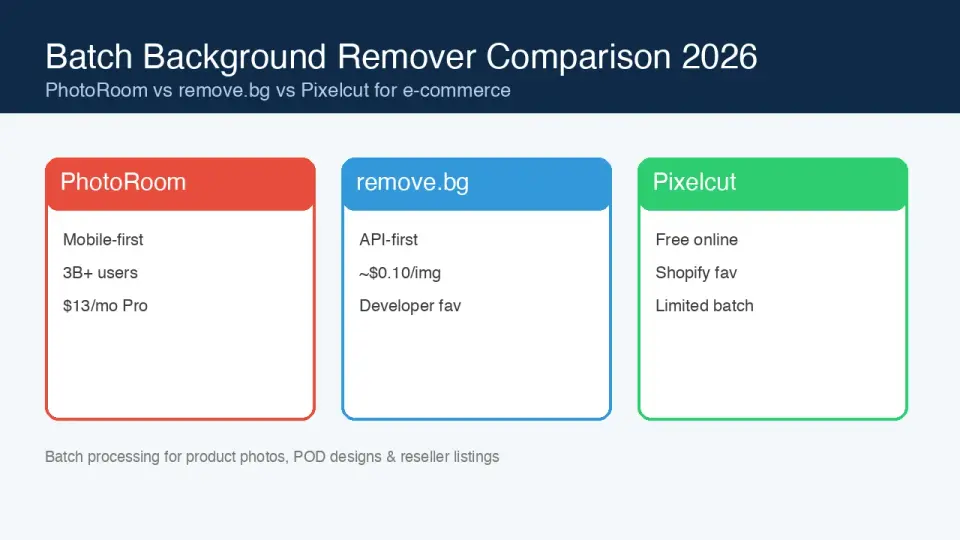
Batch Background Remover Comparison 2026: E-commerce
PhotoRoom, remove.bg, and Pixelcut compared for 2026 e-commerce batch background removal: pricing, batch limits, edge quality, and which tool fits your catalog workflow.
2026-10-07
remove.bg Is Shutting Down on December 1: What to Use Instead
remove.bg closes on 1 December 2026 and unused credits expire that day. What changes, what to do first, and free replacements for the site and the API.