2026-10-27
Background Remover Not Working? Fixes for Canva, PowerPoint and More
Why Remove Background fails or is greyed out in Canva, PowerPoint, Word, Mac Preview and CapCut, the exact limits behind each one, and what to do instead.

Last updated: October 27, 2026. Limits are taken from the official help pages of Canva, Microsoft, Apple and CapCut, linked below. The cutouts were made with Imagic AI's background remover on two Pexels photos, using both of its models.
You click Remove Background and nothing happens. Or the button is grey. Or you get a cutout with half the subject missing. Each of these has a different cause, and most of them are a documented limit rather than a bug.
This guide goes app by app: Canva, PowerPoint and Word, Preview on the Mac, and CapCut. After that comes the problem every app shares, photos that simply confuse the model, and how to work around it.
Quick answer: why is my background remover not working?
Use the table to find your case:
| App | Most common reason | Fix |
|---|---|---|
| Canva | Background Remover needs a paid plan | Upgrade, or use a free remover and upload the PNG |
| Canva | Photo is 9 MB or larger, or a vector | Compress the photo, or export the vector as PNG |
| Canva (folder) | Folder holds more than 50 images | Split it into folders of 50 or fewer |
| PowerPoint / Word | The picture is an SVG, AI, WMF or DRW file | Convert it to PNG, then insert it again |
| PowerPoint / Word | No picture selected | Select the picture first; you may need to double-click it |
| Mac Preview | File needs converting first | Accept the prompt to convert or duplicate it |
| Any app | Subject blends into the background | Retry with a stronger model, or reshoot with contrast |
Three checks solve most cases:
- Is the feature included in your plan? Canva's is paid-only.
- Is the image a photo (raster), not a vector? Canva and Office both refuse vectors.
- Is the file within the size limit? Canva stops at 9 MB.
Why is Canva's background remover not working?
Start with your plan. Canva's help page says it plainly: "Background remover is included with paid plans." On a free account the tool is locked, which is the single most common reason people search for this.
If you are on a paid plan, the help page lists these limits for photos:
- Photos must be under 9 MB. Larger files will not process.
- Vector images are not supported. Logos and illustrations uploaded as vectors are refused.
- Photos above 10 MP are downscaled to 10 MP after the background is removed, so very large photos come back smaller.
For folders and video:
- Folders are capped at 50 images. With more, the Remove background option for the folder is greyed out.
- Only uploaded images are processed in folders. Canva library photos and designs are skipped.
- Videos must be under 10 minutes long in their original length. If you trimmed the video inside Canva, download and re-upload it first.
- On mobile, videos must come from the Uploads tab, not straight from the Camera Roll or Gallery.
When some images come back with "An error has occurred", Canva's explanation is that it "couldn't detect a clear subject". That is the model problem covered further down. And if the tool does not load at all, Canva's own advice is to check your internet connection and try again.
Pick the fix that matches. For files over 9 MB, shrink them with the image compressor or the image resizer first. For a vector logo, export it as PNG (the SVG to PNG converter does this) and upload the PNG.
One more reason this search is growing: Canva owns remove.bg, and the standalone remove.bg site closes on 1 December 2026, with background removal moving into Canva's paid plans. If you used remove.bg for free, our remove.bg shutdown guide covers what changes and where to go.
Why is Remove Background greyed out in PowerPoint or Word?
Check the file type first. Microsoft's support article says that for vector files, "such as Scalable Vector Graphics (SVG), Adobe Illustrator Graphics (AI), Windows Metafile Format (WMF), and Vector Drawing File (DRW)", background removal is not possible and "the Remove Background option is grayed out."
Icons, logos and clip art are often SVG or WMF without you noticing. To fix it:
- Convert the graphic to PNG with a converter, or right-click it and use Save as Picture if PNG is offered.
- Delete the original from the slide and insert the PNG.
- Select the new picture and choose Picture Format > Remove Background.
The second cause is selection. Microsoft notes that you must select a picture first and "might have to double-click the picture" before the option appears.
The third is the app version. The support article applies to PowerPoint, Word, Excel and Outlook in Microsoft 365 and the 2024 and 2021 versions, on Windows and Mac. It does not list the web versions, so if you are working in a browser, open the file in the desktop app instead.
Once it runs, Office marks the area it plans to remove in magenta. If it got it wrong, use Mark Areas to Keep and Mark Areas to Remove, then Keep Changes.
How do you remove a background in Preview on a Mac?
Use the toolbar button, not a menu. Apple's Preview guide says to open the image and "Click the Remove Background button." If Preview asks, choose to convert the original or cancel and duplicate the file first. Converting changes the file to PNG, so duplicate it if you need to keep the original format. Edit > Undo reverses the removal.
If you cannot find the button, update macOS. Apple's article does not say which version added it.
Why is CapCut's remove background not working?
Look in the right place first, because CapCut's photo and video tools put it in different spots. According to CapCut's official pages:
- Desktop, video: select the clip, then go to "Video" > "Remove BG" > "Auto removal" in the right panel.
- Online editor, video: "Smart tools" > "Remove background", then "Auto removal" or "Chroma key".
- Image editor: click "Remove BG" on the top toolbar and choose "Auto remove".
If the option is missing, make sure the clip or photo itself is selected; the right-hand panel changes with whatever element is selected. CapCut also keeps a help article on feature locations moving after updates, so after an update, look again before assuming the feature is gone.
On price, CapCut's image page describes image background removal as free. Its video background remover page mentions a 7-day free trial for the online video tool, and the pricing page does not say which side of the paywall video removal sits on. If CapCut asks you to upgrade when you click it, that is a plan check, not a bug.
For green-screen footage, Chroma key usually gives a cleaner edge than Auto removal. CapCut describes it for "green- or blue-screen footage", with tolerance and edge softness controls.
Why does background removal fail on some photos?
Pick your photo with the model in mind. Every automatic remover, in every app above, has to decide which pixels are the subject. When the subject and background look alike, it guesses, and the guess can be wrong in ways no setting fixes.
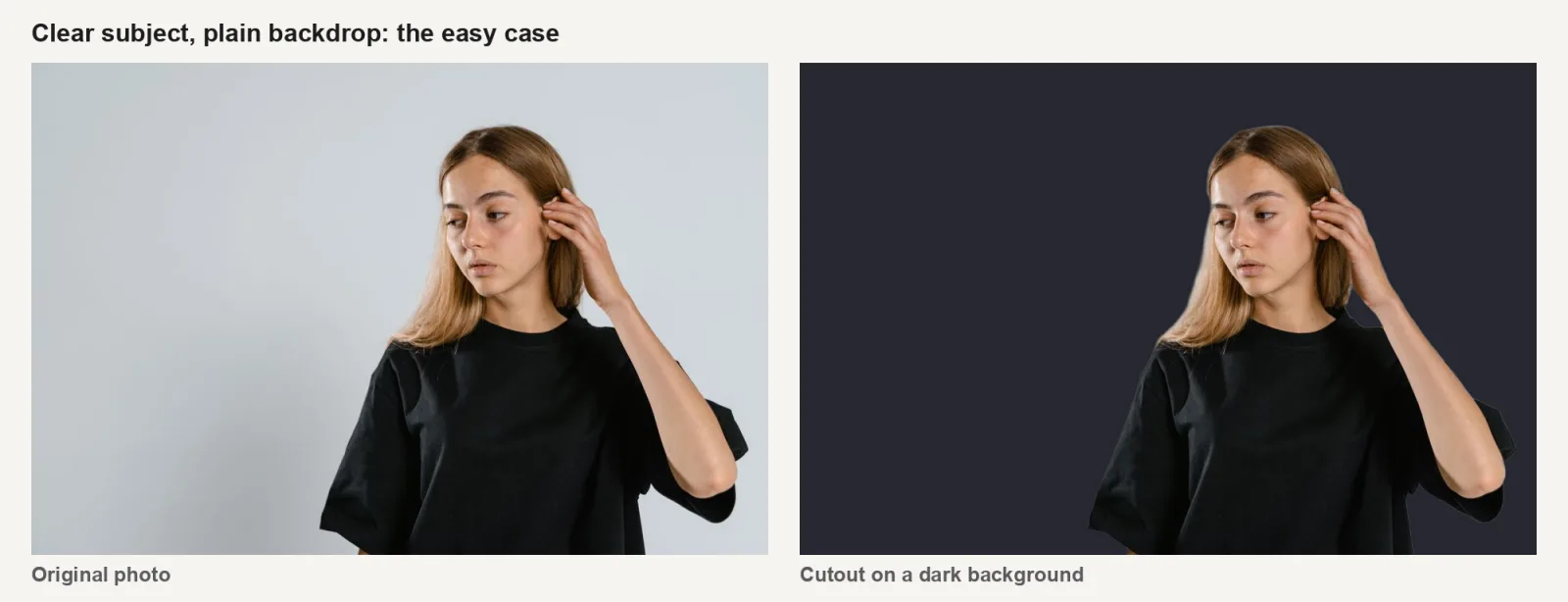

I ran two Pexels photos through the Background Remover on this site with both of its models, and placed the cutouts on dark and red backgrounds so missing or leftover pixels are easy to see.
- The portrait on a plain backdrop came out clean with either model. The only flaw is a faint light edge in the hair, which you can see on the dark background.
- The white mugs on a white surface were hard for both. The Fast model kept part of the hand's shadow and the mugs' shadows, and left the shaded mug semi-transparent. The Precise model removed the shadows cleanly but cut into the base of the left mug where the two overlap.
What helps inside the app, in order of effort:
- Retry with a stronger model. On this site, "Retry with the Precise model" targets "finer edges on hair, thin parts and glass".
- Try the light-background retry for white or beige subjects with soft shadows. On the mug photo it did worse, leaving both mugs semi-transparent, because the shadows there are hard sunlight. Keep the result only if it is better.
- Touch up the result. Canva has Erase and Restore brushes; Office has Mark Areas to Keep; this site has a Touch up brush.

Before you upload the photo again:
- Crop closer to the subject before removing, so there is less background to misread.
- Reshoot with contrast when you can: a dark subject on a light backdrop, or the reverse, and no hard shadows.
Hair is its own problem; the hair edges guide covers it in detail.
What can you use when the built-in tool will not work?
Use a standalone remover, then bring the PNG back into your app. All four apps accept a transparent PNG.
| Option | Cost | Limits worth knowing |
|---|---|---|
| Canva Background Remover | Paid plans | Under 9 MB, no vectors, output capped at 10 MP |
| Office Remove Background | Included in desktop Office | No vectors; manual marking for tricky edges |
| Preview (Mac) | Free | Mac only; converts the file to PNG |
| CapCut Remove BG | Free for images; video varies | Location differs between photo and video |
| Imagic AI Background Remover | Free, no account | Files up to 24 MB; Fast and Precise models; PNG out |
For many images at once, the batch tool removes backgrounds from 10 images a day without an account, 20 signed in.
Key takeaway
A background remover that "does not work" is usually hitting a documented limit: a paid plan in Canva, a vector file in Office, a file over 9 MB, or a photo where the subject blends into the background. Check the plan, the file type and the size first. If the photo itself is the problem, a stronger model, a closer crop or a quick touch-up will fix most of it.
The official pages behind this guide are Canva's Remove photo and video backgrounds, Microsoft's Remove the background of a picture, Apple's Preview guide and CapCut's video background remover page.
Frequently asked questions
Is Canva's background remover free?
No. Canva's help page says Background Remover "is included with paid plans". Free accounts see the tool locked. A free remover can do the cutout, and you can upload the PNG into Canva afterwards.
Why is Remove Background greyed out in PowerPoint?
Usually the picture is a vector file such as SVG, AI, WMF or DRW, which Office cannot process. Save it as PNG, insert the PNG, and try again. Also make sure the picture is selected.
Why does Canva say "An error has occurred" when removing a background?
Canva says this happens when it "couldn't detect a clear subject". Crop closer to the subject or use a photo with more contrast between subject and background.
What is the file size limit for Canva's background remover?
Photos must be under 9 MB, and anything above 10 MP is downscaled to 10 MP. Videos must be under 10 minutes long in their original length.
Can I remove the background from an SVG or logo file?
Not directly in Canva or Office, since both refuse vectors. Convert the file to PNG first, then remove the background from the PNG.
Why does the cutout keep shadows or cut off part of the object?
The model could not tell the subject from the background, which happens with pale objects on pale surfaces and with hard shadows. Retry with a stronger model, crop closer to the subject, then touch up what remains.
Image credits
Test photos: MART PRODUCTION (portrait against a plain background) and Zey (two ceramic mugs on a white surface), both from Pexels under the Pexels license. Cover photo: George Milton (photo editing at a desk), also from Pexels. Cutouts were made for this article with the Imagic AI background remover (Fast: isnet-general-use; Precise: BEN2) on October 27, 2026, including a third run with the light-background retry on the mug photo.
Use the free tools while you follow the guide.
Keep reading
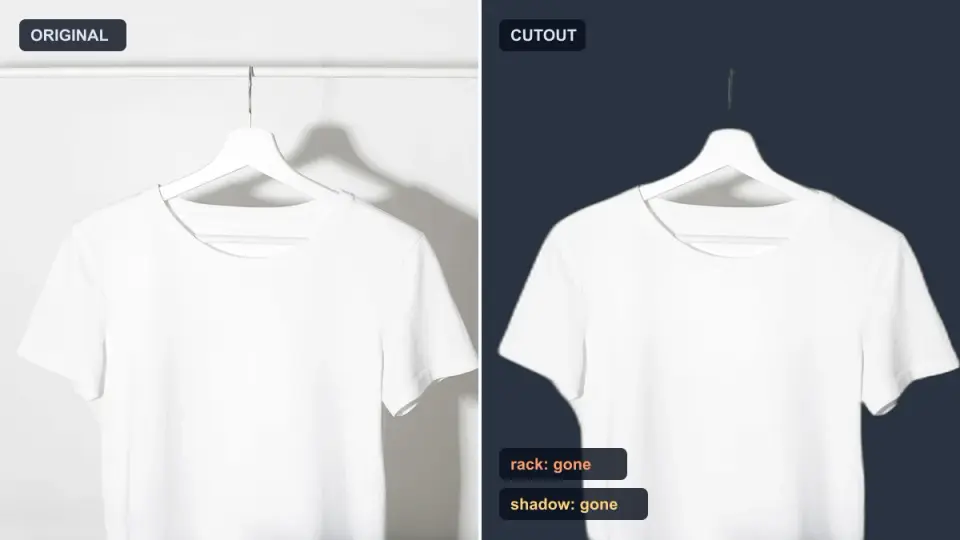
2026-10-07
Background Remover Removes Part of Subject? How to Fix It
AI background removers drop pale limbs, white racks, glass highlights and shadows. I measured why on real photos and how to get the missing parts back.
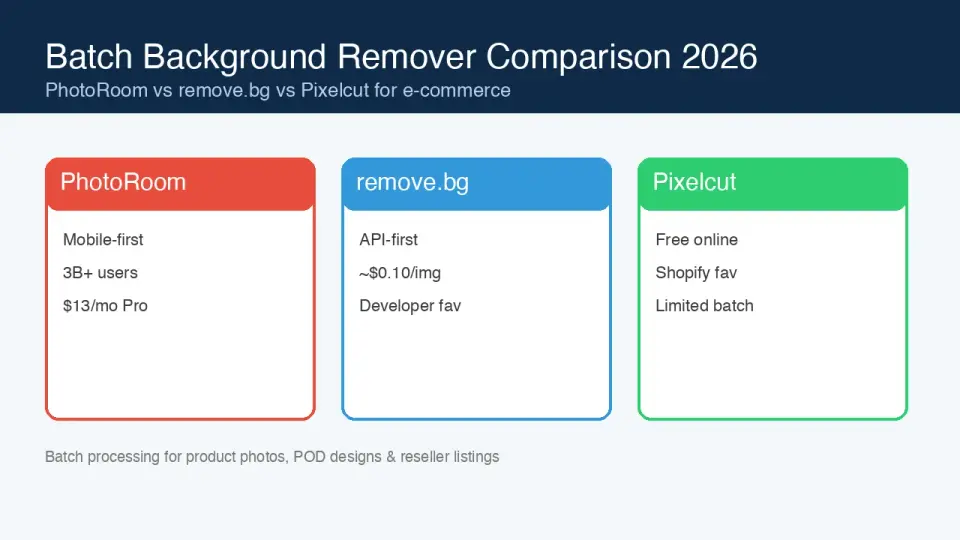
2026-10-07
Batch Background Remover Comparison 2026: E-commerce
PhotoRoom, remove.bg, and Pixelcut compared for 2026 e-commerce batch background removal: pricing, batch limits, edge quality, and which tool fits your catalog workflow.

2026-10-07
remove.bg Is Shutting Down on December 1: What to Use Instead
remove.bg closes on 1 December 2026 and unused credits expire that day. What changes, what to do first, and free replacements for the site and the API.