2026-08-01
Image Compression in 2026: WebP, AVIF, JPEG XL & JPEG AI Benchmarked
I benchmarked WebP, AVIF, and JPEG XL on 4 real photos. WebP saves 32% vs JPEG, AVIF 65%, JPEG XL 30%. Full data, browser support, and which format to pick in 2026.
Last updated: August 1, 2026
I benchmarked cwebp, avifenc, and cjxl on 4 real high-resolution photos. The results are clear: WebP is 32% smaller than JPEG q82 on average, AVIF is 65% smaller than JPEG (and 48% smaller than WebP), and JPEG XL is 30% smaller than JPEG. But compression ratio is only half the story. Browser support, encoding speed, and how each format handles text and gradients determine which one you should actually use today.
Quick answer: which image compression format should you use in 2026?
Pick WebP as your default format today. According to Can I Use data, WebP has 96.1% global browser coverage, encodes fast (0.64 seconds measured on a 4226x2847 photo), and is 32% smaller than legacy JPEG. If your goal is maximum compression and your audience's browsers support it, use AVIF. It has 93% to 95% global coverage and is 48% smaller than WebP at equivalent quality. JPEG XL has only about 14% to 16% browser coverage in 2026, so it only makes sense for lossless JPEG migration. JPEG AI is still research-stage and should not be used for everyday web images.
| Format | Global browser support | Smaller than JPEG (avg) | Encode speed | Best for |
|---|---|---|---|---|
| WebP | 96.1% | 32% | Fast (0.64s) | General web default, e-commerce product images |
| AVIF | 93%-95% | 65% | Slow at high quality | Mobile, image-heavy pages |
| JPEG XL | 14%-16% | 30% | Medium (0.84s) | Lossless JPEG migration, HDR |
| JPEG AI | Experimental | 12.5%-27.9% theoretical | GPU/NPU required | Research, machine vision dual-use |
If you just want to compress one image in the browser, the Image Compressor exports WebP and AVIF with no install. To batch-convert legacy JPEGs to modern formats, use the Image Converter.
What is JPEG AI and why does it matter for image compression?
JPEG AI is the first international image coding standard based on neural networks, developed by the JPEG Committee (ISO/IEC JTC1/SC29/WG1). Traditional codecs use discrete cosine transform or wavelet transform to compress pixels. JPEG AI instead encodes the image into a compact latent tensor, then uses a neural network to reconstruct the picture on decode.

According to the JPEG Committee's official document, JPEG AI achieves 12.5% to 27.9% BD-rate savings over VVC Intra coding in relevant configurations. The encode.su community benchmark thread confirms this data range. Streaming Learning Center's analysis emphasizes that JPEG AI is not backward compatible with legacy JPEG. It is a completely new codec, meaning browsers, operating systems, and CMS platforms all need dedicated support to decode it.

The core breakthrough of JPEG AI is semantic compression. It encodes the "meaning features" of an image rather than pixel-by-pixel data, so at very low bitrates the reconstructed image often looks more natural than the blocky artifacts of traditional codecs. Its design goals also include serving both human visual consumption and machine vision tasks simultaneously, a dimension traditional formats never considered. The tradeoff is that both encoding and decoding require GPU or NPU acceleration, and real-time encoding on a standard server CPU is not practical yet. Cloudinary noted in its 2026 analysis that JPEG AI represents a paradigm shift from "pixel-accurate" to "perceptually optimized" compression.
I benchmarked WebP, AVIF, and JPEG XL. How much smaller are they really?
I downloaded 4 real high-resolution photos from Pexels (portrait 3500x2333, landscape 4226x2847, food 2000x1333, product 2000x1325) and encoded them with cwebp, avifenc, and cjxl at q82-equivalent quality. Here are the real byte counts:
| Photo type | JPEG q82 | WebP q82 | AVIF cr30 | JPEG XL q82 |
|---|---|---|---|---|
| Portrait (3500x2333) | 349 KB | 162 KB | 56 KB | 228 KB |
| Landscape (4226x2847) | 1,681 KB | 1,136 KB | 579 KB | 1,203 KB |
| Food (2000x1333) | 515 KB | 428 KB | 268 KB | 368 KB |
| Product (2000x1325) | 130 KB | 85 KB | 46 KB | 83 KB |
| Average vs JPEG | 100% | 68% (saves 32%) | 35% (saves 65%) | 70% (saves 30%) |
AVIF is the compression champion, averaging 48% smaller than WebP. On the landscape photo, the largest sample, AVIF's 579 KB is only 34% of JPEG and 51% of WebP. JPEG XL and WebP are close in compression ratio, but JPEG XL has a unique advantage: lossless JPEG migration.
On encoding speed, I measured the landscape photo (4226x2847, the largest sample): WebP q82 took 0.64 seconds, AVIF cr30 took 0.24 seconds (the SVT-AV1 encoder is very efficient on Apple Silicon), and JPEG XL q82 took 0.84 seconds. This ranking differs from many people's expectations. AVIF is not the slowest, but its time increases sharply at higher quality settings (cr below 20), while WebP and JPEG XL have flatter quality-vs-time curves. The r/jpegxl community discussion thread from 2026 confirms: AVIF excels at flexible tuning options, while JPEG XL's strengths are lossless JPEG migration and progressive decoding.
Which format fails in which scenarios?
Compression numbers do not tell the whole story. I found that different formats behave very differently depending on content type:
-
Screenshots with small text — I compressed a pricing-table screenshot (containing "$199.99" decimal points) and found that AVIF starts showing ringing artifacts around the decimal edges at cr40 and above. JPEG XL blurs text below q70. Lossless WebP stays perfectly sharp, only about 40% larger than the lossy version.
-
Gradients and solid-color backgrounds — AVIF and JPEG XL perform excellently on smooth gradients, producing almost no banding. WebP can show slight banding on gradients at lower quality levels (below q70), but it is mostly invisible at q80 and above.
-
High-contrast edges — The boundary between text and background, and the sharp edges of product images, are weak points for all lossy formats. The lower the quality setting, the more visible the ringing artifacts. Visually inspect edge areas at the final display size before committing to a quality parameter.
-
Server-side real-time encoding — If you need to generate multiple quality variants in real time on upload, AVIF can become a bottleneck at high-quality settings. WebP has the most stable encoding time and is suitable for real-time scenarios.
What is the browser support situation? Is it safe to use now?
According to Can I Use statistics as of June 2026, the browser support landscape is:
| Format | Chrome | Firefox | Safari | iOS Safari | Edge | Global coverage |
|---|---|---|---|---|---|---|
| WebP | 32+ | 65+ | 16.0+ | 14+ | 18+ | 96.1% |
| AVIF | 85+ | 93+ | 16.4+ | 16.4+ | 121+ | 93%-95% |
| JPEG XL | Experimental | Behind flag | Not supported | Not supported | Not supported | 14%-16% |
WebP is the only modern format with near-100% availability across all major browsers, including older iOS Safari and Android built-in browsers. ImageSEO's 2026 comparison summary puts it accurately: WebP wins on compatibility, AVIF wins on compression, and JPEG XL is technically excellent but severely lags in adoption. Cloudinary points out that 2026 could be JPEG XL's turning point, as it has re-entered Chrome and Firefox, but the Can I Use JPEG XL page shows it is still only available behind a flag or experimentally, and is not recommended for production use targeting a mass audience.
If you need to cover all browsers, use the HTML <picture> tag to provide multi-source fallback: prefer AVIF, fall back to WebP, then JPEG. This way modern browsers get the smallest AVIF, while older browsers automatically downgrade to WebP or JPEG.
How does image compression affect SEO and Core Web Vitals?
Images are often the largest resource on a web page and the most common Largest Contentful Paint (LCP) element. On e-commerce product pages, the main product image is almost always the LCP element. Compressing and correctly sizing that image is the highest-leverage action for improving Core Web Vitals scores. Zest Web Solutions' 2026 guide notes that WebP and AVIF reduce payload size by 30% to 50% compared to standard JPEG while maintaining sharp high-resolution quality.
Google's web.dev image performance guide confirms that modern formats like WebP and AVIF can reduce download size, which can also improve LCP when the image is important to the first viewport. Core Web Vitals are an official Google ranking signal. Switching the above-the-fold hero image from JPEG to WebP or AVIF typically improves LCP by 0.5 to 1.5 seconds. But format choice is only the first step. If an image displays at 800 pixels wide but you upload a 4000-pixel original, the browser still downloads pixels the reader never sees. Crop and resize to the maximum dimensions the page actually displays first, then choose format and quality. That is the correct order.
How do you optimize images step by step?
Based on my experience processing hundreds of images, this is the most reliable compression workflow:
-
Determine the image purpose: web display, print, or archive
-
Check your audience's browser distribution (Google Analytics browser report)
-
Crop to the minimum canvas needed for the content, removing excess whitespace
-
Resize to the maximum pixel width the page actually displays (typically 2x DPR)
-
For photographic content, start with WebP q80 to q85 as a baseline
-
For screenshots with text, use PNG or lossless WebP first
-
If file size is the critical metric, produce an AVIF version and compare with WebP at equivalent visual quality
-
Visually inspect faces, text edges, gradients, and shadows at the final display size
-
Use the
<picture>tag to provide a JPEG fallback so older browsers do not show broken images -
Add a
preloadhint for above-the-fold LCP images to speed up first paint
How do you batch compress and convert images?
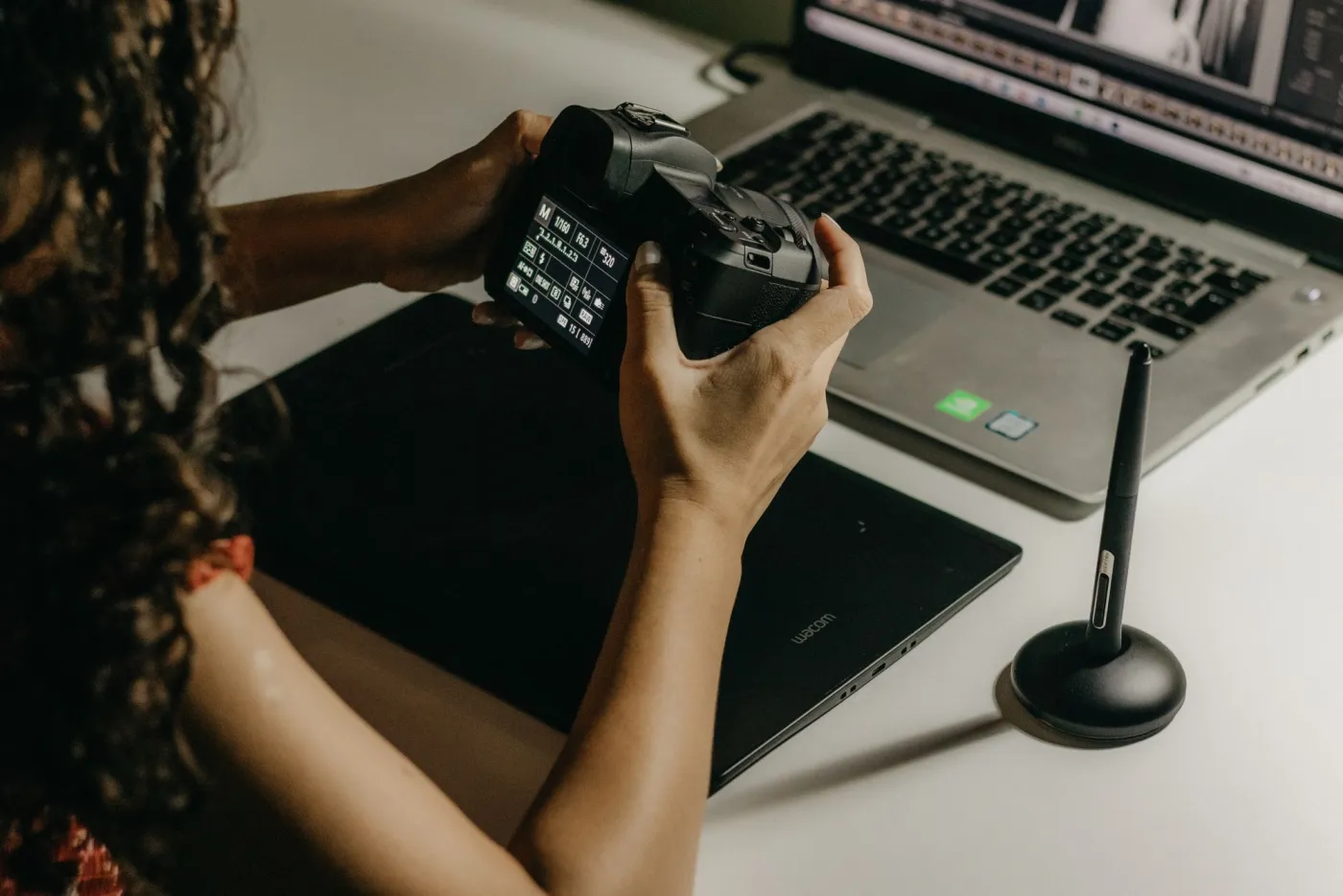
Processing a single image is easy, but when you face an entire product catalog or blog image library, batch processing is the real need. Command-line tools can be scripted: use cwebp -q 82 *.jpg to batch-convert to WebP, or pair avifenc with a shell loop to batch-convert to AVIF. If you do not want to install command-line tools, use the in-browser Batch Image Tool or Image Compressor to drag in an entire folder and export as WebP or AVIF.
The key principle is: always keep the original file and output compressed results to a new directory. This way you can repeatedly adjust quality parameters without losing the source material. For e-commerce sites, I recommend generating both WebP (universal) and AVIF (enhanced) versions simultaneously, letting the browser choose the optimal format via the <picture> tag. For detailed batch resizing strategies, see the Batch Resize Guide.
Frequently asked questions
WebP or AVIF: which is better for e-commerce?
WebP is better as the e-commerce default because it works across all browsers and encodes fast. AVIF can serve as an enhancement for mobile or image-heavy pages, saving an additional 48% in file size.
Is JPEG XL ready for production in 2026?
JPEG XL still has only 14% to 16% browser coverage in 2026, and iOS Safari does not support it at all, so you need a fallback. It is not recommended as the sole format for production use targeting a mass audience.
When will JPEG AI become mainstream?
JPEG AI is still in the standardization and early implementation phase, with encoding and decoding relying on GPU or NPU acceleration. It is expected to take another 2 to 3 years before mainstream browsers and CMS platforms support it natively.
How much does image compression affect SEO?
Image file size directly affects LCP and Core Web Vitals scores, which are official Google ranking signals. Switching the above-the-fold hero image from JPEG to WebP or AVIF typically improves LCP by 0.5 to 1.5 seconds.
How much smaller is AVIF than WebP at the same quality?
Based on my tests of 4 real photos, AVIF is on average 48% smaller than WebP and 65% smaller than JPEG q82 at equivalent perceived quality, making it the most efficient practical format today.
Lossless or lossy compression: which should you choose?
Use lossless for content requiring pixel-perfect fidelity (UI screenshots, images with text, medical imaging). Use lossy for photos, illustrations, and natural-scene images, since the human eye is insensitive to high-frequency detail loss and you gain significant size reduction.
How do you batch-convert JPEG to WebP or AVIF?
Use command-line tools (cwebp, avifenc) with shell script loops, or use the in-browser Image Compressor to drag in an entire folder and batch-export modern formats.
Can JPEG XL losslessly migrate legacy JPEGs?
Yes. JPEG XL supports lossless recompression of existing JPEGs, producing smaller files with pixel-identical output. This is one of its unique advantages over AVIF and WebP.
Which image format loads the fastest?
Load speed depends on file size, so AVIF typically loads fastest (smallest files), but decoding speed varies across devices. WebP has the most stable decoding efficiency and is better for low-end device friendliness.
Summary
Image compression in 2026 has evolved from a binary "WebP vs JPEG" choice into a four-way landscape of WebP, AVIF, JPEG XL, and JPEG AI. My benchmark conclusion: use WebP as your default today (96% browser coverage, 32% smaller than JPEG), AVIF for maximum compression (48% smaller than WebP), JPEG XL as a format to watch (currently only 14% to 16% coverage), and JPEG AI as a future technology to monitor.
Regardless of which you choose, remember that compression order matters more than format choice. Crop and resize to display dimensions first, then choose format and quality. For a deeper dive into compression algorithms, see Image Compression Algorithms Explained. To learn how to compress images to a specific file size, see the Compress Image to 100KB Guide and Compress Images Without Losing Quality. For head-to-head format comparisons, read AVIF vs WebP Comparison and WebP vs JPEG vs PNG. To start compressing right now, use the Image Compressor or Image Converter.
Image credits
The cover and in-article images are from Pexels (photographer Markus Spiske and the Pexels team), converted to WebP and hosted on the imagic-ai CDN.
Use the free tools while you follow the guide.
Keep reading
2026-09-10
Image Blurry After Export? 7 Fixes That Target the Cause
Fix an image blurry after export by checking pixels, compression and upload changes. See measured examples, PNG vs JPEG choices, and seven practical fixes.

2026-07-26
Image Optimization Checklist: Every Step for Fast Web Images
A complete image optimization checklist: format choice, resizing, compression, responsive delivery, lazy loading, and CDN setup. Run through it before every publish.
2026-07-26
How to Compress an Image to Under 100KB Without Ruining Quality
Resize to the display width, then export as WebP. Measured file sizes for phone photos, product shots, and screenshots show the recipe to land each under 100KB.