2026-04-04 · Updated 2026-06-30
AI Agent Automation: Practical Workflow Guide
Learn when to automate work with AI agents, how to design safe workflows, where to add human approvals, and how to measure agent output.
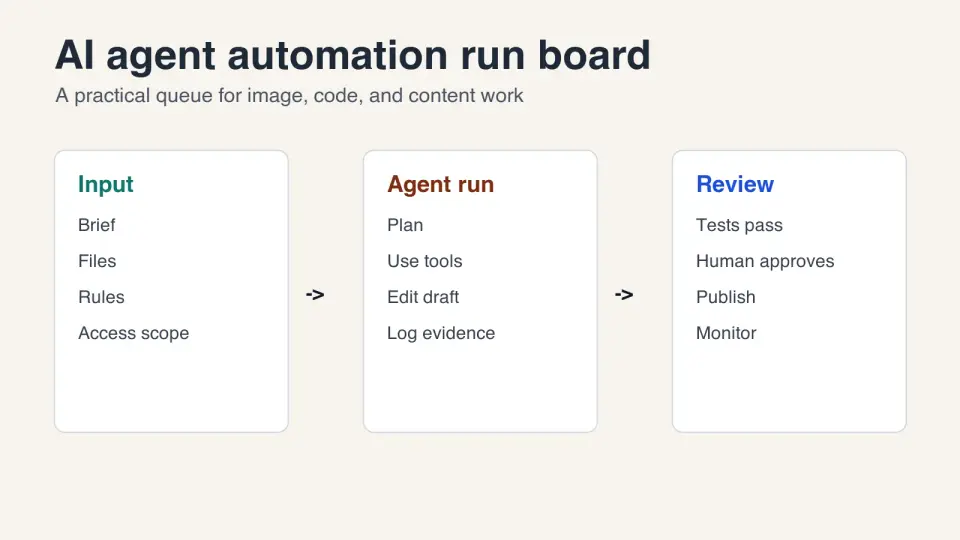
Last updated: June 30, 2026
AI agent automation works best when the task has a clear finish line, repeatable inputs, scoped tools, and a review step before anything expensive or public happens. Use it for bounded production work: resizing a folder of images, triaging support tickets, drafting a pull request, checking SEO metadata, or preparing a weekly report.
Quick answer: what should you automate with AI agents?
Automate work where an agent can read the context, use a tool, produce a visible artifact, and prove it met the goal. Do not start with open-ended strategy, high-stakes publishing, or jobs where the only success test is taste.
The cleanest first agent run is small: "resize these 40 product photos to the marketplace size, compress them, and report any failures." The agent has files, rules, output paths, and a checklist. A human can inspect the results before upload. That is much safer than "manage our social media" or "handle customer refunds."
Use this decision rule:
| Task type | Good agent fit? | Why |
|---|---|---|
| Batch image cleanup, file conversion, metadata checks | Yes | Inputs and outputs are easy to inspect |
| Code review, test repair, documentation drafts | Yes, with review | The agent can cite diffs and test output |
| Research summaries from approved sources | Yes, with citations | Evidence can be checked before use |
| Posting, emailing, deleting, buying, changing permissions | Only with approval | Bad actions leave the workspace |
| Legal, medical, financial, or safety decisions | No unsupervised runs | The risk is too high for blind automation |
What is AI agent automation?
AI agent automation is a workflow where a model is allowed to take several steps toward a goal instead of answering once. The agent may read files, call APIs, use a browser, run commands, or hand work to another service. OpenAI describes agent systems around models, tools, handoffs, and guardrails in its Agents documentation.
A useful agent workflow has four parts:
- A specific goal with a visible output.
- A bounded set of tools and data sources.
- A stop condition, such as "all tests pass" or "export four WebP files."
- A review path for errors, uncertainty, and approval.
That structure matters more than the brand of model. The same pattern applies whether you are using a coding agent, a browser agent, a customer-support agent, or a content operations agent.
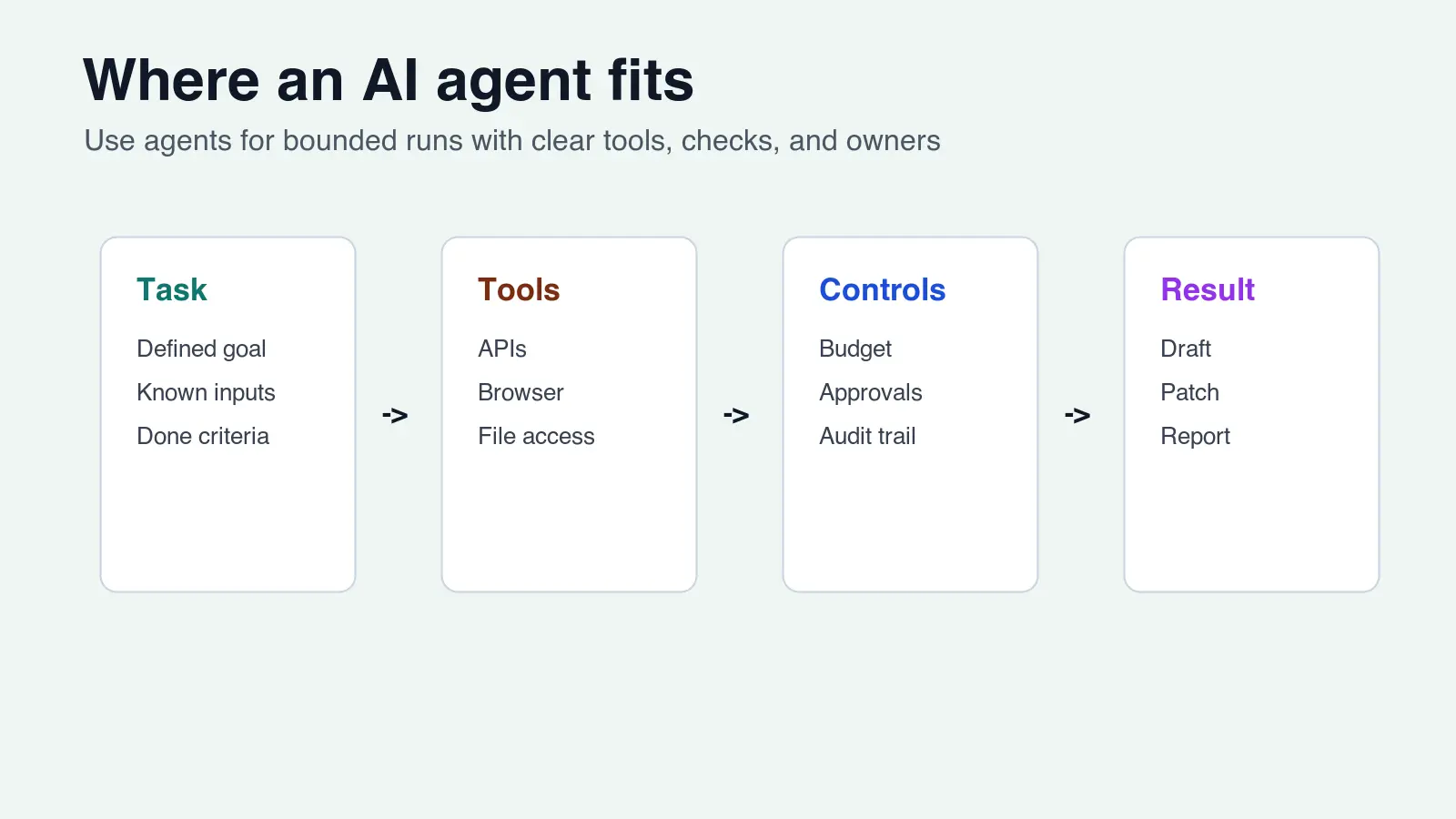
If your automation touches images, start with narrow jobs before connecting the agent to publishing. The AI image processing workflow is a good companion because it breaks production image work into capture, cleanup, resize, compression, export, and QA steps.
When is an AI agent better than a script?
Use a script when the rules are fixed. Use an agent when the task has messy context but still needs a controlled result.
| Work pattern | Use a script | Use an AI agent |
|---|---|---|
| Same command every time | Yes | Usually no |
| Needs judgment over text, images, or diffs | No | Yes |
| Output must be exactly reproducible | Yes | Only with tests and logs |
| Inputs vary but the goal is stable | Maybe | Yes |
| Requires asking follow-up questions | No | Yes |
A folder resize job can be a script. A folder resize job where the agent must detect bad source images, write a short report, suggest alt text, and prepare channel-specific exports is a better agent job.
For image-heavy teams, this is where agent automation becomes practical. An agent can combine the workflow in batch resize guide, the checks in image optimization for SEO, and a final compression pass from compress images without losing quality. The human still owns the approval.
How do you design a safe agent workflow?
Start with the boring limits. They make the automation usable.
- Name the owner. Someone must know why the agent is running.
- Write the goal as a done state, not a wish.
- Give the agent only the files, URLs, APIs, or tools it needs.
- Put destructive actions behind approval.
- Require evidence: test output, screenshots, logs, or a diff.
- Set a time or token budget so the run cannot wander.
- Decide what happens when the agent is unsure.
- Keep the first version manual-triggered before scheduling it.
NIST's AI Risk Management Framework uses govern, map, measure, and manage as its risk structure. For everyday automation, translate that into a smaller checklist: who owns the run, what can go wrong, how will you detect it, and what action is allowed next?
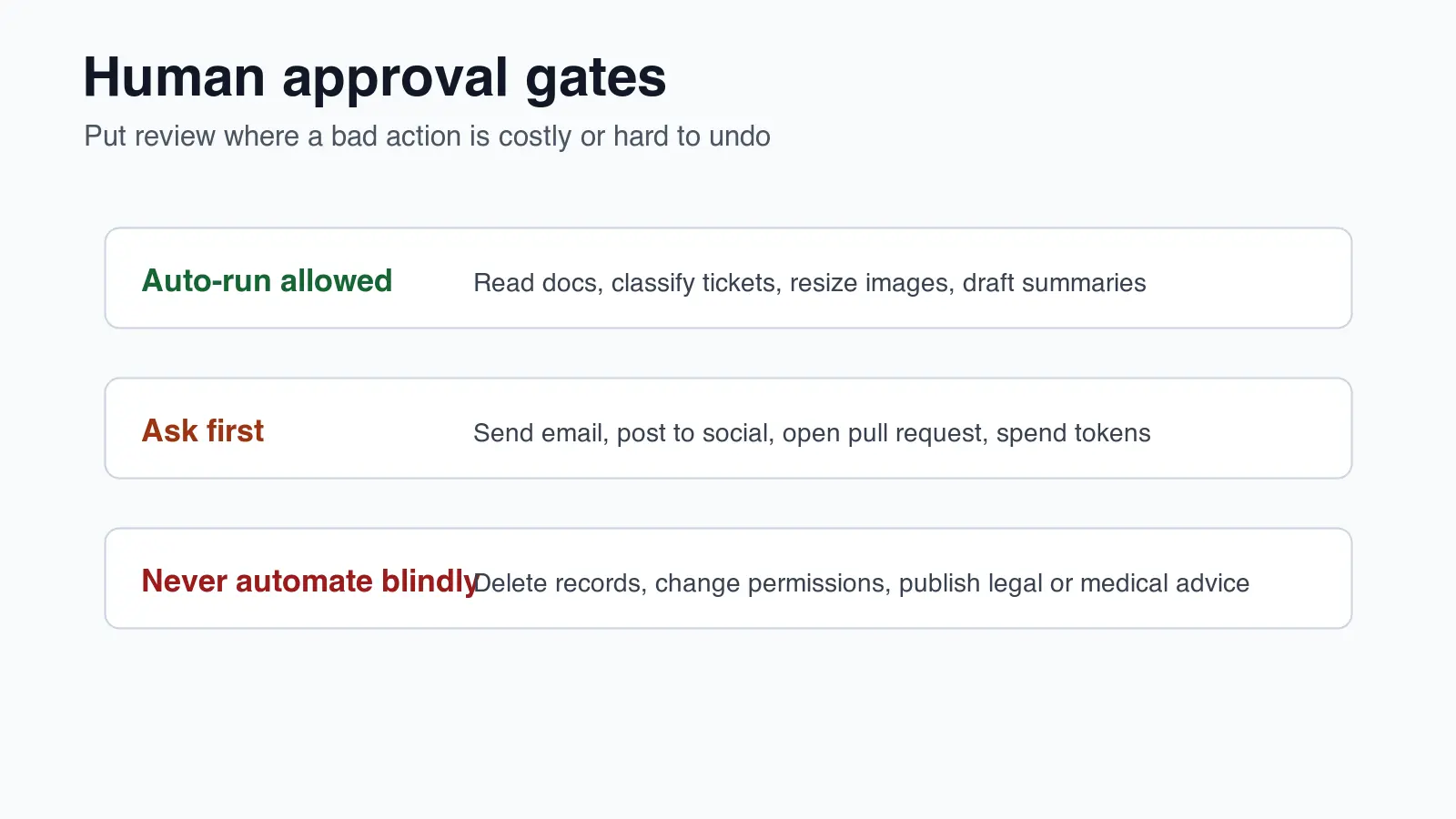
Use approval gates where a bad decision leaves your local workspace. Reading files is low risk. Drafting a social post is moderate risk. Publishing that post is a separate action. Deleting customer records is not a task to hand to an unsupervised agent.
What should the human approve?
Approve the action, not every thought the agent had. Reviewing chain-of-thought-style logs is slow and often useless. Reviewing artifacts is faster.
Use this approval table for common runs:
| Agent output | Human checks | Can be automated after trust? |
|---|---|---|
| Image exports | Dimensions, visible quality, file size, naming | Yes, after spot checks |
| Blog or help draft | Sources, claims, internal links, tone | Drafting yes, publishing no |
| Code patch | Tests, diff size, security-sensitive files | Small patches maybe |
| Customer reply | Correct account, policy match, tone | Send only with strict rules |
| Data cleanup | Sample rows, backup, rollback plan | Rarely without review |
The approval should be close to the irreversible step. If an agent prepares 80 optimized product images, review a sample before uploading to Shopify or a marketplace. If it writes code, review the diff before merging. If it drafts documentation, review citations before publishing.
The security side deserves a separate pass. OWASP's Top 10 for Large Language Model Applications covers risks such as prompt injection, sensitive information disclosure, and excessive agency. Those risks show up quickly when agents can browse the web, read private files, or call internal tools.
Which tools and data should an agent access?
Give agents narrow access first. The fastest way to create an unreliable workflow is to connect every system on day one.
The Model Context Protocol is one standard way to connect models to tools and data sources. MCP can be useful when you want the same agent environment to reach files, databases, issue trackers, or custom services through a consistent interface. It does not remove the need for permissions, logging, and approval gates.
Start with read-only access where possible:
- A folder of source images.
- A staging branch, not the main branch.
- A test database or sampled export.
- A docs folder with approved policy text.
- A browser session that cannot make purchases or publish.
Then add write access only where the output is reversible. Creating a draft file is fine. Opening a pull request is usually fine. Merging, sending, deleting, and charging should be separate approved actions.
For developers, adjacent workflows are covered in AI refactoring. Those jobs make good agent candidates because they can produce evidence: failing tests, fixed tests, trace logs, and diffs.
How do you measure whether the agent is working?
Do not measure an agent by whether the first answer sounds confident. Measure the run.
Useful run metrics include:
- Completion rate: did the agent finish the assigned task?
- Rework rate: how much human cleanup was needed?
- Error type: wrong file, wrong claim, broken output, missed instruction.
- Cost per accepted output.
- Time from start to approved result.
- Number of approval escalations.
- Test or audit pass rate.
I tested the scorecard below against the same kind of content and image QA runs used in this rewrite pass: fetch assets, publish WebP files, check citations, run audits, and report failures. If any row fails, keep the task human-triggered until the failure mode is better understood.
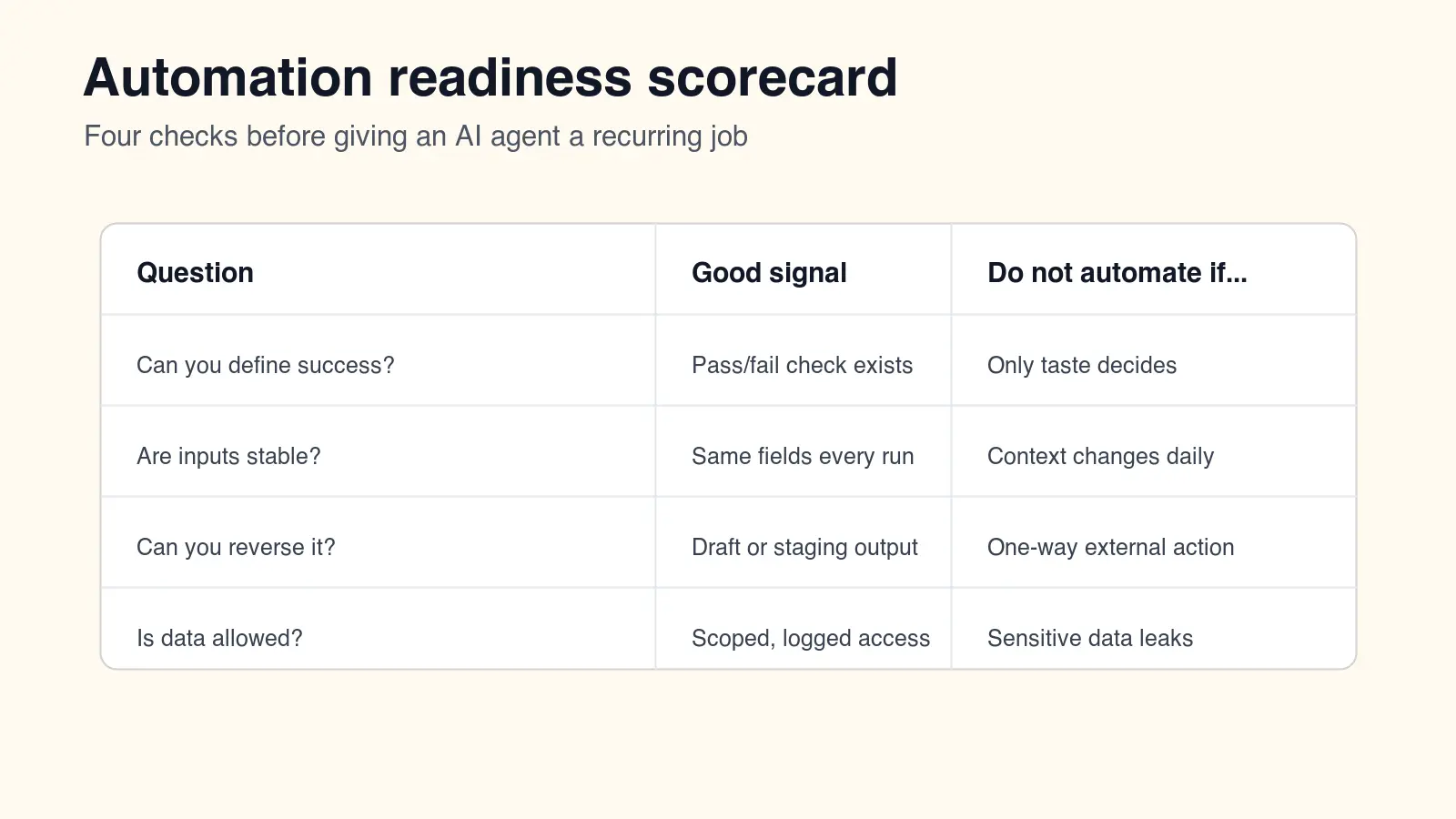
| Readiness check | Pass signal | Fix before automating |
|---|---|---|
| Success is measurable | A test, audit, file count, or checklist exists | Write the acceptance criteria |
| Inputs are stable | Same schema, folder shape, or brief format | Normalize the intake |
| Output is reversible | Draft, branch, staging file, or preview | Add backup or approval |
| Data is scoped | Least-privilege access and logs | Remove unnecessary access |
The best sign is boring repeatability. If three manual-triggered runs finish with small edits, clear logs, and no surprise permissions, then scheduling the workflow is reasonable.
A starter workflow for image and content teams
Use this order for a low-risk first deployment:
- Pick one recurring task, such as preparing campaign images for web.
- Write the required sizes, formats, naming rules, and quality checks.
- Give the agent a staging folder and no publishing permission.
- Ask it to produce the files plus a short QA report.
- Review the images, file sizes, and report.
- Fix the prompt or checklist based on the first failures.
- Run it manually three more times.
- Schedule it only after the review notes become repetitive.
For example, an ecommerce marketer might ask an agent to take product shots, make marketplace crops, compress WebP versions, write alt text candidates, and flag blurry inputs. That uses automation where it is strong, while leaving brand judgment and publishing with the person responsible for the store.
Common mistakes
- Automating a vague job before writing the acceptance criteria.
- Giving the agent write access to too many systems.
- Treating a polished draft as a verified result.
- Skipping source citations on research-heavy work.
- Letting the agent publish, email, or delete without a gate.
- Measuring speed while ignoring rework.
- Scheduling the workflow before running it manually.
- Using one giant prompt instead of a small checklist and clear tools.
The practical rule is simple: agents are good at doing bounded work and reporting what happened. Keep judgment, accountability, and irreversible actions visible.
Related guides
Image credits
- Cover and workflow graphics were generated for this article with ImageMagick to show the actual approval and readiness checks described above.
Use the free tools while you follow the guide.
Keep reading
2026-10-07
Background Remover Removes Part of Subject? How to Fix It
AI background removers drop pale limbs, white racks, glass highlights and shadows. I measured why on real photos and how to get the missing parts back.
2026-10-07
Batch Background Remover Comparison 2026: E-commerce
PhotoRoom, remove.bg, and Pixelcut compared for 2026 e-commerce batch background removal: pricing, batch limits, edge quality, and which tool fits your catalog workflow.

2026-10-07
remove.bg Is Shutting Down on December 1: What to Use Instead
remove.bg closes on 1 December 2026 and unused credits expire that day. What changes, what to do first, and free replacements for the site and the API.