2026-06-27 · Updated 2026-06-29
AI-Assisted Code Refactoring Without Breaking Things
How working engineers use AI to refactor code safely: detect code smells, modernize legacy modules, keep tests green, and choose the right tools.
Last updated: June 29, 2026
Refactoring used to mean a quiet afternoon, a green test suite, and a lot of careful renaming. AI changes the speed of that work, not the discipline behind it. A model can rename a symbol across forty files in seconds, but it can also confidently delete a branch that handled a payment edge case three years ago.
This is a practitioner's guide to using AI for refactoring the way a careful engineer would: small steps, behavior preserved, tests guarding every move.
Quick answer: how do you refactor with AI without breaking things?
Treat the AI as a fast junior engineer who never gets tired and never reads the ticket. You stay responsible for behavior.
Pin the behavior with tests first, then ask for one small change at a time, then review the diff before you accept it. Refactoring means changing structure while keeping observable behavior the same, a definition Martin Fowler set out in his refactoring catalog. If a change alters behavior, it is a rewrite or a bug fix, and it needs different scrutiny.
A workflow that holds up under real deadlines:
- Lock current behavior with characterization tests.
- Give the AI a narrow, named target ("extract this validation into a pure function").
- Read the full diff, not just the summary.
- Run the suite and the linter before you commit.
- Commit each green step separately so you can bisect later.
Keep changes mergeable. A 40-line refactor that passes review beats a 2,000-line "cleanup" no reviewer can verify.
What can AI actually do during a refactor?
AI is strongest on the mechanical, pattern-heavy parts of refactoring and weakest on intent.
It does well at renaming across a module, extracting functions, converting callback chains to async/await, splitting a god class into smaller collaborators, and translating a file from one framework idiom to another. It struggles when the "right" structure depends on business rules that live in someone's head or in a Jira comment from 2022.
| Refactoring task | AI is reliable here | Where a human must decide |
|---|---|---|
| Rename a symbol everywhere | Mechanical, scoped, reversible | Whether the new name matches the domain |
| Extract a function or component | Pattern is well known | Which seams are worth creating |
| Replace a loop with a map/filter | Local and testable | Whether readability actually improves |
| Split a 900-line class | Suggests groupings fast | Which responsibilities truly belong together |
| Migrate a deprecated API | Knows the new signatures | Edge cases the old call quietly handled |
A useful habit: ask the model to explain the existing code before it changes anything. If its summary is wrong, its refactor will be wrong too, and you just caught it for free.
How do you keep tests green while AI rewrites code?
Tests are the contract. Without them, an AI refactor is a hopeful guess.
When the code you want to touch has no coverage, write characterization tests first. These capture what the code does today, not what it should do, so any behavior change shows up as a red test. The technique is described in the Wikipedia entry on characterization tests, and it is the single most valuable safety net before letting a model loose on legacy code.
Use this order on an untested module:
- Run the code paths and record real inputs and outputs.
- Write tests asserting those exact outputs, even the ugly ones.
- Confirm the suite is green and reasonably fast.
- Let the AI refactor in small steps.
- Watch for any test that flips red, and stop there.

A team I worked with had a 600-line invoice calculator no one wanted to touch. We spent a morning writing 30 characterization tests against production samples, then asked the model to break the function into named steps. Two tests went red on rounding. That red was the whole point: the old code rounded per line item, the refactor rounded once at the end. We kept the old behavior and shipped. For deeper test strategy, use the review and verification loop below.
A safe AI refactoring workflow, step by step
Use the same loop whether you are in an IDE assistant or a terminal agent like Claude Code.
- Scope it. Name one refactoring with a clear boundary: "Extract retry logic from
OrderServiceinto aRetryPolicy," not "clean up orders." - Pin behavior. Make sure tests cover the lines you will change; add them if missing.
- Prompt narrowly. Paste the target code and one constraint: preserve the public interface.
- Read the diff. Watch for dropped branches, changed defaults, swapped operators, and removed null checks.
- Verify. Run tests, the type checker, and the linter. Re-run integration tests if I/O changed.
- Commit small. One green refactor per commit; name the structure that changed.
- Open a reviewable PR. Keep diffs small enough that a teammate can read them.
The review step matters most. AI-generated diffs look confident and clean, which is exactly why they slip through. Read every changed line, and be suspicious of any deletion you did not ask for.
How do you spot code smells with AI?
AI is good at naming smells, then average at fixing them. Use it as a detector first and an editor second.
Point it at a file and ask which functions are too long, where duplication hides, which parameters travel together and should be an object, and where conditionals have grown into a thicket. Fowler's catalog of code smells is still the clearest shared vocabulary, and a model that knows those terms gives you findings a reviewer can argue with.
| Code smell | What the AI flags | Your follow-up check |
|---|---|---|
| Long method | Function over ~50 lines doing several jobs | Are the extracted steps actually cohesive? |
| Duplicated logic | Near-identical blocks across files | Is the duplication accidental or intentional? |
| Feature envy | Method reaching into another object's data | Should the behavior move, or the data? |
| Primitive obsession | Strings and ints standing in for concepts | Does a small value type pay for itself? |
| Shotgun surgery | One change forcing edits in many places | Is there a missing seam or abstraction? |
Do not let it "fix all smells" in one pass. A smell report is a to-do list, not a mandate. Some duplication is fine. Some long functions are long because the domain is.
Tools and where they fit
The tool matters less than the loop around it, but the category shapes how you work.
- IDE inline assistants suggest edits as you type and shine for small, local refactors.
- Chat-style assistants are good for "explain then restructure" on a pasted file or function.
- Terminal agents can run tests and edit many files, which is powerful and risky in equal measure.
- Static analysis and linters catch the mechanical issues AI sometimes invents, so keep them in the loop.
Whatever you pick, version control is your real safety device. Commit before you start, branch for the work, and keep each AI step as its own commit. When an agent edits twelve files and one assertion breaks, a clean history lets you bisect to the exact change instead of re-reading everything.
If you also troubleshoot failures introduced mid-refactor, the same methodical loop pairs well with this workflow. Have a question about the process? The FAQ covers the common ones.
How do you modernize legacy code incrementally?
Big-bang rewrites fail in slow motion. Incremental modernization wins because every step ships.
The strangler pattern is the proven shape: build the new path beside the old one, route a slice of calls through it, verify, then expand until the old code is dead and you delete it. Martin Fowler documented this as the strangler fig application, and AI makes the per-slice work faster without changing the strategy.
Use AI inside each slice, not across the whole migration:
- Pick one endpoint, screen, or module to modernize.
- Pin its behavior with tests against the current implementation.
- Ask the model to produce the modern version of just that slice.
- Run both old and new against the same inputs and diff the outputs.
- Cut over the slice, watch production, then move to the next.
This keeps the blast radius small. If the model misunderstands a slice, you lose a slice, not the system.
When should you not let AI refactor?
Some code should stay manual until you fully understand it.
Hold the AI back when:
- The code handles money, auth, permissions, or anything compliance cares about.
- There are no tests and you cannot write characterization tests yet.
- The behavior depends on undocumented business rules.
- The diff would be too large for anyone to review honestly.
- A subtle bug here would be expensive or hard to detect in production.
In those cases, use AI to explain and plan, then make the edits yourself in small, reviewed steps. The fastest refactor is the one you never have to revert. Pin behavior, change one thing, keep the suite green, and let the AI handle the typing while you keep the judgment.
For the broader agentic workflow around this loop, see the AI agent automation guide and the AI API development notes. The MCP model context write-up covers how an agent reaches the external tools a refactor sometimes needs.
Image credits
Article images are sourced from Pexels and stored on the project CDN for stable page rendering.
Use the free tools while you follow the guide.
Keep reading

2026-10-07
Background Remover Removes Part of Subject? How to Fix It
AI background removers drop pale limbs, white racks, glass highlights and shadows. I measured why on real photos and how to get the missing parts back.
2026-10-07
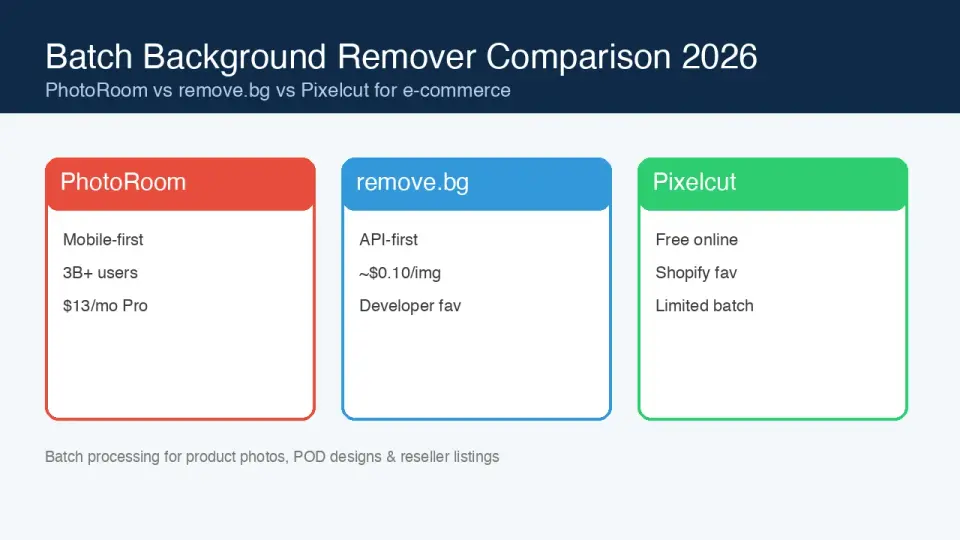
Batch Background Remover Comparison 2026: E-commerce
PhotoRoom, remove.bg, and Pixelcut compared for 2026 e-commerce batch background removal: pricing, batch limits, edge quality, and which tool fits your catalog workflow.

2026-10-07
remove.bg Is Shutting Down on December 1: What to Use Instead
remove.bg closes on 1 December 2026 and unused credits expire that day. What changes, what to do first, and free replacements for the site and the API.