2026-06-28 · Updated 2026-07-26
Depth Map Generator: Add 3D Depth and Parallax to Photos
Generate a depth map from a photo to add 3D parallax, bokeh, and focus effects. Real methods for depth estimation, how parallax works, and where AI depth works.
Last updated: July 26, 2026. Depth-estimation models continue to improve each year; the core principles of depth map use stay the same.
A depth map is a grayscale image where each pixel's brightness represents how far that point is from the camera — bright for close, dark for far. Depth maps power 3D parallax effects, portrait-mode background blur, refocusing after the shot, and AR. Generating one from a flat photo used to require dual cameras or a depth sensor; modern AI can estimate depth from a single image. This guide covers what depth maps are for, how estimation works, and where the AI approach succeeds and fails.
Quick answer: how do you generate a depth map from a photo?
Upload the photo to our Depth Map Generator tool, which uses a depth-estimation model, and it produces a grayscale depth image where brightness corresponds to distance from the camera. You can then use that depth map to drive a parallax animation, simulate bokeh, or refocus regions. The estimate is good on photos with clear subject separation against a background, and weaker on flat scenes or complex overlapping objects. The background remover solves a related task — separating subject from background — using a similar segmentation approach.
What is a depth map used for?
Depth maps enable several effects that a flat photo cannot do alone.
| Effect | How depth map is used |
|---|---|
| Portrait bokeh | Blur pixels marked as far |
| Parallax 3D | Shift layers by depth as the view moves |
| Refocus | Change the in-focus depth range after capture |
| AR placement | Understand where to anchor virtual objects |
| 3D photo export | Drive a social-platform 3D effect |
- Portrait mode on phones uses a depth map to blur the background behind the subject.
- Parallax effects animate a still photo into a subtle 3D move.
- Refocusing lets you change what is sharp after the shot.
The common thread is that depth adds a third dimension of information — distance — to an otherwise flat image, which unlocks effects that mimic how real lenses and eyes work.
How does depth estimation work?
Estimating depth from a single 2D image is a machine learning task. The model was trained on pairs of flat images and their true depth maps (often captured with depth sensors), and it learned cues that indicate distance: relative size, perspective convergence, atmospheric haze, occlusion, and focus.
| Depth cue | What it tells the model |
|---|---|
| Relative size | Larger objects read as closer |
| Perspective | Converging lines imply distance |
| Occlusion | Objects in front are closer |
| Focus | Sharper often means closer |
| Haze | Distant objects desaturate |
- The model combines these cues to predict a depth value per pixel.
- It generalizes from training to new images it has never seen.
- Accuracy varies — it is a guess based on visual cues, not a measurement.
The result is a plausible depth map, not a precise one. For effects that need approximate depth — bokeh, parallax — a plausible map is enough. For effects that need exact distance — measurement, AR placement — the estimate is not reliable.
When does depth estimation work well?
The model handles some scenes cleanly and struggles with others, and knowing the difference sets expectations.

- A clear subject against a background — the model separates the layers well.
- Scenes with strong perspective — corridors, roads — give the model good cues.
- Portraits with a person in front of a distinct background.
- Scenes where closer objects clearly occlude farther ones.
In these cases the depth map is sharp enough to drive believable bokeh and parallax. The effect reads as natural because the subject-background separation is real.
Where does depth estimation fail?
| Difficult case | Why it fails |
|---|---|
| Flat scenes | No depth cues for the model |
| Transparent objects | Depth ambiguous |
| Reflective surfaces | Model confused by the reflection |
| Fine overlapping detail | Hair, branches, netting |
| Low-contrast scenes | Cues invisible |
- A flat wall has no depth information to estimate.
- Glass and mirrors confuse the model because the "background" is a reflection.
- Fine structures like hair produce noisy depth maps.
For these cases, the depth map needs manual cleanup, or the effect should be avoided. The object removal guide covers related cleanup of difficult regions, and the blur background guide covers the bokeh effect that depth maps enable.
Refining a generated depth map
The raw depth map from an AI estimator is rarely perfect, and effects that depend on clean edges — bokeh especially — reveal the imperfections. Refining the map is the step that turns a rough estimate into a usable effect.
| Refinement | What it fixes |
|---|---|
| Edge brushing | Halos around the subject |
| Smoothing | Noisy depth in flat regions |
| Manual depth painting | Wrong depth on a region |
| Feathering | Hard transitions between layers |
A few minutes of cleanup on the subject's edge produces a dramatically better bokeh, because the blur follows a clean boundary instead of bleeding into the subject. The same refinement helps parallax, where a noisy depth map produces a jittery, unnatural motion. The rule is to spend cleanup time on the subject's edge — that is where every depth-driven effect is most visible — and accept rougher depth in the background where imperfections are less noticeable.
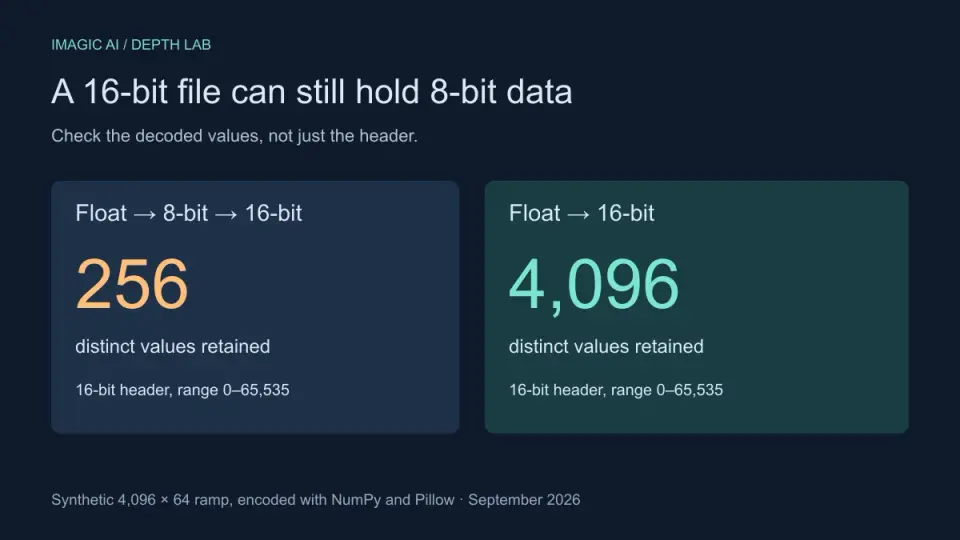
If your exported map produces terraces or an inverted surface, use the 16-bit depth map troubleshooting guide to inspect the PNG and separate export precision from import settings.
Using a depth map for parallax and bokeh
Once you have a depth map, the effects are driven by slicing the image into depth layers. For parallax, each layer shifts by an amount proportional to its depth as the viewpoint moves, producing a 3D effect from a still photo. For bokeh, pixels beyond a chosen depth are blurred to simulate a shallow depth of field.
The bokeh effect is the most common consumer use of a depth map — it is what portrait mode on a phone does, separating the subject from the background and blurring the background to mimic a fast lens. The quality of the bokeh depends entirely on the quality of the depth map at the subject's edges, which is why portrait mode struggles with hair and produces visible halos. The duotone guide covers a different layer-based effect, and for the technical foundation of monocular depth estimation, the MiDaS paper by Ranftl et al. documents a widely used model.
The Mozilla WebGL documentation covers rendering the parallax effect in the browser. Depth maps are a creative tool, not a measurement device — use them for effects where a plausible depth is enough, and reach for true depth sensing when accuracy is required. The right expectation makes all the difference.
Frequently asked questions
What is a depth map used for?
For 3D and parallax effects — a fake 3D tilt, a parallax scroll, a portrait-mode blur (bokeh) on a phone. The depth map tells the effect how far each pixel is from the camera, so it can shift or blur by distance.
How does depth estimation work?
A model trained on depth data predicts, per pixel, how far the subject is from the camera, producing a grayscale map where brightness encodes distance. It works well on clear subjects with obvious depth cues; it fails on flat or ambiguous scenes.
Where does depth estimation fail?
On transparent objects, mirrors, featureless surfaces, and scenes where depth cues are ambiguous. The model guesses wrong and the parallax or blur looks broken. Refine the generated map by hand on the failure areas.
Can I refine a generated depth map?
Yes — paint corrections on the map where the model was wrong, then feed the corrected map to the effect. The generated map is a starting point; manual refinement fixes the regions where estimation failed.
Can a depth map blur the background like portrait mode?
Yes — that is exactly what phone portrait mode does. The depth map tells the effect how far each pixel is, so it blurs the far pixels (background) and keeps the near pixels (subject) sharp, simulating a shallow depth of field.
How accurate are generated depth maps?
Reasonably accurate on clear subjects with obvious depth cues (a person in front of a background), but they fail on transparent objects, mirrors, and ambiguous scenes. Treat the generated map as a starting point and refine it by hand on the failure areas. The model guesses per pixel; where it guesses wrong, the parallax or blur effect breaks.
Use the free tools while you follow the guide.
Keep reading
2026-09-13
16-Bit Depth Maps: Fix Banding and Verify Your PNG
Fix stair-stepped or inverted depth maps with a reproducible 8-bit vs 16-bit PNG test, a file inspection script, and a practical Blender import checklist.
2026-09-13
GIF Maker From Images: Build Animated GIFs That Load Fast
Turn a set of images into an animated GIF for web and social media. Real frame timing, size limits for each platform, and when to choose GIF over video.

2026-09-13
Screenshot to Image: Save, Format, and Optimize Screenshots
Capture screenshots on any device, save them in the right format, and compress them for web without blurring text. Real steps for PNG, WebP, and full-page capture.