2026-03-02 · Updated 2026-07-26
AI Image Colorization: How It Works and Its Honest Limits
How AI colorization turns black-and-white photos into color, what it can and cannot recover (color is guessed, not restored), the tools, and where it fails.
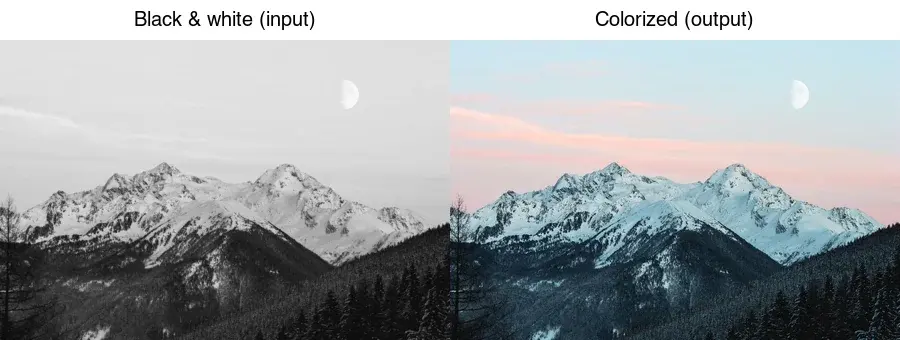
Last updated: July 26, 2026
AI colorization adds plausible color to a black-and-white photo. It can make an old image feel vivid and period-appropriate, but it cannot recover the true colors — those were never captured, so the model guesses based on patterns it learned. This guide explains how the technology works, what it can and cannot do, and where it fails, so you set the right expectation before trusting the output.
Quick answer: how does AI colorization work?
A neural network trained on millions of color photo pairs learns the relationship between grayscale patterns and likely colors, then predicts a color version of a new black-and-white input. The result looks convincing, but the colors are inferred, not recovered.
| Aspect | Reality |
|---|---|
| What it does | Adds plausible, often convincing color |
| What it cannot do | Recover the true original colors |
| Best for | Restoration, art, making old photos feel alive |
| Wrong for | Historical/archival accuracy, evidence |
For a tool, use the AI Colorizer or an open-source model like DeOldify.
How does AI colorization actually work?
The model is trained on color photographs that are converted to grayscale as input, with the original color as the target. Over millions of examples it learns that, say, a certain texture usually means grass (green), skin tones cluster in a narrow range, and sky at the top of a frame is usually blue. Given a new grayscale photo, it predicts a color version by applying those learned associations.
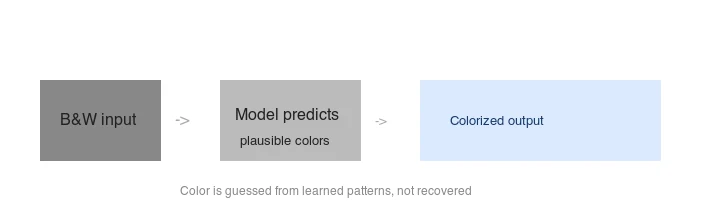 model predicts plausible colors -> colorized output">
Crucially, the color is synthesized from learned patterns, not measured. A 1920s photo of a red dress will not come out red unless the model guesses red — and it usually guesses a "typical" dress color. The output is an interpretation, not a restoration of fact. The DeOldify project and the survey of deep-learning colorization methods on arXiv document how these models are trained and where their assumptions break down.
What can colorization do — and not do?
This is the key expectation. Colorization has hard limits:
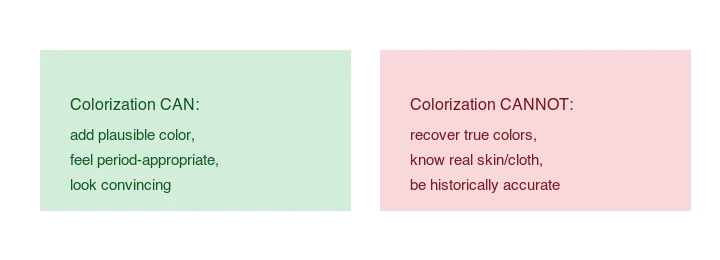
- It can: add convincing, period-appropriate color; make old photos feel alive; produce a pleasing result for display and art.
- It cannot: recover the true original colors; know whether a dress was red or blue; be historically accurate; produce a definitive record.
A colorized photo of a historical figure is an artist's impression, not a factual color portrait. For archival or evidentiary use, the black-and-white original remains the source of truth.
What tools colorize photos?
| Tool | Type | Best for |
|---|---|---|
| AI Colorizer | Browser | One-off, no install |
| DeOldify | Open source (Python) | Batches, control |
| MyHeritage | Service | Family photos |
| Photoshop Neural Filters | Plugin | Pro workflow |
DeOldify is the leading open model; it runs locally and is scriptable for batches. For one image, a browser tool is fastest. The choice mostly affects convenience and control, not the fundamental limitation — every tool guesses the colors rather than recovering them, so pick by workflow and check the output regardless of which one you used.
How do you run DeOldify?
## DeOldify runs in a Python environment (see the project's README for setup)
## Typical usage: a notebook or script that loads the model and colorizes an image
DeOldify offers "Artistic" (more vivid, less stable) and "Stable" (more conservative) models — pick by whether you want punch or reliability. Always check the result at 100%; AI colorization can produce odd hues on ambiguous textures.
How do you fix wrong colors in the output?
Because colorization guesses, you will often get a plausible-but-wrong color — a car that was actually red but comes out blue, or a military uniform in the wrong shade. The practical fix is a short manual pass on the specific objects you know the true color of. Load the colorized image into an editor, select the wrong-colored region (the car, the uniform), and re-color it with a hue-saturation adjustment or a color overlay set to a blending mode. This is far faster than re-running the model and hoping for a better guess, and it produces a result you can stand behind.
The broader principle: treat AI colorization as the 80% that gets you a color image fast, then spend a few minutes on the 20% manual correction for the objects whose real color matters. You do not need to correct every leaf or brick — those are plausibly colored already — only the named, identifiable objects a viewer would notice. This human-in-the-loop approach is how professional restorers actually work; fully automatic colorization is a starting point, not a finish line. For the related workflow of cleaning up the source scan first, the how to upscale images guide covers restoration-adjacent steps.
What are the common failure modes?
- Wrong object colors. A car might come out an arbitrary color because the model has no way to know the real one.
- Flat or washed-out skin. Some models under-saturate faces; the result looks gray.
- Color bleeding. Color from one object leaks into an adjacent one at low-contrast boundaries.
- Inconsistent color across a sequence. Colorizing frames of a video one at a time produces flicker — video colorization needs temporal consistency (see AI video colorization).
How do you get the best result?
- Start from a clean, high-contrast scan. Restoration (dust/scratch removal, contrast) before colorization improves the result.
- Pick the right model. Stable for reliability, Artistic for vivid output.
- Check at 100%. Look for wrong object colors and bleeding.
- Treat it as a starting point. Manual touch-ups (fixing a wrong car color, warming skin) dramatically improve believability.
- Do not present it as fact. Label colorized historical photos as colorized interpretations.
For the photo restoration side, see how to upscale images and convert RAW to JPG.
Frequently asked questions
How does AI colorization actually work?
A model trained on pairs of color photos and their grayscale versions learns to predict plausible colors from luminance and texture cues. Given a black-and-white input, it outputs a best-guess color image. The result is an interpretation based on what the model saw in training, not a recovery of the original colors — a 1940s suit could come out any color the model finds plausible.
Is AI colorization accurate?
No, and this is the key caveat. Colorization is a guess by definition: the grayscale image contains no color information, so the model assigns plausible colors. A sky will be blue and grass green because those are common, but a specific dress's original color is unknowable from the scan. Treat colorized output as an artistic interpretation, never as historical record.
Can I correct wrong colors in the output?
Yes — most tools let you add color hints (manual anchors on a region) to steer the model, and you can hand-paint corrections on a layer above the colorized result. The colorizer guide covers the manual-guidance workflow for the cases where the automatic guess is wrong.
What photos colorize best?
High-contrast, sharp scans with clear subjects and distinct textures. Faded, low-contrast, or damaged scans produce muddy colorization because the model has weak cues to work from. Restore and clean the scan before colorizing.
How do I fix wrong colors in the output?
Use a tool that accepts color hints — manual anchors you paint on a region to steer the model toward the right color. For a shirt you know was green, paint a green hint on it and re-run. For stubborn cases, hand-paint corrections on a layer above the colorized result at reduced opacity, blending your correction into the model's guess. The automatic pass gets you 80 percent of the way; the hints and hand-painting fix the specific colors that matter and that the model guessed wrong. Always keep the original grayscale as the source of truth.
Can I colorize a video?
Yes, but video colorization is far harder than a single photo because colors must stay consistent across thousands of frames or objects flicker. AI video colorization uses temporal tracking to carry colors forward from a key frame; without it, the model recolors each frame independently and the result shimmers. It takes minutes to hours per minute of footage, not seconds. See the video colorization guide.
Can colorization be undone?
Only if you kept the original grayscale. Colorization is a one-way render — once the color pixels are written, the grayscale information is gone from that file. So always keep the unmodified scan as a separate master, and treat the colorized file as a derived output. This is also why you should never colorize the only copy of a historical photo: the colorized version is an interpretation, not a replacement for the documentary original.
Image credits
- Colorize before/after, how-colorization-works, and colorization-limits diagrams — generated by the author from a landscape photograph (Pexels #1287145, photo by eberhard grossgasteiger) by desaturating to black-and-white to demonstrate the colorization input/output.
Use the free tools while you follow the guide.
Keep reading
2026-07-28
How to Enhance Photo Quality: Sharpen, Denoise, and Brighten
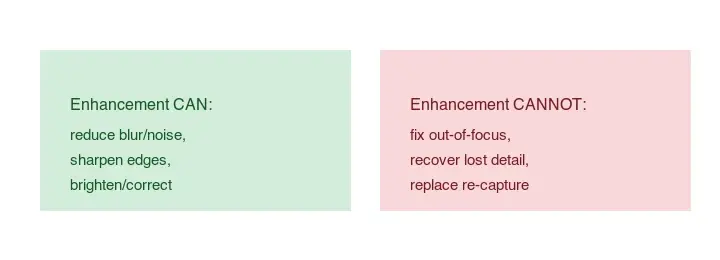
Enhance photo quality by sharpening, denoising, and brightening, with what enhancement can and cannot fix, the tools, and a real before/after.
2026-07-26
AI Face Enhancer: Natural Portrait Retouching Guide
Use an AI face enhancer without plastic skin: choose the right portrait, protect identity, check artifacts, and export sharp web-ready headshots.
2026-07-26
AI Face Restoration: GFPGAN vs CodeFormer Compared
GFPGAN and CodeFormer both repair damaged faces but trade accuracy for polish differently. Which to use, how they work, and where both invent detail.