2026-03-28 · Updated 2026-07-12
Image File Size Guide: Reduce KB and MB Cleanly
Learn why images become large, what affects KB and MB, and how to reduce image file size without making photos blurry or unusable.
Last updated: July 12, 2026
Image file size is the number of bytes an image uses on disk or over the network. It is shown as KB, MB, or sometimes GB. A file becomes large when it has too many pixels, uses the wrong format, keeps unnecessary metadata, or is exported at a quality setting higher than the final use needs.
This guide gives you the practical rules for shrinking images before you upload them to a website, product feed, email, or CMS.
Quick answer: how do you reduce image file size without losing quality?
Use the cleanest source file, resize it to the largest dimensions you actually display, then export a modern web format such as WebP or AVIF. For most photos, start with WebP quality 75-85. For screenshots, logos, and graphics with small text, test PNG or lossless WebP before using lossy compression.
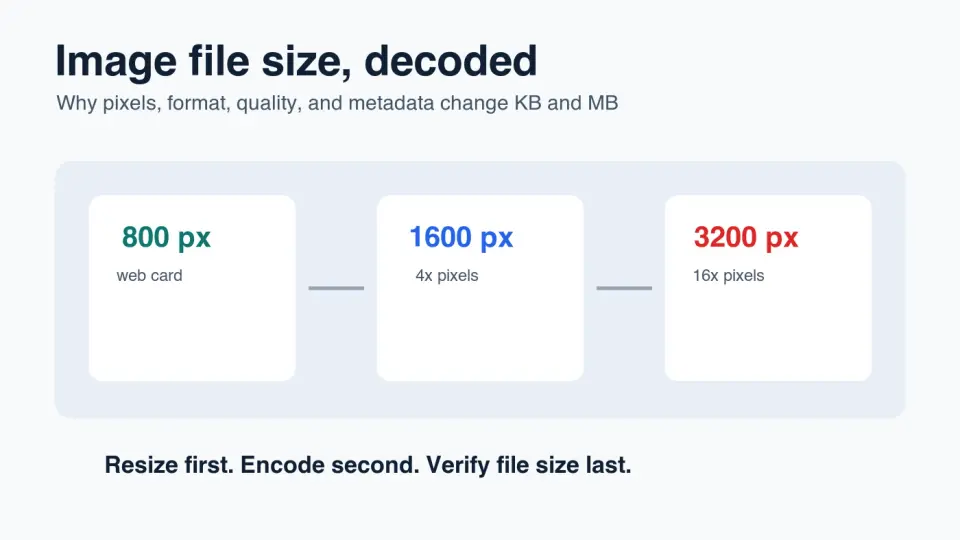
The biggest mistake is compressing a 4000 px camera photo and still uploading it at 4000 px for an 800 px slot. That keeps extra pixels users never see. Resize first, then tune format and quality.
After export, inspect the result at its final display size. If the image still looks clean and the file is under your page or upload budget, stop. If it looks blurry, blocky, or smeared, raise quality or use a more suitable format. For a deeper measurement workflow, use the image compression ratio guide.
For this update, I measured the four generated 1400 by 788 WebP graphics used in the article: the local files range from 28 KB to 52 KB. That is a useful reminder that flat instructional graphics can be small even at generous dimensions, while detailed photos usually need more bytes.
What affects image file size?
Four things decide most image file size problems: pixel dimensions, image content, file format, and encoder settings. Metadata can matter too, especially when camera EXIF data, GPS fields, thumbnails, and editor history are left inside public files.
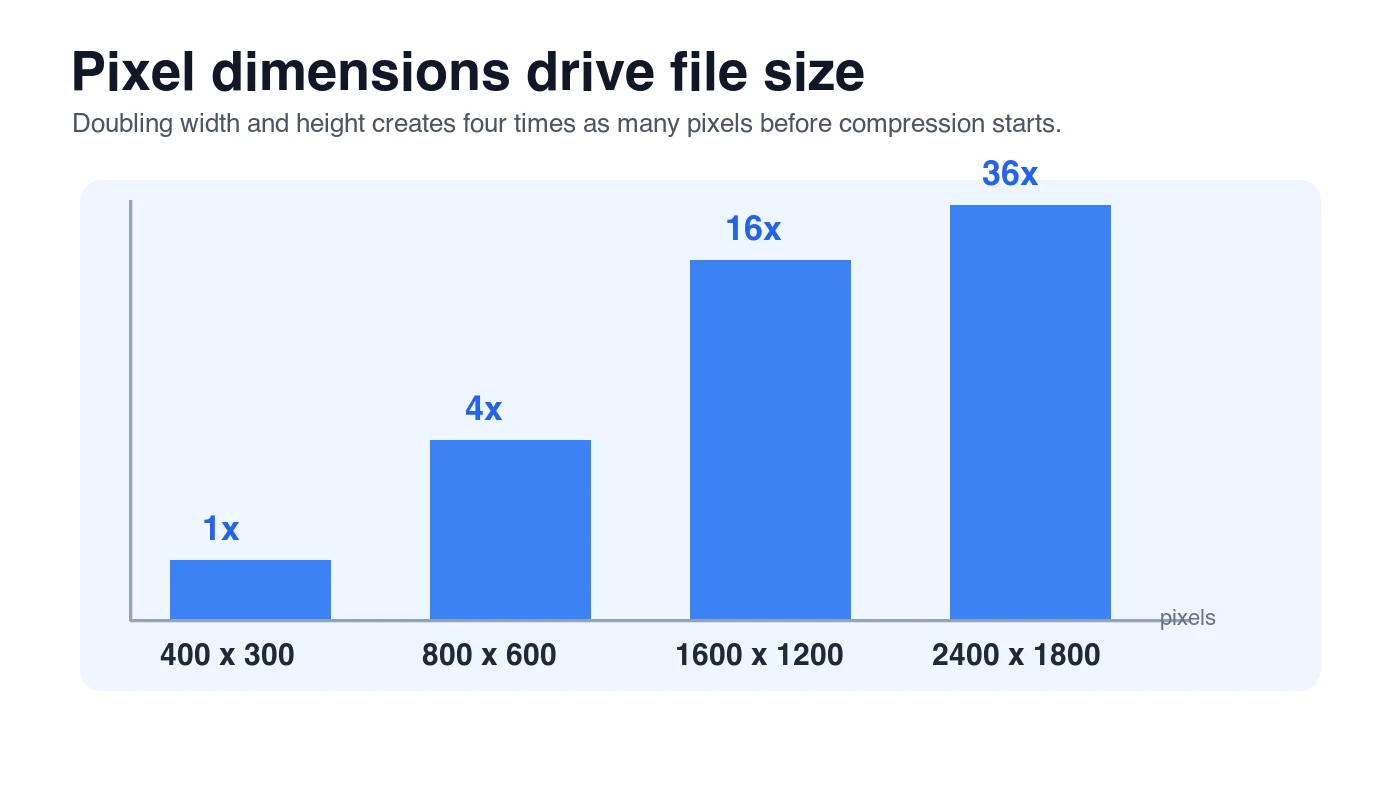
Pixel dimensions set the raw workload. A 1600 by 1200 image has four times as many pixels as an 800 by 600 image. Compression can reduce the final bytes, but it still has to describe the larger canvas.
| Factor | Why it changes size | What to check first |
|---|---|---|
| Dimensions | More width and height mean more pixels to encode | Match the image to the largest rendered size |
| Content | Fine texture, grain, shadows, and gradients compress differently than flat color | Inspect faces, product texture, and smooth areas |
| Format | JPEG, PNG, WebP, AVIF, and TIFF store image data differently | Use the format that fits the image type |
| Quality setting | Lossy encoders trade detail for fewer bytes | Compare a few exports at display size |
| Metadata | EXIF, GPS, color profiles, and thumbnails add bytes | Strip fields that are not needed online |
For web delivery, Google's image guidance recommends crawlable image elements, descriptive alt text, and supported formats such as JPEG, PNG, WebP, SVG, and AVIF in Google Images best practices. The file still needs to be useful to the reader; a tiny but unclear image is not a good optimization.
Why is my image so many MB?
Your image is probably oversized because it was exported for capture or editing, not for delivery. A phone or camera original may be 3000-6000 px wide. That is useful as a master file. It is usually wasteful for a blog body image, product thumbnail, email banner, or profile photo.
Common causes:
- A full-resolution camera file is uploaded directly to a web page.
- A PNG is used for a photographic image.
- A JPEG is saved at 100% quality with little visible benefit.
- A screenshot is exported as a large retina PNG and never resized.
- EXIF and embedded previews remain in the public copy.
- A CMS creates thumbnails but still serves the original in the page.
- A transparent image is saved as PNG when WebP lossless would be smaller.
- The image was edited and re-saved several times, adding artifacts without solving size.
If the issue is a hard upload limit, start with resize and format before lowering quality aggressively. The compress image to 100KB guide is useful when a form or listing site has a strict byte cap.
What image file size is good for web pages?
There is no universal perfect size, but there are useful starting budgets. A homepage hero image can be larger than a small card thumbnail. A product detail photo needs more detail than a background texture. The goal is to ship enough pixels for the job and no more.
| Use case | Practical target | Starting export |
|---|---|---|
| Blog cover or landing hero | 120-350 KB | WebP q78-85, width matched to layout |
| In-article image | 50-180 KB | WebP q75-82, 1000-1600 px wide |
| Product listing thumbnail | 20-80 KB | WebP q75-82, exact thumbnail crop |
| Product detail image | 120-500 KB | WebP q82-90, inspect texture and labels |
| Email banner | Under 150 KB when possible | JPEG or WebP only if the email client allows it |
| Avatar or small logo | 5-40 KB | SVG, PNG, or lossless WebP depending on content |
Treat these as starting points, not laws. A jewelry product photo with crisp metal edges may need more bytes. A simple infographic can be much smaller. Flat graphics compress well because they avoid the texture, grain, and shadow detail that make camera photos heavier.
If you need a full publishing pass that includes dimensions, responsive variants, lazy loading, and CDN checks, use the complete image optimization checklist.
Which format makes an image file smaller?
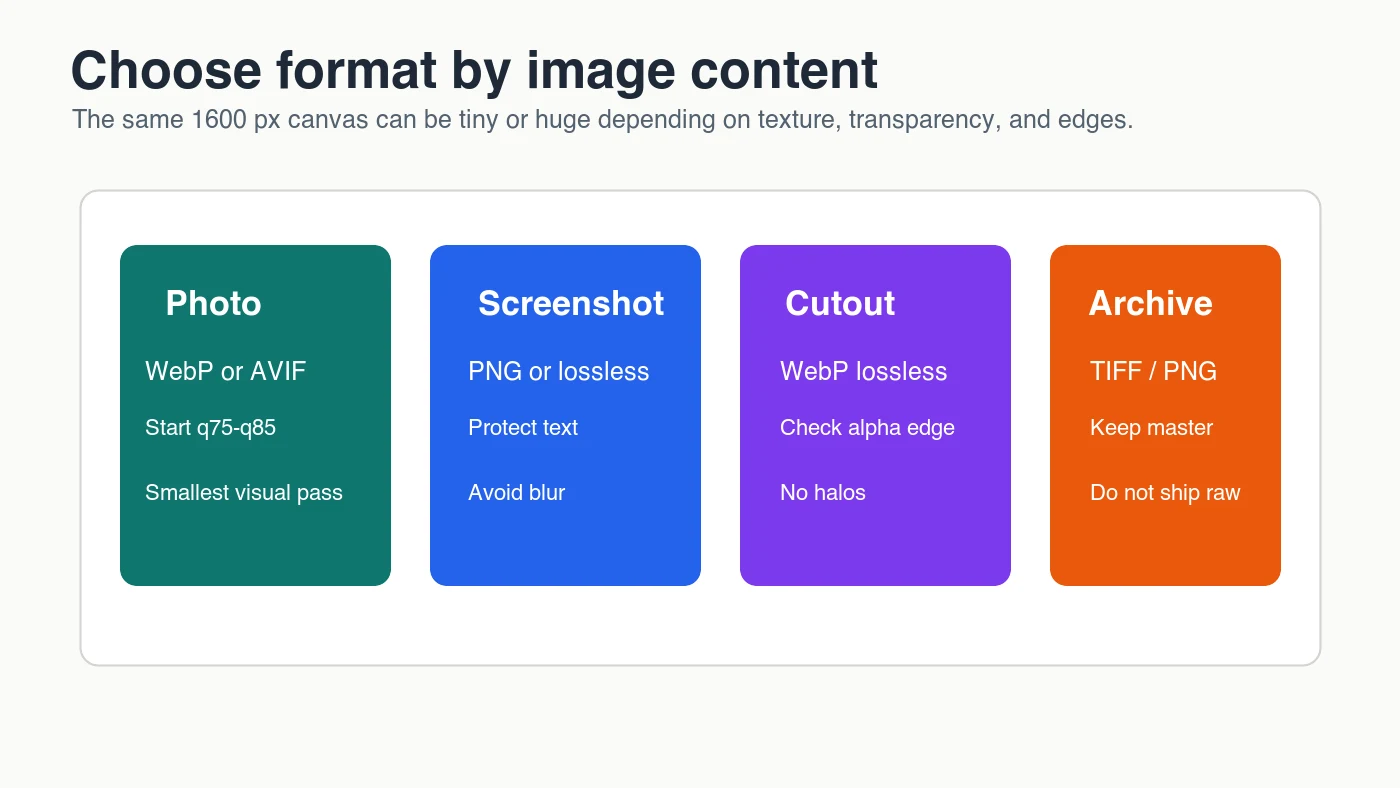
The smallest acceptable format depends on what the image contains. Photos usually shrink well with WebP or AVIF. Screenshots and graphics with text can look bad if lossy compression softens edges. Logos and icons may be better as SVG if they are vector artwork.
MDN's image file type and format guide describes the trade-offs across JPEG, PNG, WebP, AVIF, GIF, and SVG, including support for lossy, lossless, and transparency behavior. Use that as a reference when you are deciding whether an image should be compressed, converted, or kept lossless.
| Image content | Best first choice | Avoid when |
|---|---|---|
| Photograph | WebP or AVIF | The destination does not support modern formats |
| Product photo | WebP, with a retained master | Labels or texture become visibly wrong |
| Screenshot with text | PNG or lossless WebP | Lossy export makes text fuzzy |
| Transparent cutout | Lossless WebP or PNG | Alpha edges show halos |
| Logo or icon | SVG if available | The asset is actually a raster photo |
| Archive or print master | TIFF, PNG, or original RAW workflow | Shipping directly to a web page |
If you are choosing between the two modern web formats, read AVIF vs WebP comparison. AVIF often compresses photos very well, but WebP is fast, broadly supported, and simple to add to existing pipelines.
How should you reduce image file size step by step?
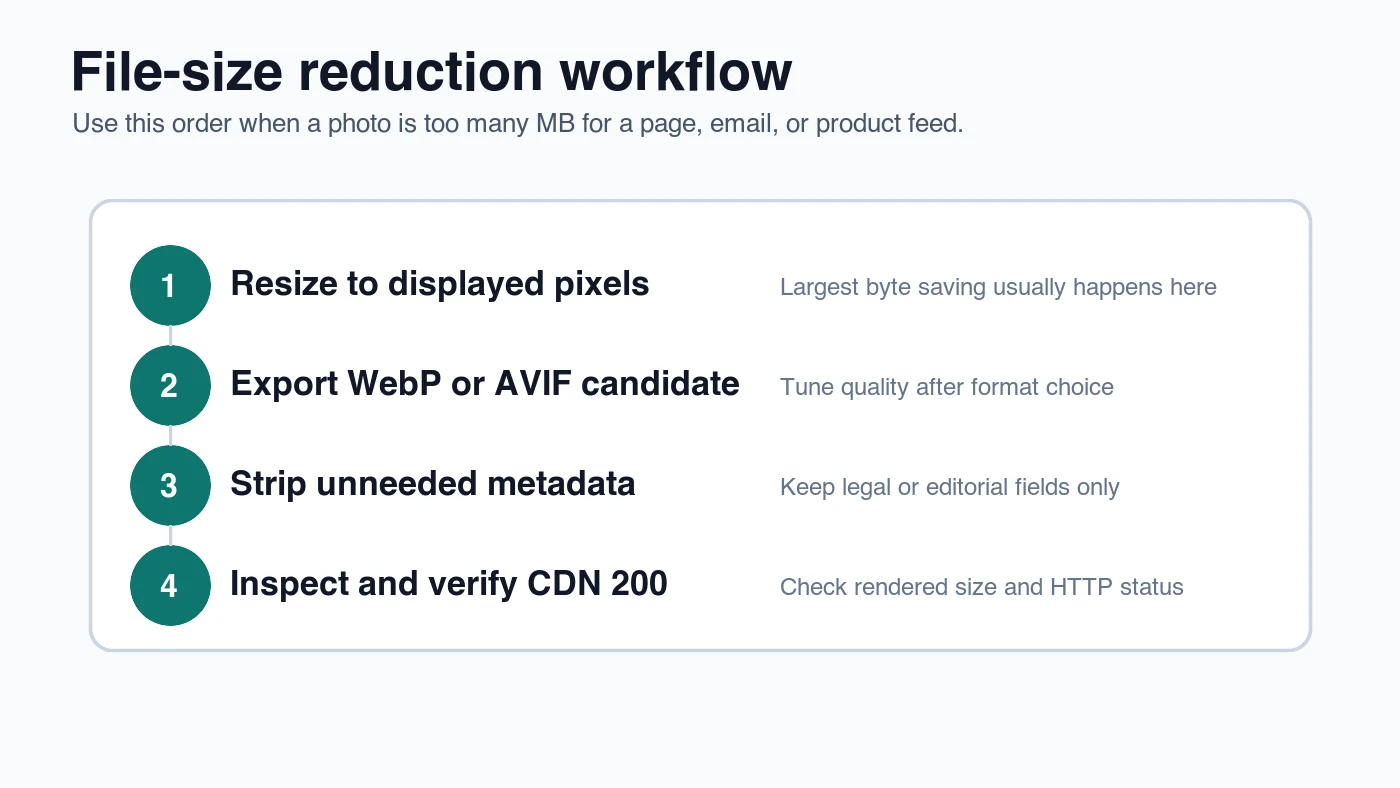
Use the same order every time. Randomly dragging a quality slider down to 40% creates soft images and inconsistent results.
- Keep the largest clean source as your master file.
- Crop for the final composition before creating delivery copies.
- Resize to the largest width the page, email, or feed actually displays.
- Choose format by content: WebP or AVIF for photos, lossless for text-heavy graphics.
- Export two or three quality candidates.
- Strip metadata that is not required for the public copy.
- Compare candidates at final display size on desktop and mobile.
- Check the byte size after all export steps, not before.
- Publish to a stable CDN or media URL.
- Verify the final URL returns HTTP 200 and the page shows the intended asset.
For a folder of files, do not tune every image by hand first. Pick one representative photo, one difficult photo, and one screenshot. Find settings that work for those samples, then batch the rest. The batch resize guide covers the command-line pattern for resizing many files from one source folder.
What quality setting should you use?
Start in the middle and move only when the image tells you to. For WebP photos, q75-q85 is a sensible test band. For JPEG, 80-85 often works for ordinary web photos. For AVIF, the quality numbers are not equivalent to WebP or JPEG, so compare output visually instead of matching slider values.
Use this table for first tests:
| Output goal | First setting to test | Raise quality if | Lower quality if |
|---|---|---|---|
| Blog photo | WebP q80 | Skin, sky, or product edges show artifacts | File is still much larger than the page budget |
| Product hero | WebP q85 | Labels, fabric, metal, or packaging look soft | The product remains clear at rendered size |
| Screenshot | PNG or WebP lossless | Text gets blurry in lossy output | Lossless file is too large and text survives lossy WebP |
| Thumbnail | WebP q72-q78 | Faces or icons look harsh | The thumbnail is still heavier than nearby content |
| Social preview | WebP q80-q85 | The preview crop looks muddy | The source is simple and still clean |
The web.dev guide on optimizing Largest Contentful Paint is a useful reminder that image bytes are only one part of performance. A hero image also needs to be discoverable early, correctly prioritized, and right-sized for the viewport.
How do you check image file size before publishing?
Check both dimensions and bytes. On macOS, Finder's Get Info shows file size, and Preview or image editors can show dimensions. On Windows, Properties shows the file size and Details shows dimensions. In a command-line workflow, identify image.webp from ImageMagick reports width, height, and file information.
For website work, also check what the browser downloads. Open the page, inspect the Network panel, filter to images, and look at transferred bytes. This catches the common mistake where the local file is small but the page still requests an older, heavier URL.
Before publishing, confirm:
- The image is no wider than the largest rendered slot requires.
- The exported file is WebP, AVIF, JPEG, PNG, or SVG for a clear reason.
- The byte size fits the use case.
- The image still looks clean at display size.
- Alt text describes the visible image.
- The CDN URL returns HTTP 200.
- The page does not load a hidden full-resolution original.
If you are unsure whether the image is too large because of dimensions or compression, use check image size and dimensions before changing format.
File size mistakes to avoid
Most file-size problems are ordinary workflow problems. They happen when editing, upload, and publishing are treated as the same step.
Avoid these mistakes:
- Uploading the master camera file as the public web image.
- Using PNG for every image because it feels safer.
- Exporting JPEG at 100% and assuming it is visually better.
- Compressing before resizing.
- Recompressing the same JPEG every time a page is updated.
- Keeping GPS metadata in public files.
- Judging quality at 400% zoom without checking final display size.
- Shipping one huge desktop image to mobile users.
- Replacing a clear image with a smaller but misleading one.
- Forgetting to update Open Graph and article cover images after changing assets.
For mobile-heavy pages, pair file size decisions with responsive delivery. The mobile image optimization guide explains how source sets, viewport width, and loading priority affect the actual image users receive.
Image file size checklist
Use this final pass before uploading an image to a page, store, email, or CMS.
| Check | Pass condition | Fix if it fails |
|---|---|---|
| Dimensions match use | The file is close to the largest rendered size | Resize from the master and export again |
| Format fits content | Photos use WebP or AVIF; screenshots and logos stay crisp | Convert or use lossless output |
| Quality was inspected | No visible blur, blocking, ringing, or banding at display size | Raise quality or try another format |
| Metadata is intentional | Public file keeps only needed metadata | Strip EXIF, GPS, and embedded previews |
| URL is final | CDN image returns HTTP 200 | Re-publish or correct the image path |
The practical rule is simple: resize first, choose the format second, tune quality third, and verify the final URL. File size is only successful when the image remains clear enough for its job.
Frequently asked questions
What is image file size?
Image file size is the number of bytes an image uses on disk or over the network, shown as KB, MB, or sometimes GB.
What is a good image file size for a web page?
Most in-article images should land around 50-180 KB as WebP, while blog covers and hero images can run 120-350 KB.
Should I resize an image before or after compressing it?
Resize to the final display size first, then compress, because compressing an oversized image just keeps pixels nobody sees.
Which image format makes a file smaller?
WebP or AVIF usually produce the smallest photographic files, while PNG or lossless WebP is safer for screenshots and text-heavy graphics.
What WebP quality setting should I start with?
Start at WebP quality 75-85 for photos and only adjust if the image shows artifacts or the file is still too large.
Why is my image file so large in MB?
Camera and phone originals are usually exported for capture at 3000-6000 px wide, far larger than any web page needs to display.
Does stripping metadata reduce image file size?
Yes, removing EXIF, GPS, and embedded preview data trims bytes, though it rarely matches the savings from resizing and reformatting.
How do I check an image's file size before publishing?
Check the exported file's byte size directly, then confirm the browser's Network panel shows that same lighter file loading on the live page.
Use the free tools while you follow the guide.
Keep reading
2026-09-10
Image Blurry After Export? 7 Fixes That Target the Cause
Fix an image blurry after export by checking pixels, compression and upload changes. See measured examples, PNG vs JPEG choices, and seven practical fixes.

2026-08-01
Image Compression in 2026: WebP, AVIF, JPEG XL & JPEG AI Benchmarked
I benchmarked WebP, AVIF, and JPEG XL on 4 real photos. WebP saves 32% vs JPEG, AVIF 65%, JPEG XL 30%. Full data, browser support, and which format to pick in 2026.

2026-07-26
Image Optimization Checklist: Every Step for Fast Web Images
A complete image optimization checklist: format choice, resizing, compression, responsive delivery, lazy loading, and CDN setup. Run through it before every publish.