2026-06-27 · Updated 2026-07-12
Kling AI Image Generation: A Practical Creator Guide
Kling AI image generation explained for creators: how it works, prompts that hold up, how it compares to Midjourney and Sora, and where it still falls short.
Last updated: July 12, 2026
Most creators meet Kling through its video clips, then discover it also generates still images. This guide is for the marketer, social editor, or solo designer deciding whether Kling's image side earns a spot in a workflow that already has Midjourney, DALL-E, or Stable Diffusion.
Quick answer: what is Kling AI image generation?
Kling AI is a generative model platform built by Kuaishou, the Chinese short-video company behind the Kuaishou app. It started in mid-2024 as a text-to-video model and later opened to international users through klingai.com.
The platform's image feature turns a text prompt into still pictures, and those pictures feed directly into Kling's image-to-video pipeline. That tight link is the real reason to care about Kling images: a still you like becomes the first frame of an animated clip in the same tool.
Pick Kling when the still is a step toward video, and pick Midjourney or Stable Diffusion when you only need standalone art, since generating the keyframe inside Kling removes a handoff step.
How does Kling AI generate images?
You type a prompt, pick an aspect ratio, optionally upload a reference image, and the model returns a batch of candidates. Kling uses a diffusion-based approach, the same family of techniques behind most current image generators, where the model denoises random pixels toward something that matches your text.
Two controls matter more than the rest:
- Reference image strength decides how closely output follows an uploaded photo versus the text prompt.
- Aspect ratio sets the frame before generation, which is easier than cropping later.
Kuaishou has shipped several model versions since the 2024 launch, and the available resolutions, frame limits, and credit costs change with each release. Check the live specs on the official Kling platform rather than trusting a fixed number in any article, including this one. Background on the model's release timeline is summarized on Wikipedia's Kling entry.
How do you write prompts that hold up in Kling?
Vague prompts give you generic stock-looking results. Kling responds best when you describe the scene like a photo brief: subject, setting, lighting, lens, and mood, in that rough order.
Build prompts in layers instead of one long run-on sentence:
| Prompt layer | Weak version | Stronger version |
|---|---|---|
| Subject | a woman | a barista in her 30s with a denim apron |
| Setting | in a cafe | behind a marble counter, morning light from a left window |
| Style | nice photo | 35mm photo, shallow depth of field, warm tones |
| Detail | holding coffee | pouring latte art, steam rising, focused expression |
A few habits that pay off:
- Name one clear subject before adding background.
- Specify lighting; "soft window light" beats silence.
- Add a camera cue like 35mm, macro, or wide angle for photographic looks.
- Put the most important detail early in the prompt.
- Generate a batch, keep the closest result, then refine that prompt rather than starting over.
For deeper prompt patterns that carry across tools, the workflow in text-to-image AI and the techniques in AI art generator both transfer to Kling with minor wording changes.
How does Kling compare to other generators?
No single model wins every job. Kling's edge is the bridge from still image to motion; its weak spots are typography and fine photographic control, where rivals are ahead.
| Generator | Strongest at | Watch out for |
|---|---|---|
| Kling | Image-to-video, animated keyframes | Text in images, precise edits |
| Midjourney | Stylized, art-directed stills | No native video, paid only |
| Stable Diffusion | Local control, custom models | Setup effort, hardware needs |
| Sora | Long, coherent video scenes | Access limits, cost |
| DALL-E | Following literal instructions | Less photographic realism |
For the alternatives, the working notes in Midjourney v7 and Stable Diffusion 3 cover where each one earns its place. If video is your real target, read Kling AI video and Sora AI video generator before committing to one platform.
What can creators actually use Kling images for?
The strongest use cases are the ones that end in motion or need fast volume.
| Use case | Why Kling fits | Output |
|---|---|---|
| Short-form video keyframes | Image and video live in one tool | Animated clip from a still |
| Social thumbnails | Quick batches at set ratios | Scroll-stopping cover frames |
| Concept and mood boards | Fast visual exploration | Draft directions for a client |
| Ad variations | Many angles of one idea | A/B options for testing |
| Storyboards | Consistent scenes per shot | Frames to brief a team |
A concrete example: a small skincare brand needs a 6-second product teaser. Instead of a photo shoot, the social editor writes a prompt for the bottle on a wet stone surface, generates a clean still, then animates a slow push-in inside Kling. That is a measured 6-second deliverable produced in one afternoon, not a multi-day production shoot.
Where Kling still needs help is post-production. Generated frames often want a tidy background, a tighter file size, or an upscale before publishing. Pair Kling with a background remover, an image upscaler, and an image compressor so the final asset is web-ready, not just pretty in the preview.
Where does Kling fall short?
Treat Kling as one specialist tool, not a full creative suite. Knowing the gaps up front saves a wasted afternoon.
- Text rendering is unreliable. Logos, labels, and packaging copy often come out garbled. Add real text in an editor afterward.
- Hands and small props still drift, as they do across most generators.
- Precise edits are hard. Changing one element without re-rolling the whole image is limited compared with inpainting in Stable Diffusion.
- Credits run out. The free allowance is enough to test, not to run a campaign; heavy use pushes you to a paid tier.
- Consistency across shots takes effort; keeping the same character over many frames is not automatic.
- Data and licensing questions around training and commercial use should be reviewed against Kuaishou's current terms before client work.
If you need surgical control over a single image, a dedicated editor or AI art generator from a photo may serve you better than re-rolling Kling prompts.
A repeatable Kling image workflow
Use this order when a project actually ships, not just when you are experimenting:
- Write a layered prompt: subject, setting, lighting, style.
- Generate a batch and keep only the closest candidate.
- Refine the winning prompt; change one variable at a time.
- Export the still you want at the largest available size.
- Clean it up: remove or replace the background, fix obvious artifacts.
- Upscale if the resolution is short for the placement.
- Compress the final file before upload so pages stay fast.
- If the asset needs motion, send the still into Kling's image-to-video step.
For a no-login starting point, the Imagic AI image generator covers prompt-to-image, and the cleanup steps above run in the browser without installing anything.
Recommended tools and references
| Task | Tool or source | Why it helps |
|---|---|---|
| Generate Kling images and video | Kling AI platform | The source of truth for current specs |
| Generate images, no signup | Imagic AI image generator | Fast prompt-to-image in the browser |
| Clean up backgrounds | Background remover | Isolate subjects before publishing |
| Raise resolution | Image upscaler | Fix soft or small exports |
| Shrink final files | Image compressor | Keep pages fast after export |
| Company background | Kuaishou | Who builds and funds Kling |
More platform comparisons live on the Imagic AI blog, and broad questions are answered on the FAQ page.
Common questions
Is Kling AI image generation free?
There is a free tier with daily credits, which is enough to test prompts and small projects. Sustained or commercial use generally needs a paid plan. Confirm current limits on the official site before planning a campaign.
Can Kling images be used commercially?
That depends on your plan and Kuaishou's terms at the time you generate. Review the licensing section in your account, especially for client and paid-media work, since terms for AI output evolve.
Does Kling work in English?
Yes. The international platform accepts English prompts. Short, concrete English descriptions tend to work as well as longer ones, so favor clarity over length.
Should I pick Kling or Midjourney?
Pick Kling when your output needs to become video or you want stills and motion in one tool. Pick Midjourney when you want art-directed, stylized stills and do not need animation.
The short version
Kling AI image generation is most valuable when the still is a step toward video, not the final deliverable. For standalone art, mature tools still lead, but for creators producing short-form motion, generating the keyframe inside Kling cuts a real step out of the day. Test it on one project, keep your editing tools close, and judge it by the finished clip rather than the first preview.
Frequently asked questions
What is Kling AI image generation?
Kling AI image generation is the still-image feature inside Kuaishou's Kling platform, and every image it produces can feed directly into Kling's image-to-video pipeline.
How does Kling AI turn a prompt into an image?
Kling uses a diffusion-based model that denoises random pixels toward a result matching your text prompt, chosen aspect ratio, and optional reference image.
What makes a Kling AI image prompt effective?
The strongest prompts describe subject, setting, lighting, lens, and mood in that order, the way a photo brief would.
Can Kling AI images be turned into video?
Yes, a still generated in Kling becomes the first frame of an animated clip inside the same tool, without exporting to another app.
What is Kling AI image generation best used for?
It fits short-form video keyframes, social thumbnails, mood boards, ad variations, and storyboards best, since most of those jobs end in motion or need fast volume.
Where does Kling AI image generation fall short?
Text rendering, hands, precise single-element edits, and shot-to-shot character consistency remain weak points compared with rivals like Stable Diffusion.
Do Kling AI images need editing before publishing?
Most generated stills still need a cleaned-up background, an upscale, or compression before they are web-ready.
Is Kling or Midjourney better for still images?
Midjourney produces more art-directed, stylized stills, while Kling wins when that same still needs to become video in one workflow.
Image credits
Article images are sourced from Pexels and stored locally for stable page rendering.
Use the free tools while you follow the guide.
Keep reading
2026-07-28
AI Action Figure Trend: How to Prep Your Photo Right
Turn a photo into a collectible toy portrait: what makes the prompt work, and the crop, background, and resolution steps that avoid an obvious fake.
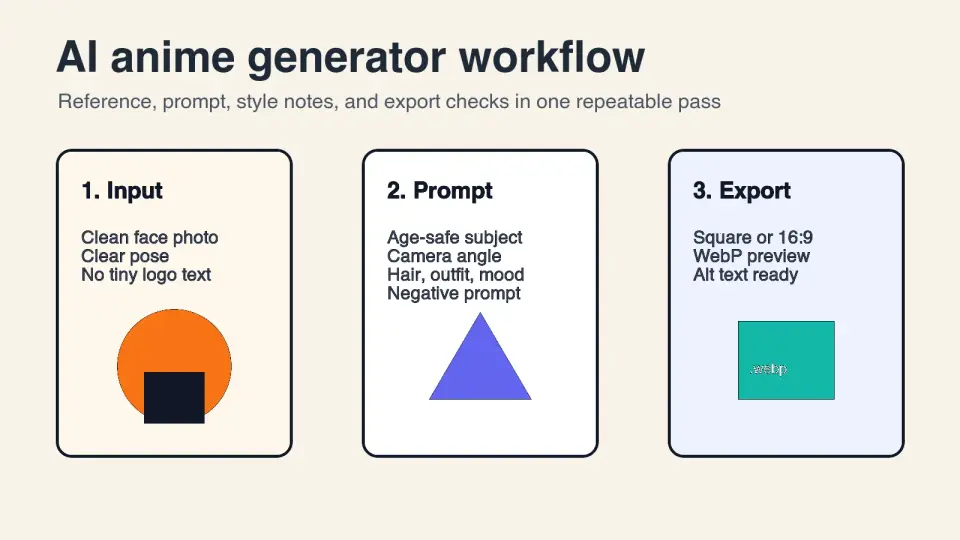
2026-07-26
AI Anime Generator Guide: Prompts, Styles, and Safe Exports
A practical AI anime generator workflow for portraits, avatars, banners, and social posts, with prompt templates, style checks, and export rules.
2026-07-26
Text-to-Image AI in 2026: How Prompt Generation Actually Works
Text-to-image AI turns a written prompt into a finished picture. Here is how the models, prompts, and settings behind image generation fit together in 2026.