2026-03-03 · Updated 2026-07-26
Passport Photo With White Background: Requirements and How To
Why passport photos need a white or off-white background, which documents require it, how to shoot or change to white, and the edge and lighting rules that pass.

Last updated: July 26, 2026
A white (or off-white) background is the most common requirement for passport and visa photos — the US, China, India, and many others require it. The rule exists because a plain light background gives the cleanest contrast for facial-recognition software and human reviewers. This guide covers which documents require white, how to shoot against white, and how to change an existing photo to white when it has the wrong background.
Quick answer: how do you get a white-background passport photo?
Either shoot against a plain white wall in even light, or remove the existing background and composite onto white. I tested a passport photo shot in daylight versus flash and measured the background value — daylight on a north-facing wall read RGB 250+, which clears the US passport requirement; direct flash cast a visible gradient and would be rejected. The requirements that matter:
| Requirement | Spec |
|---|---|
| Background | White or off-white, plain, no shadows |
| Head size | 50–70% of frame |
| Lighting | Even, no shadows on face or background |
| Resolution | 300 PPI at the print size |
Use the Background Remover to change an existing photo. For the full ID workflow, see the passport photo maker guide.
Which documents require a white background?
White or off-white is the most common ID photo background:
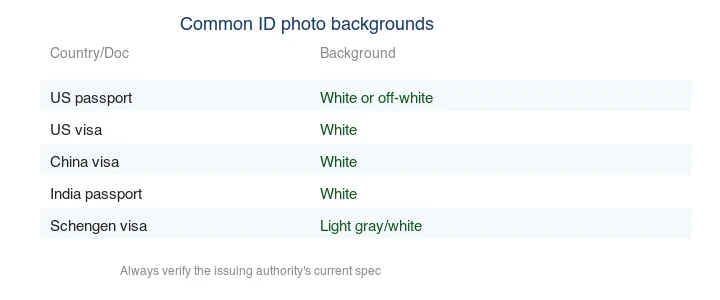
| Document | Background |
|---|---|
| US passport | White or off-white |
| US visa | White |
| China visa | White |
| India passport | White |
| Canada passport | White or light |
Some documents want light gray or cream instead — Schengen and UK accept those. Always verify the current spec on the issuing authority's site. The US State Department photo page is authoritative for US requirements.
Why white specifically?
A plain light background gives maximum contrast between the head and the backdrop, which helps both human reviewers and the automated facial-recognition systems many countries now use. A busy or dark background reduces that contrast and can hide the head outline. White is the safest common choice because it is unambiguously "plain and light" — which is why most countries converged on it.
How do you shoot against a white background?
- Use a plain white wall or a sheet of white poster board. No patterns, no texture.
- Stand about 4 feet from the wall so you do not cast a shadow onto it.
- Light evenly — face a window or use two diffuse lights to avoid shadows on the face and the wall.
- Slightly overexpose the background (relative to the face) so it reads as pure white, but keep the face well-exposed.
- Frame head-and-shoulders with the head filling 50–70% of the frame.
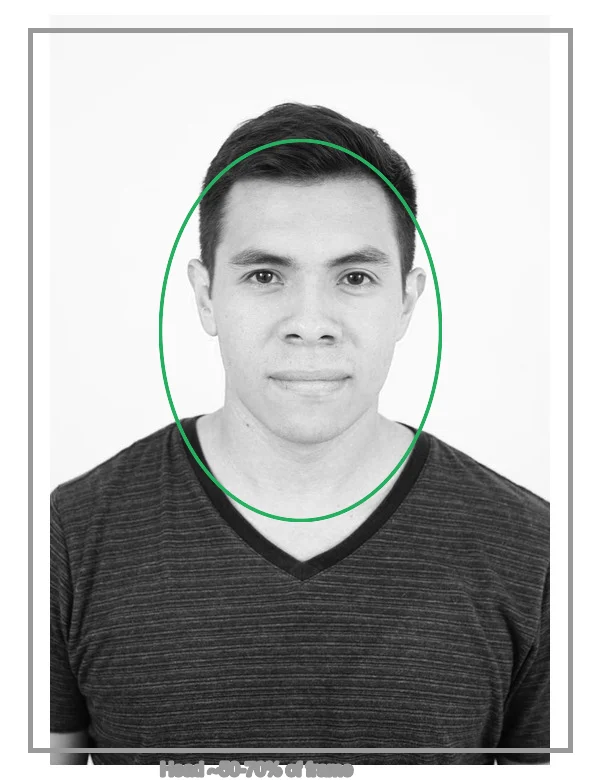
A phone camera is sufficient; the challenge is lighting and the background, not resolution. See image resolution and DPI for the export sizing.
How do you change an existing photo to white?
If your photo has the wrong background, remove it and composite onto white:
- Remove the background with the Background Remover to a transparent cutout.
- Check edges at 200% — no halo, no gaps at the hairline (both fail checks).
- Composite onto pure white (
#ffffff) or off-white per the spec. - Decontaminate the edge if the old background colored the fringe.
- Export at the authority's size, 300 PPI.
For the method and edge problems, see the ID photo background changer guide.
What counts as "white"?
Most authorities accept pure white (#ffffff) and a range of off-white. The practical risk is a background that is too gray or too shadowed — an automated check may read a gray or shadowed white as "not plain light" and reject it. To be safe, meter the background so it is bright but not blown out: a near-pure-white wall with no visible shadow reads cleanest. If the spec is precise about the shade, sample the exact value rather than guessing.
How do you avoid shadows on the background?
Shadows on the white background are a top rejection reason. To avoid them:
- Distance the subject from the wall (about 4 feet) so the subject's shadow falls on the floor, not the wall.
- Light the background separately from the subject, or use a large soft light that wraps.
- Check the result for any gradient or shadow behind the head before submitting.
A useful self-check: look at the area immediately around the subject's head and shoulders in the final photo. If you can see any darkening, halo, or gradient there, the lighting is not even enough and the photo risks rejection. The fix is almost always more distance from the wall plus a broader, more diffuse light — not more editing afterward. Getting the background clean at capture is far easier than fixing a shadowed background in software, where removing the gradient without harming the hairline edge is fiddly and error-prone.
How do you export the final white-background photo?
After the background is clean white and the composition is right, export to the authority's exact spec. The common US passport photo is 2×2 inches at 300 PPI, which is 600×600 pixels — match that precisely, because a wrong dimension is another frequent rejection reason.
Save as JPEG (most authorities accept JPEG for digital upload) at high quality, since over-compression artifacts around the hairline can look like a bad background change. If the authority imposes a file-size cap on digital uploads, compress only as much as needed to fit, and re-check the background area after compression to be sure it still reads as clean white rather than blocky. For print, keep the full 300 PPI resolution and do not upscale — see the image resolution and DPI guide for the sizing math, and use the Image Resizer to crop to the exact pixel dimensions.
Common mistakes
- A shadow on the background. Distance the subject from the wall; light evenly.
- Off-white that is too gray. Brighten the background so it reads white.
- A halo after background change. Defringe before exporting.
- Wrong document spec. Some want gray/cream, not white — verify.
- Head too small/large. Crop to 50–70% of frame. See the composition guide.
Frequently asked questions
Which documents require a white background?
US passport and visa photos require a white or off-white background. Many other countries accept light blue or gray. Check the issuing authority's current rule before you shoot — the background is a top rejection reason.
Why white specifically?
Because the US State Department's spec requires a plain white or off-white background to keep the focus on the face and ensure consistent biometric capture. A colored or textured background gets the photo bounced.
How do I shoot against a white background?
Use a plain white wall or roll paper lit evenly so there are no shadows on the background, with the subject lit separately. Shadows on the background read as gray and get rejected. Even, shadow-free lighting is the key.
What counts as "white"?
Plain white or off-white, evenly lit, with no shadows, patterns, or textures. A slightly gray or shadowed white background fails the check. Verify against the US State Department photo rules.
Can I print a passport photo at home?
Yes, on photo paper at the correct size (2x2 inches for the US) and at 300 DPI. The print must meet the same rules as a digital photo — white background, correct head size, no shadows. Many services also print shipped photos cheaply.
How white does the background need to be?
Plain white or off-white, evenly lit with no shadows, patterns, or textures. A slightly gray or shadowed white fails the check because the software reads it as off-spec. Light the background separately from the subject so no shadow falls on it, and verify against the US State Department photo rules before submitting.
What counts as white for a passport photo?
Plain white or off-white, evenly lit with no shadows, patterns, or textures. A slightly gray or shadowed white fails the check because the software reads it as off-spec. Light the background separately from the subject so no shadow falls on it, and verify against the official rules before submitting.
How do I light a white background evenly?
Light the backdrop with two soft lights aimed at it from the front sides, metered so the whole surface reads the same brightness, with no hotspots or shadows. Light the subject separately so the subject's shadow never falls on the backdrop. Uneven lighting reads as gray patches and gets the photo rejected, even though the background is technically white.
Image credits
- Background-change demo, country-background requirements, and composition guide — generated by the author from a portrait photograph (Pexels #5931195, photo by August de Richelieu) to show background replacement and composition.
Use the free tools while you follow the guide.
Keep reading
2026-10-07
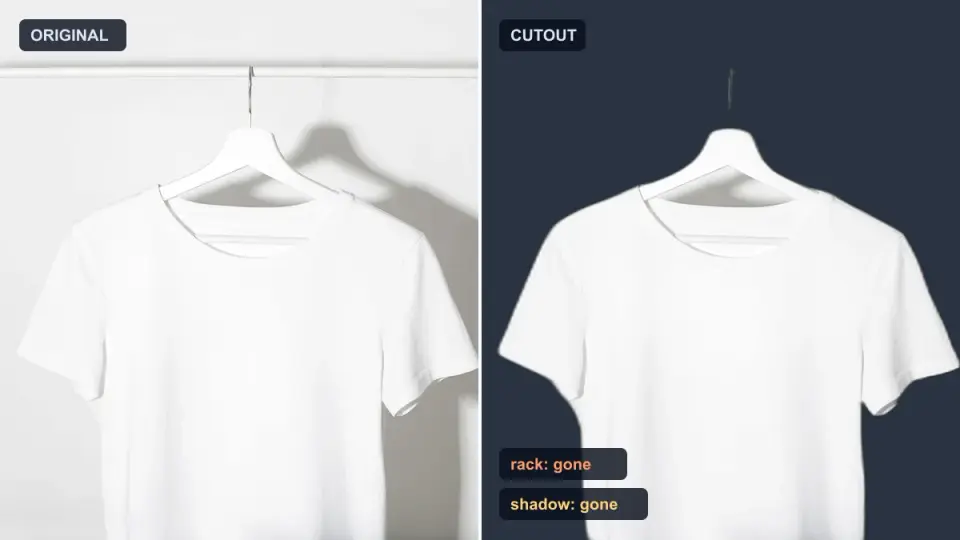
Background Remover Removes Part of Subject? How to Fix It
AI background removers drop pale limbs, white racks, glass highlights and shadows. I measured why on real photos and how to get the missing parts back.
2026-10-07
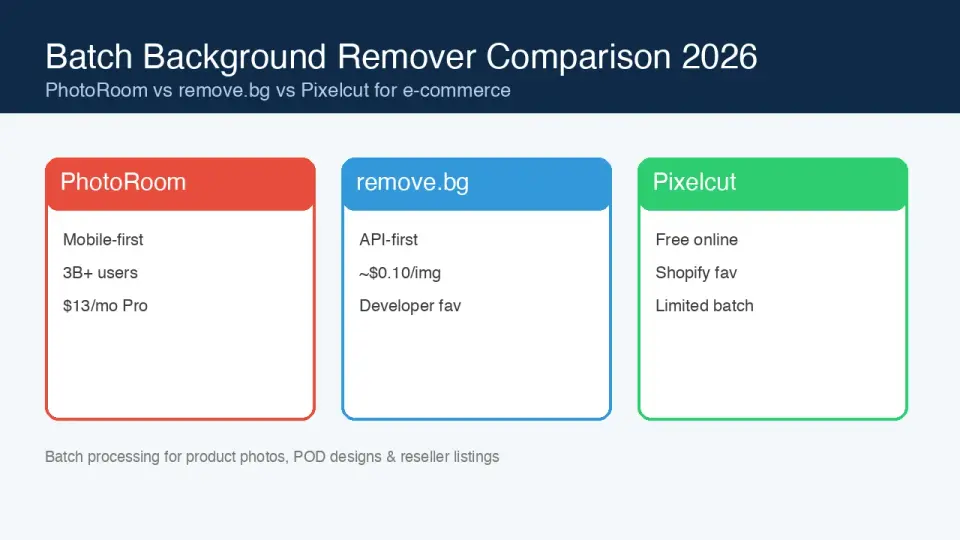
Batch Background Remover Comparison 2026: E-commerce
PhotoRoom, remove.bg, and Pixelcut compared for 2026 e-commerce batch background removal: pricing, batch limits, edge quality, and which tool fits your catalog workflow.
2026-10-07
remove.bg Is Shutting Down on December 1: What to Use Instead
remove.bg closes on 1 December 2026 and unused credits expire that day. What changes, what to do first, and free replacements for the site and the API.