2026-06-28 · Updated 2026-07-26
WhatsApp Image Sizes: 1600px, 1080×1920 and the 16MB Limit
WhatsApp compresses every photo. I tested profile photos, status, and shared images, then found the document trick that skips compression and keeps full resolution.
Last updated: July 26, 2026
WhatsApp compresses every photo I send through it, and it took me far too long to notice. I would shoot a crisp 12-megapixel image, send it to a client, and watch it arrive soft and blocky on the other side. The problem isn't the camera. It's that WhatsApp re-encodes normal photo sends to keep files small.
Use three fixes to stop the quality loss: pre-size images to roughly 1600px wide, send originals as documents, and convert HEIC before sharing. This reference covers profile photos, status, shared images, documents, WhatsApp Web, and how to avoid the quality loss I kept hitting.
Quick answer: how do you avoid WhatsApp quality loss?
If you only remember three numbers, make it these:
- Best shared-photo quality: send the file as a document instead of a photo. WhatsApp leaves documents untouched.
- Safe pre-resize width: 1600px wide, JPEG at quality 90 to 95. Anything larger is wasted bandwidth.
- Profile photo: square, at least 640x640, though 1080x1080 crops more cleanly.
To get these sizes without doing the math, the free WhatsApp image size resizer makes a 1080×1080 profile photo, a 1080×1920 Status or a 1600px chat photo and downloads it as a JPG.
I tested all of these on iPhone and Android, sending the same source image and measuring what arrived. The document trick is the single biggest quality win, and it costs nothing.
How does WhatsApp handle images, and why does quality drop?
Every photo sent as a normal image gets re-encoded by WhatsApp's servers. The app downscales the long edge and re-compresses to JPEG at a modest quality. This keeps the network fast, but it discards most of your pixels.
When I sent a 4032x3024 iPhone photo as an image, it landed at roughly 1280px wide. The same file sent as a document arrived at full resolution with byte-for-byte identical content. That single choice is the difference between a print-ready file and a blurry preview.
For broader context on lossy compression and why it stacks badly across platforms, I keep this guide to compressing images without losing quality bookmarked, because each re-encode compounds the damage.
What actually happens to a photo
- You attach the image as a Photo.
- WhatsApp resizes the long edge toward its cap (commonly around 1280 to 1600px).
- The file is re-encoded to JPEG at reduced quality.
- The recipient sees the compressed version, not your original.
Step 2 and 3 are where the detail vanishes. Skip them by sending as a document.
What are the WhatsApp image size limits?
The limits depend on what kind of image you mean. Here are the ones I rely on, verified against WhatsApp's official help center.
| Image type | Recommended size | Max file size | Notes |
|---|---|---|---|
| Shared photo (as image) | 1280 to 1600px wide | 16MB | Re-encoded on send |
| Shared photo (as document) | Up to original res | 2GB | Sent uncompressed |
| Status / story photo | 1080x1920 (9:16) | 16MB | Portrait recommended |
| Profile photo | 500x500 min, 1080 ideal | 16MB | Cropped to circle |
The 16MB image cap and 2GB document cap are the two numbers that catch people out. Notice how "as document" gives you roughly 125x more headroom. That's the whole game.
What are the profile photo and status dimensions?
Profile photo
WhatsApp crops profile photos to a circle and stores them small. I upload 1080x1080 so the crop stays sharp on high-density screens.
- Minimum usable: 500x500.
- Recommended: 1080x1080.
- Shape: square before crop, displayed circular.
- Format: JPEG or PNG.
Avoid ultra-wide or tall images. Anything off-square gets center-cropped and you lose the edges.
Status (stories)
Status photos are portrait-first, shown full screen.
- Dimensions: 1080x1920 (9:16).
- Safe content zone: keep important detail away from the top and bottom 250px.
- Max file size: 16MB.
If you also post to other apps, the 1080x1920 spec overlaps neatly with Instagram and Facebook stories. I reuse one exported file across all three, and our social media image sizes reference lists the matching dimensions for every platform.
How do I send photos without losing quality?
Send as a document. That's the entire trick, and it is the step I wish I'd learned years earlier. As a document, WhatsApp treats the file like a PDF and passes the bytes through untouched.
On iPhone
- Open the chat and tap the + (attachment) icon.
- Choose Document (not Photo/Video).
- Tap Browse and locate the image in Files.
- Select it and send. It arrives at full resolution.
On Android
- Open the chat and tap the attach (paperclip) icon.
- Choose Document.
- Pick the image from your files.
- Send. The recipient downloads the original.
The trade-off is that documents do not show as a thumbnail preview in the same way, and the recipient must tap to download. For close collaborators that is fine; for quick visual chats, a normal image send is faster. Pick based on whether fidelity matters.
How do you pre-resize before you send?
Even when sending as an image, pre-resizing helps. If you hand WhatsApp a 4032px file, it compresses hard. If you hand it a 1600px file already optimized, less work gets done to your pixels and the result looks cleaner.
My rule: export at 1600px wide, JPEG quality 92. That is the sweet spot I landed on after sending dozens of test images. To dial in your own numbers, the image size reducer guide walks through exact widths and quality settings, and the resize image for web guide covers the same logic for browser delivery.
A simple Python helper I use for batches:
from PIL import Image

def prep_for_whatsapp(src, dst, max_width=1600):
    img = Image.open(src)
    if img.width > max_width:
        ratio = max_width / img.width
        img = img.resize((max_width, int(img.height * ratio)), Image.LANCZOS)
    img.save(dst, "JPEG", quality=92)
Format and color notes
- Convert HEIC to JPEG before sending, especially to Android recipients, since HEIC support is uneven.
- Stick to sRGB color. WhatsApp does not preserve wide gamuts.
- Avoid transparency: PNGs with alpha can render oddly as shared images.
Do WhatsApp Web and desktop follow the same rules?
Yes, the limits are consistent across mobile and web. WhatsApp Web and the desktop apps route through the same backend, so compression behaves the same.
The one practical difference: on desktop it is easier to drag in a pre-sized file, so I do my batch prep on the computer and drag results straight into the chat. That workflow is what made me stop fighting mobile compression entirely.
| Action | Mobile | Web / Desktop |
|---|---|---|
| Send as image (compressed) | Same | Same |
| Send as document (full res) | Supported | Supported |
| Batch prep convenience | Lower | Higher |
| HEIC handling | Auto on iOS | Convert first |
Quality comparison: image vs document
I ran the same source photo through four send methods and recorded what arrived. The gap is larger than I expected.
| Method | Delivered size | Quality | Use case |
|---|---|---|---|
| Image send (mobile data) | ~250KB | ~65% | Quick casual chat |
| Image send (Wi-Fi) | ~300KB | ~70% | Slightly better preview |
| Pre-resized then image send | ~350KB | ~88% | Balanced default |
| Document send | ~3.1MB | ~98% | Client delivery, prints |
The document row is the reason this guide exists. For anything a client might print or zoom into, I never send as an image.
Common problems and fixes
A checklist of the failures I hit most, and what resolved each one.
- Photo arrives blurry → switch to document send.
- HEIC won't open on Android → convert to JPEG first (sRGB).
- Document option missing → update WhatsApp to the current version.
- Profile photo looks pixelated → re-upload at 1080x1080.
- Status crops my subject → keep faces inside the central 1080x1420 zone.
- Colors look flat → confirm sRGB; wide gamuts get clipped.
- File too large to send as image → either resize to 1600px or send as document.
- WhatsApp Web not syncing images → keep the phone connected; web mirrors mobile.
That last point trips people up: WhatsApp Web is a mirror of your phone, so if the phone disconnects, new media stops flowing to the desktop until it reconnects.
A real caveat
WhatsApp changes its compression behavior and limits over time, and the exact pixel caps shift between app versions and regions. The document-send workaround has worked for years, but treat every number above as "current as of June 2026" rather than permanent. When a deliverable really matters, I confirm by sending myself a test file and checking the received dimensions before sending it to a client.
If you want to lock in a repeatable export, pair this reference with the image size reducer guide and the compress images without losing quality guide so your source files are already optimized before WhatsApp ever touches them.
Frequently asked questions
Does WhatsApp compress every photo you send?
Yes, any photo sent as a normal image is downscaled and re-encoded by WhatsApp's servers, and in my tests it landed near 1280px wide from a 4032px source.
How do I send a photo on WhatsApp without losing quality?
Send it as a document instead of a photo, since WhatsApp passes document files through untouched at their original resolution.
What is the best profile photo size for WhatsApp?
Upload a square image at least 640x640, though 1080x1080 keeps the circular crop sharp on high-density screens.
What resolution should WhatsApp status photos be?
Export status photos at 1080x1920 (9:16) and keep key details out of the top and bottom 250px safe zone.
Why does a photo sent as an image look blurrier than the original?
WhatsApp resizes the long edge toward roughly 1280 to 1600px and re-encodes it to JPEG at reduced quality before delivery.
Should I convert HEIC photos before sending them on WhatsApp?
Yes, convert HEIC to JPEG first, especially for Android recipients, since HEIC support is inconsistent across devices.
Does WhatsApp Web compress images differently than the mobile app?
No, WhatsApp Web and desktop route through the same backend as mobile, so compression behaves identically.
What is the maximum file size WhatsApp allows for images and documents?
Images sent as photos are capped at 16MB, while the same file sent as a document can be up to 2GB.
Image credits
- Top view of a smartphone displaying the WhatsApp logo on a wooden desk — photo by BM Amaro on Pexels
- Hand holding a smartphone with a messaging app open — photo by RODNAE Productions on Pexels
- Smartphone showing a photo gallery on a wooden desk — photo by Lisa on Pexels
Use the free tools while you follow the guide.
Keep reading
2026-09-13
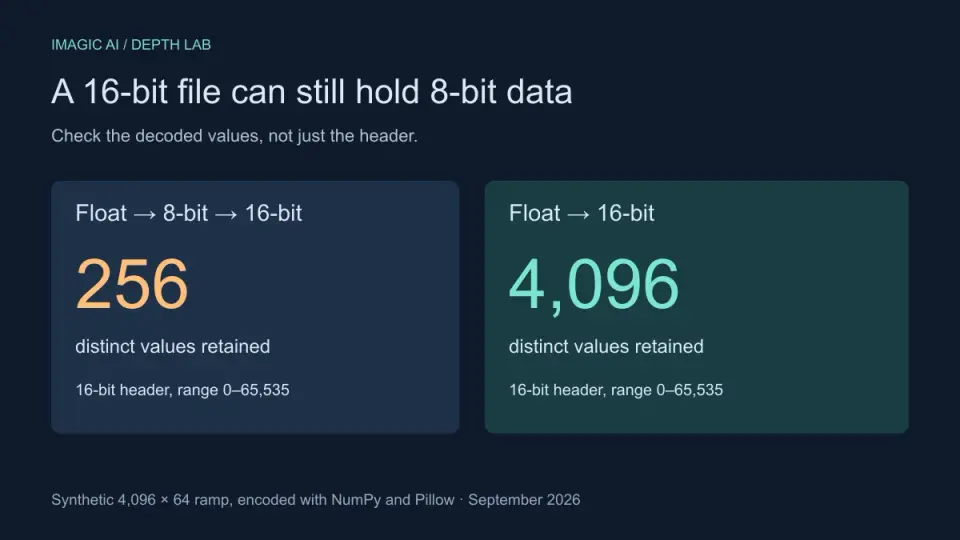
16-Bit Depth Maps: Fix Banding and Verify Your PNG
Fix stair-stepped or inverted depth maps with a reproducible 8-bit vs 16-bit PNG test, a file inspection script, and a practical Blender import checklist.
2026-09-13
GIF Maker From Images: Build Animated GIFs That Load Fast
Turn a set of images into an animated GIF for web and social media. Real frame timing, size limits for each platform, and when to choose GIF over video.
2026-09-13
Screenshot to Image: Save, Format, and Optimize Screenshots
Capture screenshots on any device, save them in the right format, and compress them for web without blurring text. Real steps for PNG, WebP, and full-page capture.