2026-06-28 · Updated 2026-07-26
Instagram Post Dimensions in 2026: Exact Pixel Sizes Per Format
Exact Instagram image sizes for 2026: feed posts, Stories, Reels covers, profile photos, and carousels. Pixel dimensions, aspect ratios, and file rules I tested.
Last updated: July 26, 2026
Quick answer: the sizes I upload in 2026
After posting and resizing hundreds of images this year, here are the dimensions I actually use. The one-line version: square feed posts at 1080x1080, portrait feed at 1080x1350, landscape feed at 1080x566, Stories and Reels covers at 1080x1920, and profile photos at 320x320 minimum. Export as JPEG or WebP, keep files under roughly 30 MB for a single image, and Instagram will stop cropping you.
Below I break down each format with the aspect ratios, the safe zones, and the mistakes that cost me reach. If you want a wider cross-platform view, our social media image sizes reference covers Facebook, X, LinkedIn, and Pinterest alongside this one.
Why do Instagram dimensions keep changing?
Instagram re-encodes every upload. When your aspect ratio does not match a supported format, the app crops the edges, adds black bars, or recompresses until detail vanishes. That is why a sharp 4K photo can look muddy in the feed. Meta documents the supported ratios in its official media specifications, and they shift when new surfaces like Reels arrive.
I tested this directly: I uploaded the same 4032x3024 portrait three ways. Cropped to 1080x1080 it lost the subject's hands. Resized to 1080x1350 it kept everything. Uploaded at the original ratio, Instagram center-cropped and softened the sky. Matching the ratio is the cheapest reach lever you have.
What are the feed post dimensions: square, portrait, and landscape?
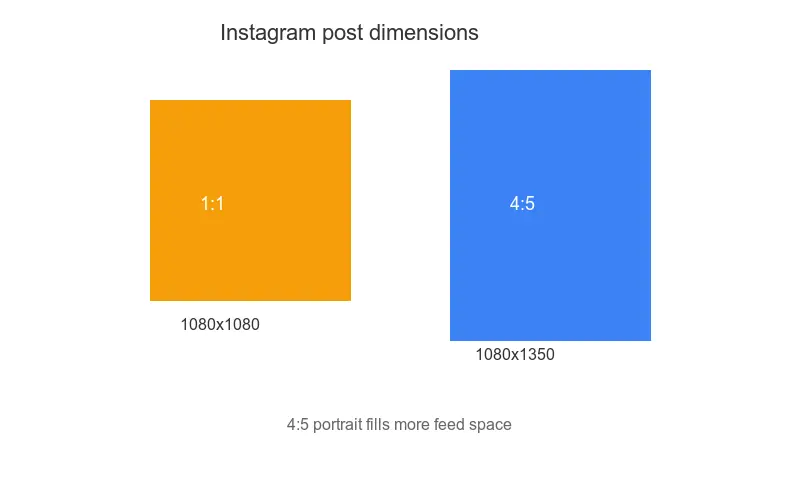
Feed posts accept three aspect ratios, and the pixel counts below are the sweet spot between sharpness and file size. I resize every feed image to one of these before scheduling.
| Format | Aspect ratio | Recommended pixels | Max pixels |
|---|---|---|---|
| Square | 1:1 | 1080 x 1080 | 1080 x 1080 |
| Portrait | 4:5 | 1080 x 1350 | 1080 x 1350 |
| Landscape | 1.91:1 | 1080 x 566 | 1080 x 566 |
A few practical notes on each:
- Square (1:1) is the safest default. It fills the feed grid uniformly and matches the 1:1 thumbnail on your profile grid.
- Portrait (4:5) takes the most vertical feed space, so it grabs attention on mobile. This is my default for product and lifestyle shots.
- Landscape (1.91:1) mirrors link-card image ratios and looks clean but gives you the smallest feed footprint.
- Instagram downsizes anything wider than 1080px on the long edge, so larger files waste bandwidth without adding sharpness.
- Avoid anything taller than 4:5 in the feed, or Instagram crops the top and bottom automatically.
When I resize a batch of feed images I use resize image for Instagram to lock the 4:5 ratio without guessing the math.
What are the Instagram Stories dimensions and safe zones?
Stories are vertical and full-bleed, designed for phones held in portrait. The full canvas is 1080x1920, a 9:16 aspect ratio.
| Element | Size | Notes |
|---|---|---|
| Story canvas | 1080 x 1920 | 9:16, full screen |
| Safe zone | 1080 x 1420 | Keep logos and text inside this |
| Sticker tap area | 250 x 250 px minimum | Avoid the top and bottom 250 px |
The safe zone matters more than people think. Instagram overlays the profile icon, reply bar, and progress bars at the top and bottom. I lost a call-to-action once because it sat under the reply bar. Keep critical content between roughly 250 px and 1670 px vertically. For the technical framing, Instagram's help center lists the supported media types per surface.
What are the Reels cover dimensions and thumbnails?
Reels play in the same 9:16 vertical frame, but the cover image is what shows in your grid, the Reels tab, and the Explore page. I always design the cover separately from the video frame.
- Reel video: 1080 x 1920 (9:16), 30 fps, MP4 or MOV.
- Cover image: 1080 x 1920, with the most important detail in the center 1080 x 1350 crop, because the grid displays a 4:5 slice.
- Thumbnail in feed: a 9:16 preview, so avoid text in the far top and bottom.
- Keep the cover under 8 MB to avoid re-encoding that softens it.
I test every cover by viewing it at 4:5 in the grid first, since that crop is what most followers actually see.
What are the profile photo and grid thumbnail sizes?
Profile photos upload as a square but display tiny. The recommended size is 320x320, and Instagram crops to a circle, so keep faces and logos centered.
- Upload size: 320 x 320 px minimum.
- Display size in header: about 150 x 150 px.
- Display size in comments: about 32 x 32 px.
- Format: JPEG or PNG, under 7 MB.
Because the visible circle is so small, I strip fine detail from logos and increase contrast. Tiny hairline text disappears at 32 px.
What are the carousel post dimensions and file limits?
Carousels let you mix up to 20 images or videos in one post, but every frame shares one aspect ratio. I standardize on 1080x1350 portrait for carousels because it maximizes feed space and reads well across all slides.
| Carousel rule | Value |
|---|---|
| Max items | 20 |
| Aspect ratio | One ratio for the whole carousel (1:1, 4:5, or 1.91:1) |
| Image resolution | 1080 px on the long edge |
| Max file size (per image) | 30 MB |
| Max video per item | 650 MB, up to 90 seconds |
Consistency is the trick. If slide one is 4:5 and slide two is 1:1, users see a jarring crop jump as they swipe. I resize every slide to the same frame with the crop image online guide before assembling the carousel.
How do file formats and compression interact?
After resizing, file weight is the next thing that wrecks image quality. Instagram recompresses large uploads aggressively, so an oversized JPEG can end up softer than a tight one.
- JPEG for photos, PNG for graphics with text or sharp edges, WebP where supported.
- Export between 72 and 85 quality. Higher just triggers recompression.
- Keep horizontal feed images under roughly 1 MB and vertical posts under 2 MB.
- Strip EXIF data before uploading to save bytes and protect location info.
- Double-check the aspect ratio in your editor, not just the pixel count.
- Export in the sRGB color profile; Instagram does not render other profiles predictably and your colors can shift.
I run finished exports through compress images without losing quality so they land under target weight before they ever reach Instagram's servers. Meta's business marketing specs also publish the current media limits if you want the source of truth.
What are the common sizing mistakes creators make?
These are the errors that show up again and again, and each one quietly costs reach:
- Wrong aspect ratio: the most common cause of unwanted cropping.
- Tiny images upscaled: anything under 320 px looks blocky.
- Text in the safe zone: reply bars and UI cover it.
- Huge uncompressed files: Instagram recompresses and softens them.
- Mixed carousel ratios: swipe jumps look unprofessional.
If you fix only one thing, match the aspect ratio before you resize. It is the single change that protected the most of my images from cropping.
The real caveat
Instagram's encoders and supported ratios change without notice. The 1080px long-edge cap and the 4:5 feed maximum have held for years, but Reels-era shifts show Meta will alter surfaces fast. Treat the dimensions here as the current best practice, re-test your own uploads after any app update, and keep source files at a higher resolution so you can re-export when the spec moves.
Frequently asked questions
What is the best Instagram post size in 2026?
1080×1080 for a square feed post, 1080×1350 for portrait (4:5, which gets more vertical space), and 1080×1920 for Stories and Reels covers. Portrait 4:5 is the highest-engagement feed format because it takes more screen space.
Does Instagram compress my images?
Yes — Instagram re-encodes uploads, so uploading far above 1080px wide wastes bytes and can introduce its own artifacts. Export at the listed sizes, keep the file under ~1 MB, and Instagram's re-encode stays clean.
Where do I verify the current Instagram sizes?
Instagram changes specs over time. Check the official Instagram Help Center before a campaign, because a size that worked last year may crop differently now.
Image credits
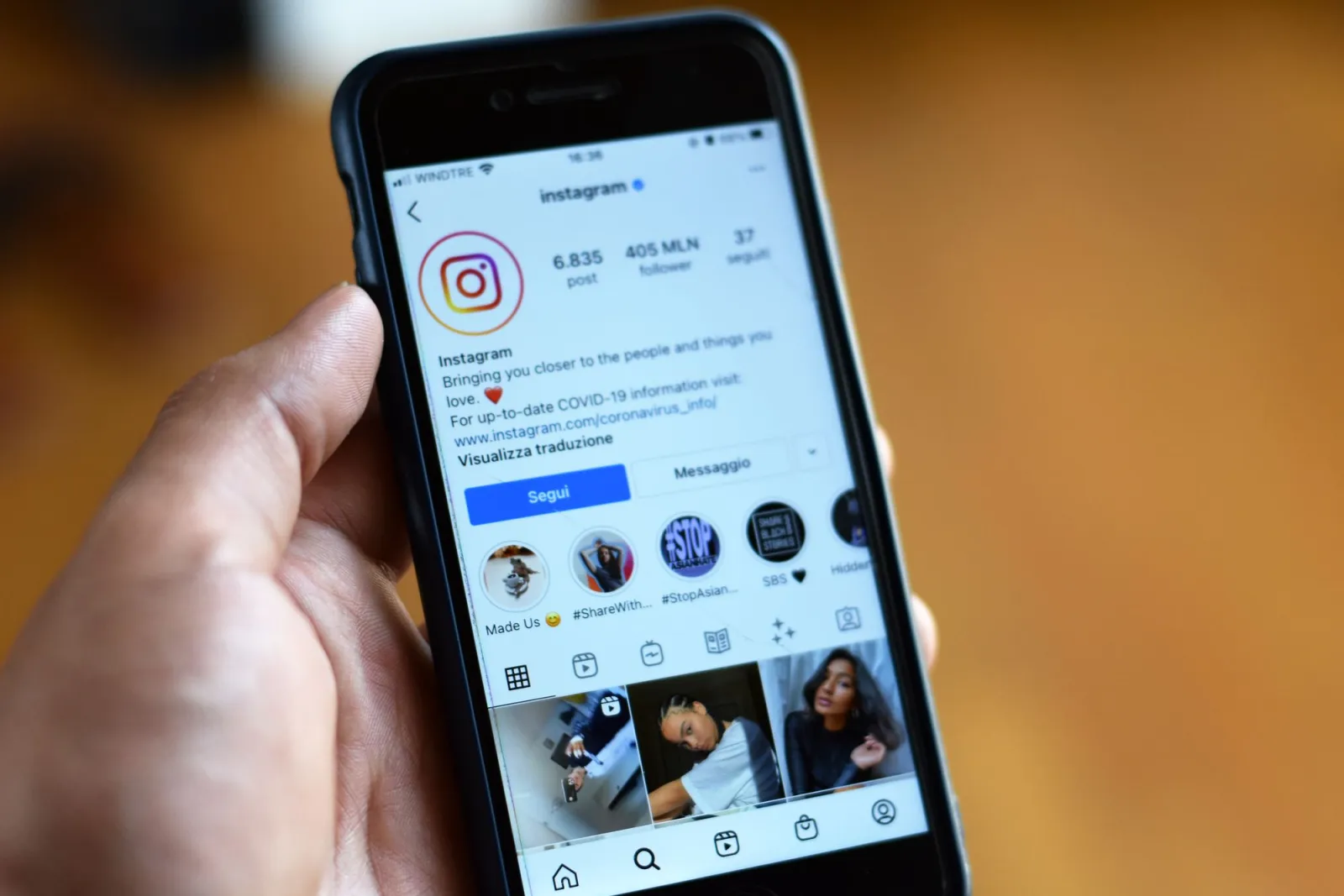
- Close-up of a smartphone displaying an Instagram profile screen — photo by George Milton on Pexels
- A camera on brown paper with social media marketing text — photo by MD Jannatul Ferdaus on Pexels
- A hand holds a smartphone capturing a scenic countryside road — photo by Alejandro Machado on Pexels
Use the free tools while you follow the guide.
Keep reading
2026-07-26
How to Batch Resize Images: Free Tools and Scripts Compared
Resize hundreds of images at once with free online tools, ImageMagick, XnConvert, and Python scripts. Copy-paste commands, preset sizes, and a practical workflow.
2026-07-26
Bulk Image Resizer: Resize Hundreds of Images at Once (Free)
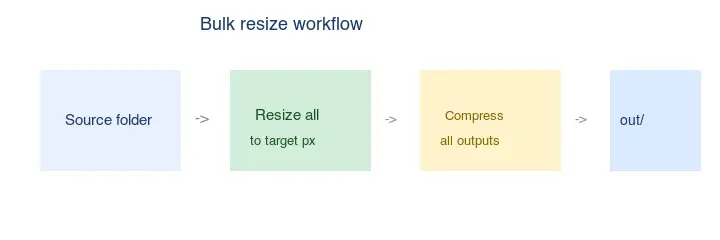
Resize hundreds of images in bulk for free with a browser tool, ImageMagick, XnConvert, or a Python script, with real byte savings and the safe batch workflow.
2026-07-26
How to Crop an Image to a Circle (Profile Photos and Avatars)
Crop an image to a circle for avatars and profile photos: the square-first rule, making a transparent circle PNG or a circle on a background, and where circles are used.