2026-03-28 · Updated 2026-07-12
Pinterest Image Sizes: Pin Dimensions That Do Not Crop
Use the right Pinterest image sizes for standard Pins, ads, carousels, product Pins, and blog graphics, with export checks before publishing.
Last updated: July 12, 2026
Pinterest is unforgiving about shape. A beautiful product photo can look cheap if the title lands below the crop line, and a blog graphic can lose its point if it was exported too wide for a vertical feed.
Use this guide when you need one clean set of Pinterest dimensions for organic Pins, ads, carousels, shopping creative, and blog promotion images.
Quick answer: what size should a Pinterest image be?
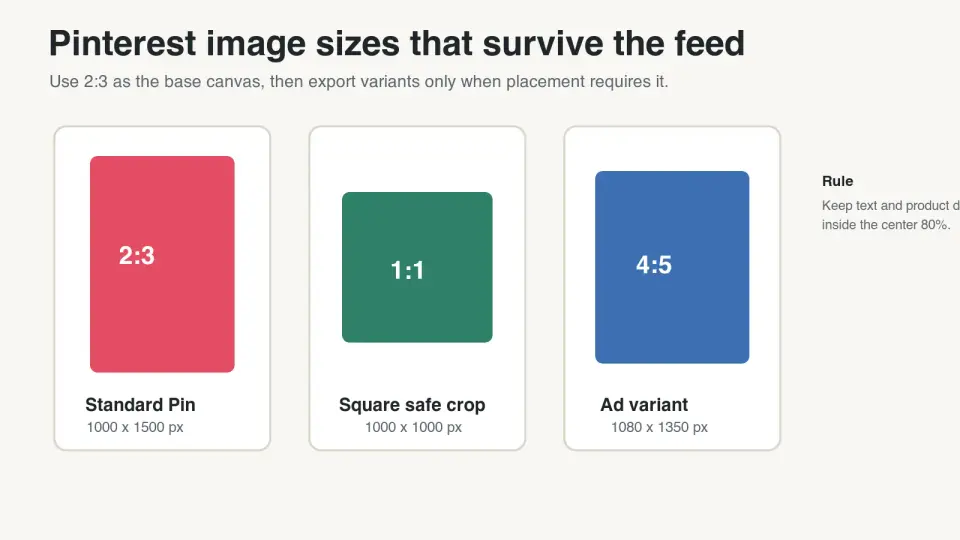
Use 1000 x 1500 pixels for most Pinterest images. That is a 2:3 aspect ratio, which Pinterest recommends for standard image ads and general creative. Pinterest's business creative guidance says larger aspect ratios may be cut off in feeds, and its product specs repeat the same 2:3 recommendation for standard image ads.
Use square images only when the placement needs a compact crop, such as some carousel cards, product catalog assets, or reused social creative. Use 9:16 for video-first story-style assets, not for the standard static Pin you expect to show fully in a feed.
If you are making one graphic for a blog post, start at 1000 x 1500 px, keep important text away from the bottom edge, export a compressed file, and preview it on a phone before scheduling.
What Pinterest image sizes should you use in 2026?
The safest Pinterest image size is still the vertical 2:3 Pin. It is tall enough to earn space in the feed without crossing into the "too tall" zone where content can be truncated.
| Pinterest asset | Recommended size | Aspect ratio | Use it for |
|---|---|---|---|
| Standard static Pin | 1000 x 1500 px | 2:3 | Blog graphics, product Pins, evergreen content |
| Square Pin | 1000 x 1000 px | 1:1 | Profile grids, simple product cards, carousel variants |
| Tall idea-style creative | 1080 x 1920 px | 9:16 | Video or story-like creative, not the default static Pin |
| Carousel card | 1000 x 1500 px or 1000 x 1000 px | 2:3 or 1:1 | Multi-image tutorials, product angles, collections |
| Product catalog image | 1000 x 1500 px when possible | 2:3 | Shopping Pins where the product fills the frame |
| Blog post hero repurposed for Pinterest | 1000 x 1500 px | 2:3 | Article promotion, lead magnets, checklists |
Pinterest's official creative best practices recommend 2:3 or 1000 x 1500 px for standard creative. The Pinterest product specs also list 2:3, warn that taller Pins may be cut off, and describe title and description limits that affect how much visible copy you should place in the graphic.
For web publishing, treat the Pinterest file as a channel-specific export, not your source image. Keep the original editable design, then export the Pin after cropping. If the source photo is too small, upscale or replace it before adding text. For broader resizing rules, use Best Image Resizer for Social Media.
Why does the 2:3 Pinterest ratio matter?
Pinterest is a vertical discovery feed. A 2:3 image gives you enough height for a product, headline, and small brand mark while still fitting the standard feed treatment.
Taller graphics can look tempting because they take more scrolling space. The risk is that Pinterest may crop or truncate them, especially in feeds where speed and consistency matter. That is painful for recipe cards, infographics, and shopping Pins because the missing bottom section often contains the call to action, ingredients, price, or product benefit.
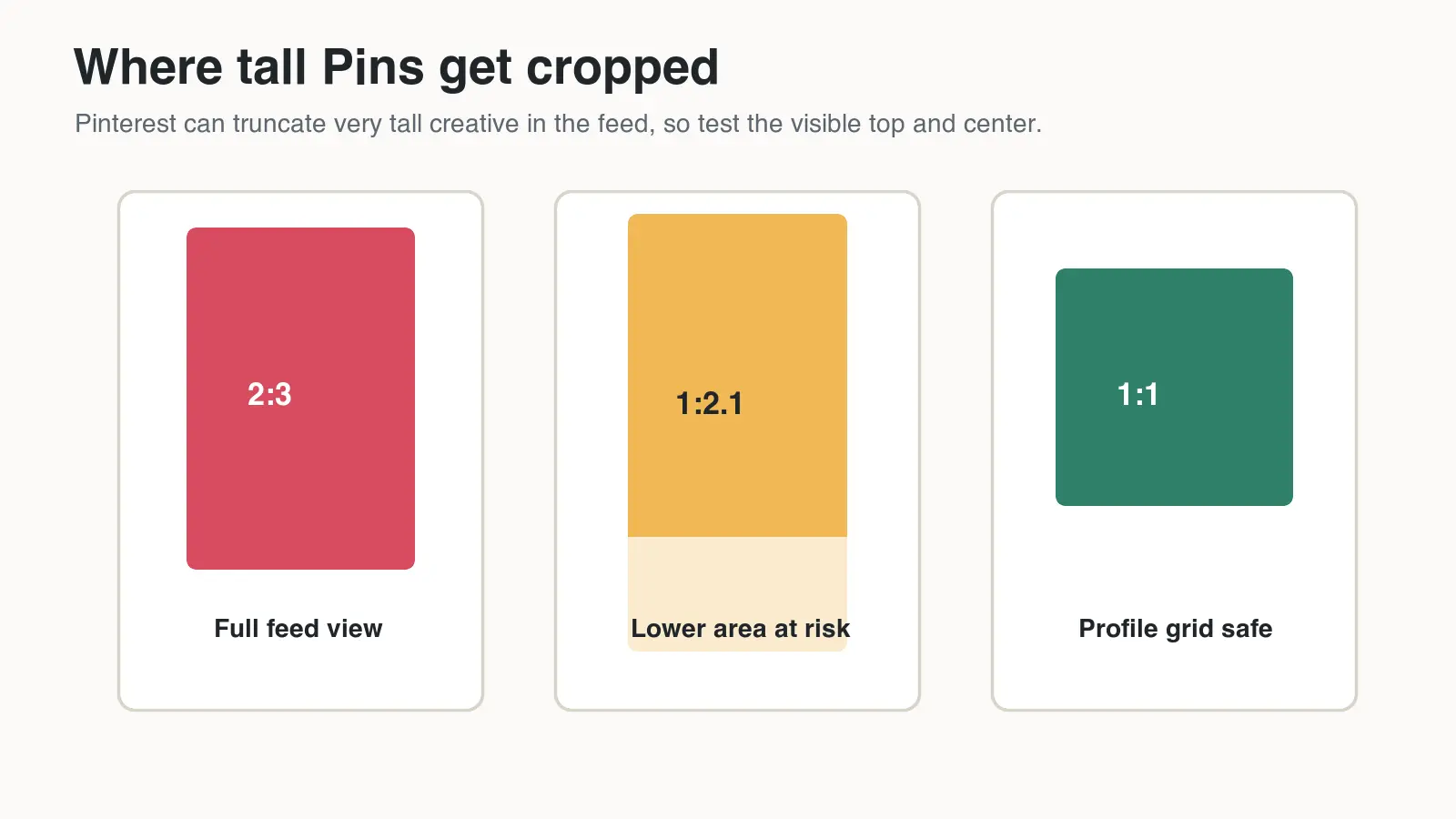
Use these placement rules when designing:
- Put the subject in the center, not pressed against the top or bottom.
- Keep headline text in the upper half if the Pin depends on the headline.
- Avoid tiny text; many users see the Pin first on a phone.
- Leave margin around logos and badges.
- Do not put the only CTA at the bottom edge.
- Check a square crop if the same asset may appear in a profile grid.
If you need to repair an existing wide or awkward image, crop it before adding text. The Crop Image Online Guide is useful when you need to turn a landscape product shot into a vertical Pin without clipping the product.
Which format and file size work best for Pinterest?
Pinterest's ad specs focus on PNG and JPEG uploads. For your own site, CDN, blog, or landing page previews, WebP is usually the better delivery format because it keeps images light while preserving enough detail for visual content.
That distinction matters. The file you upload to Pinterest may be a high-quality PNG or JPEG. The image on your blog post, resource page, or Pin design checklist can be a CDN-backed WebP so it loads quickly and remains crawlable.
For this article, I encoded four 1600 x 900 WebP graphics from local ImageMagick exports. The final files measured 20 KB to 37 KB, which is small enough for fast article delivery while keeping the size labels readable on mobile.
| Workflow stage | Best file choice | Practical target | Check before publishing |
|---|---|---|---|
| Editable source | Figma, PSD, Canva, or layered source | Full quality | Text and product can be moved after feedback |
| Pinterest upload | PNG or JPEG | Under the platform file limit | 2:3 ratio, clean preview, no cropped copy |
| Blog or landing page image | WebP or AVIF | Usually under 200 KB for article graphics | CDN URL returns 200 and has reserved dimensions |
| Product catalog source | High-quality JPG or PNG | Large enough for crop variants | Product is sharp after vertical crop |
| Email or thumbnail reuse | WebP or JPEG | Smallest readable version | Text is legible at the rendered size |
For images hosted on your site, Google's image SEO documentation recommends descriptive filenames, useful surrounding text, and crawlable image URLs. MDN's responsive images guide explains how srcset and sizes help browsers avoid downloading a desktop-sized image on a phone.
When Pinterest is only one destination, create channel exports from a single master. Use WebP for your site, PNG or JPEG for Pinterest upload, and smaller derivatives for email or thumbnails. For compression decisions, read Compress Images Without Losing Quality.
How do you make Pinterest images from blog or product photos?
Start with the message, not the template. A Pin has to be understood while someone scrolls, so the image, headline, and crop need to work in one glance.
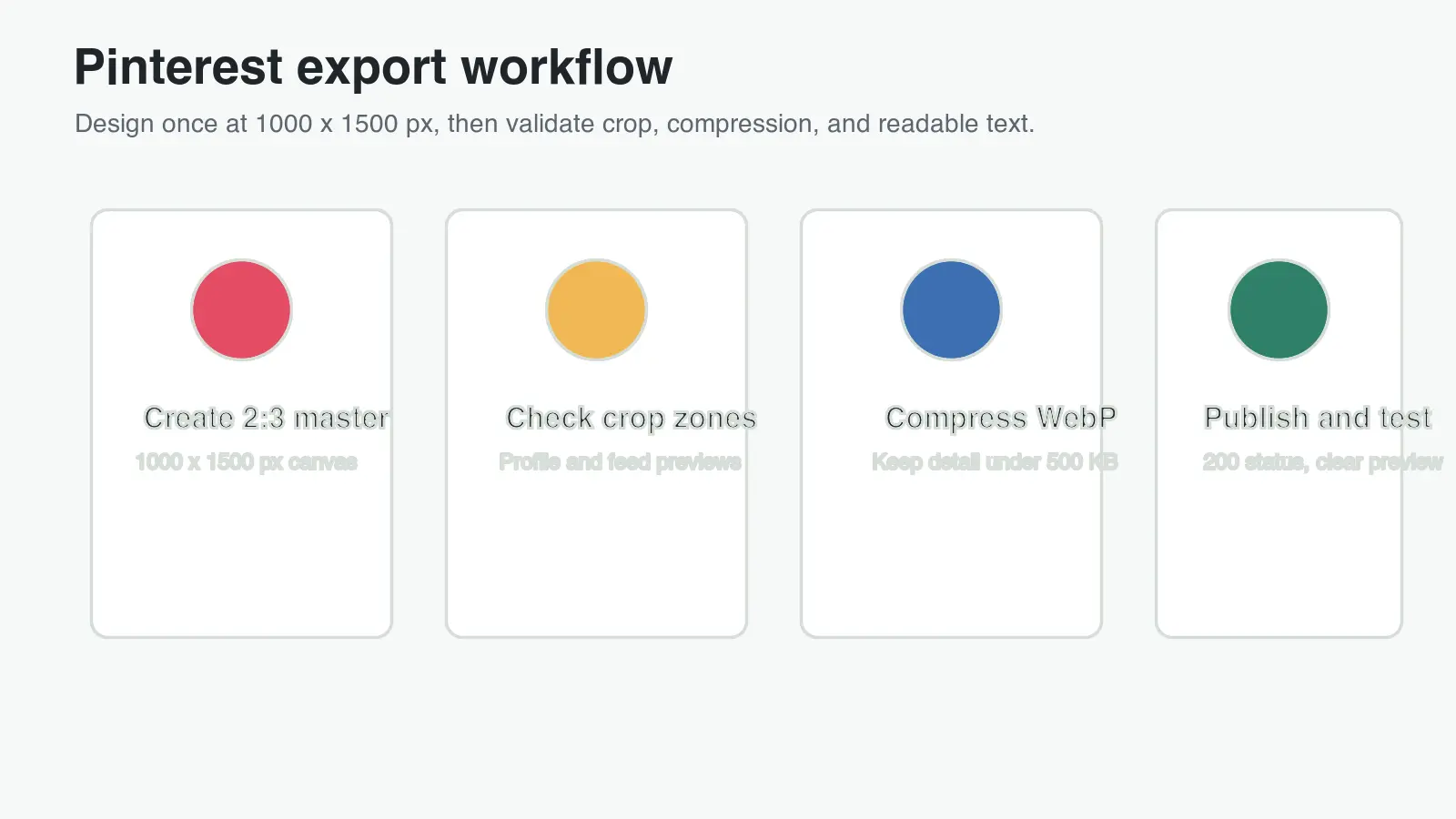
Use this order:
- Choose the destination: blog post, product page, recipe, collection, or lead magnet.
- Build the master canvas at 1000 x 1500 px.
- Place the main photo first, then crop around the subject.
- Add the headline only after the crop is stable.
- Keep brand marks small but readable.
- Export one Pinterest upload file and one website WebP file.
- Preview on mobile before scheduling or embedding.
For product photos, do not stretch the image to fill the full canvas. Extend the background, use a clean crop, or add a solid band for the headline. Product distortion is more noticeable than empty space.
For blog graphics, avoid turning the Pin into a miniature article. A headline, one visual proof point, and a readable promise usually beat a dense checklist. If the source article has charts or screenshots, make a simplified Pin version and link back to the full article.
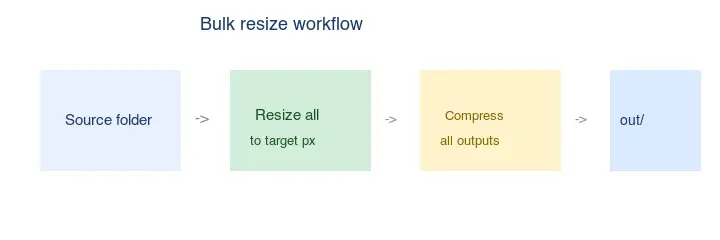
If you regularly produce many Pins from one article library, batch the resize step. The Batch Resize Guide covers how to keep output dimensions consistent across a folder of images.
What should you check before publishing a Pinterest Pin?
A Pinterest graphic can pass the dimension rule and still fail in the feed. The final review should be visual, technical, and editorial.
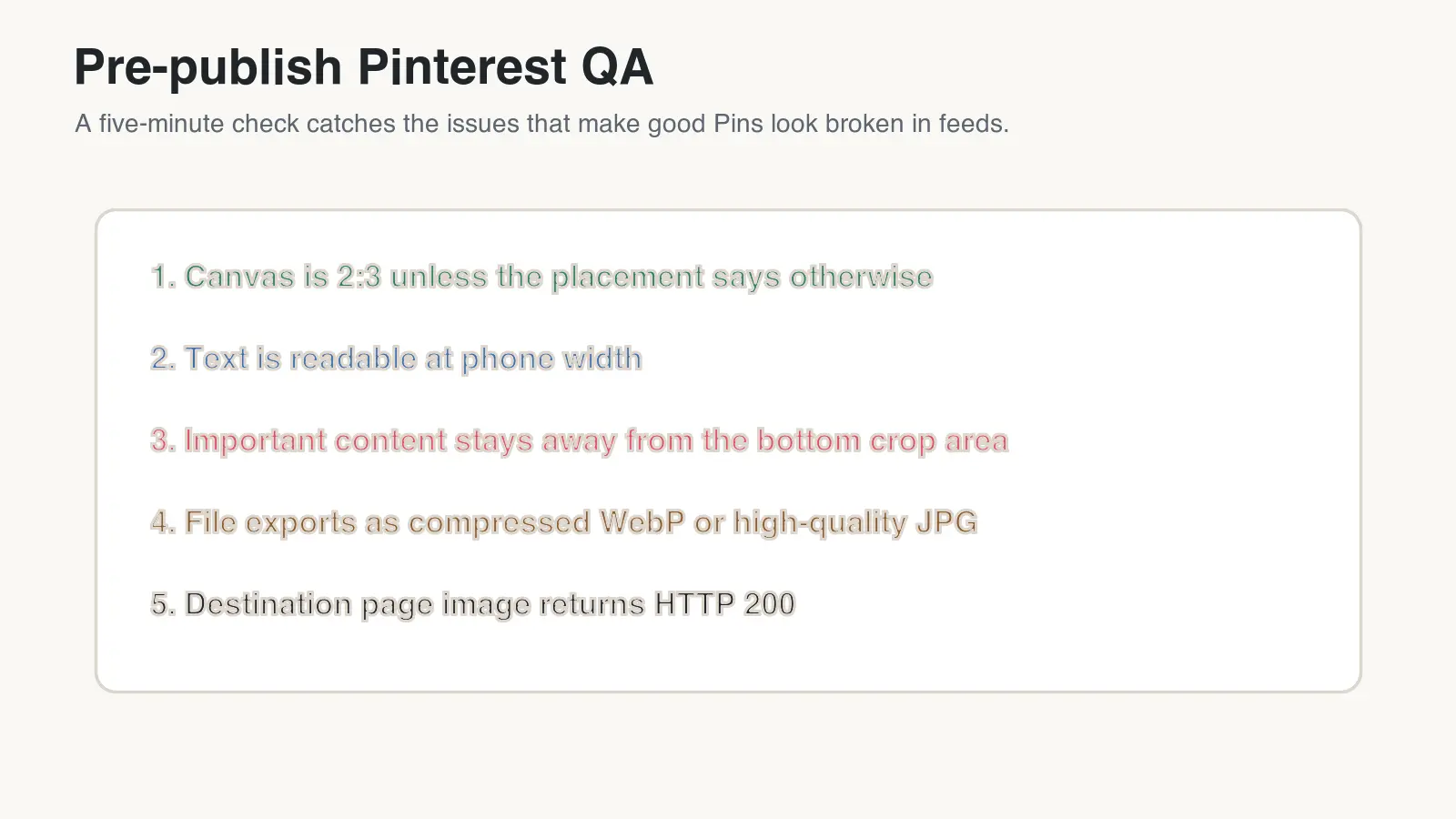
Run this checklist:
- The canvas is 1000 x 1500 px unless the placement requires another shape.
- The important subject is visible in a 2:3 crop.
- The headline is readable at phone width.
- The bottom 15 percent does not contain the only CTA or product detail.
- The file exported cleanly without fuzzy text.
Then check the page and metadata:
- The filename describes the image, such as
summer-sandal-size-guide-pin.webp. - The destination page has a strong image near related text.
- The image on your site returns HTTP 200.
- The Pin title still makes sense if only the first 40 characters appear.
- The description supports the search intent without keyword stuffing.
This review takes less time than fixing a scheduled batch after you notice every Pin has a cropped price badge.
For a wider publish pass that includes alt text, metadata, and page speed, use the Complete Image Optimization Checklist. If organic search traffic matters, pair that with the Image SEO Guide 2026.
How should Pinterest images support SEO and clicks?
Pinterest search is visual, but the destination page still has to do real work. A user who clicks a Pin expects the same product, recipe, checklist, or idea promised in the image.
Match these elements:
| Pin element | Destination page element | Why it matters |
|---|---|---|
| Pin headline | Page title or near-top H2 | Confirms the click was worth it |
| Product photo | Same product or category image | Avoids a bait-and-switch feeling |
| Offer or checklist | Visible section on the page | Helps the user continue immediately |
| Vertical Pin image | Open Graph or article image when relevant | Keeps social previews consistent |
| Descriptive filename | Descriptive CDN or CMS asset name | Helps editors and search systems understand the asset |
For a blog post, add the Pinterest-ready image near the top only if it helps the reader. Do not insert a giant promotional graphic above the answer. A smaller body image with useful alt text can support the article without delaying the main content.
For ecommerce, align the Pin with the landing page photo set. A user who clicks a blue dress Pin should not land on a category grid where the blue dress is hidden below the fold. For product-image specifics, see Ecommerce Image Optimization 2026.
Common Pinterest image size mistakes
Most Pinterest size problems come from repurposing creative without checking the final crop.
Watch for these mistakes:
- Exporting Instagram square graphics and expecting them to fill a Pinterest feed.
- Designing long infographics where the conclusion sits below the cropped area.
- Putting tiny body copy on a Pin instead of saving detail for the page.
- Uploading blurry screenshots because the original was below 1000 px wide.
- Using a horizontal product photo without extending the background.
- Forgetting that titles may show only partially in feeds.
- Saving every version as
pin-final-final.jpg. - Compressing text-heavy graphics so hard that letters develop artifacts.
- Using a beautiful cover image that has no connection to the destination page.
- Treating Pinterest dimensions as a one-time setup instead of a per-placement check.
The practical rule is simple: design a 2:3 master, protect the center of the image, export a lightweight web version, and verify the final URL. That workflow keeps Pins readable in Pinterest and keeps the same visuals fast on your own site.
Frequently asked questions
What is the best Pinterest image size for a standard Pin?
Use 1000 x 1500 pixels, a 2:3 aspect ratio, for standard static Pins, product Pins, and blog graphics.
What aspect ratio does Pinterest recommend for image ads?
Pinterest's business creative guidance and product specs both point to 2:3 for standard image ads.
When should a Pinterest image be square instead of 2:3?
Use a square 1000 x 1000 px crop only for compact placements like some carousel cards, product catalog assets, or reused social creative.
When is a 9:16 Pinterest image appropriate?
Reserve 1080 x 1920 px, a 9:16 ratio, for video-first, story-style creative rather than the default static Pin.
What file format should I upload to Pinterest versus my website?
Upload PNG or JPEG to Pinterest, then serve a WebP version on your own site so pages load quickly.
How small can a Pinterest-ready blog graphic be without losing quality?
The four WebP graphics in this article measured 20 KB to 37 KB at 1600 x 900 while staying readable on mobile.
Where should I avoid placing text or a CTA on a Pin?
Keep the call to action out of the bottom 15 percent of the canvas, since that area is most likely to be cropped in feeds.
What size should a Pinterest carousel card be?
Size carousel cards at 1000 x 1500 px or 1000 x 1000 px, matching the standard or square Pin dimensions.
Use the free tools while you follow the guide.
Keep reading
2026-07-26
How to Batch Resize Images: Free Tools and Scripts Compared
Resize hundreds of images at once with free online tools, ImageMagick, XnConvert, and Python scripts. Copy-paste commands, preset sizes, and a practical workflow.
2026-07-26
Bulk Image Resizer: Resize Hundreds of Images at Once (Free)
Resize hundreds of images in bulk for free with a browser tool, ImageMagick, XnConvert, or a Python script, with real byte savings and the safe batch workflow.
2026-07-26
How to Crop an Image to a Circle (Profile Photos and Avatars)
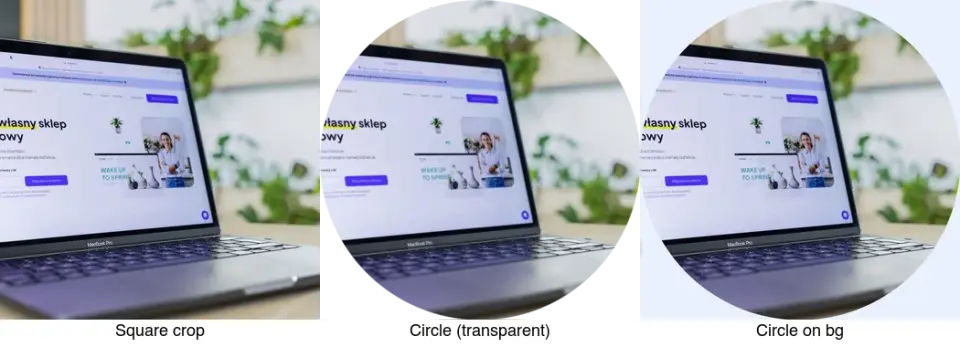
Crop an image to a circle for avatars and profile photos: the square-first rule, making a transparent circle PNG or a circle on a background, and where circles are used.